
spf record gmail: Essential Gmail SPF Guide
spf record gmail: Learn how to set up and troubleshoot SPF for Gmail, manage multiple senders, and improve email deliverability with practical steps.
Read article
When you get down to it, the SPF vs DKIM debate is really about two different security guards working together. SPF checks the ID—it verifies who is allowed to send your emails. DKIM inspects the package—it verifies the email content hasn't been messed with in transit.
They aren't competitors; they're partners. One is a permission slip, the other is a tamper-proof seal. For any serious cold email outreach, using both is the only way to prove your messages are legitimate.
If you're sending cold emails at any kind of scale, think of SPF (Sender Policy Framework) and DKIM (DomainKeys Identified Mail) as non-negotiable. Without them, you're essentially leaving your email's fate up to the aggressive spam filters at Google and Microsoft.
These two protocols are the bedrock of modern email deliverability, signaling to inbox providers that your domain is trustworthy. This isn't just about following the rules; it's about survival. A single misconfigured record can get your domain blacklisted, silently killing campaigns before they even get a chance.
You don't have to look far to find horror stories. A common post on Reddit's sales forums goes something like this: "Our open rates suddenly dropped to zero. We checked everything—copy, list, sending times. Turns out our new marketing automation tool added an include that broke our SPF record. We were failing authentication and didn't even know it."
While both SPF and DKIM fight email spoofing, they tackle the problem from completely different angles. The difference is real and measurable; a misconfigured SPF or DKIM record is one of the fastest ways to get your entire domain's reputation flagged by inbox providers.
This gap in performance highlights just how important it is to understand what each protocol does and, just as importantly, what it doesn't do.
Here’s a quick breakdown of how they stack up.
| Attribute | SPF (Sender Policy Framework) | DKIM (DomainKeys Identified Mail) |
|---|---|---|
| Primary Function | Verifies the sender's server IP address. It answers: "Is this server authorized to send emails for this domain?" | Protects the email's content integrity. It answers: "Has this email been altered since it was sent?" |
| What It Verifies | The sending mail server's IP address against a published list in the domain's DNS records. | A digital signature in the email header, created with a private key and validated with a public key in the DNS. |
| Key Limitation | It can break when an email is forwarded, as the forwarding server's IP is not on the original sender's authorized list. | More complex to set up initially, involving the generation and management of cryptographic keys. |
In the end, SPF is like a bouncer at the club door, checking the sender's credentials (their IP address) against an approved guest list. DKIM, on the other hand, is the notary who puts a wax seal on the message, proving its contents are authentic and haven't been touched.
You need both to build a solid sender reputation and ensure your cold emails actually land where they're supposed to.
Think of the Sender Policy Framework (SPF) as a digital bouncer for your domain. It’s a straightforward but powerful method to tell receiving mail servers exactly which IP addresses are authorized to send emails on your behalf. It’s your first line of defense against impersonation.
When you send a cold email, the recipient's server does a quick background check.
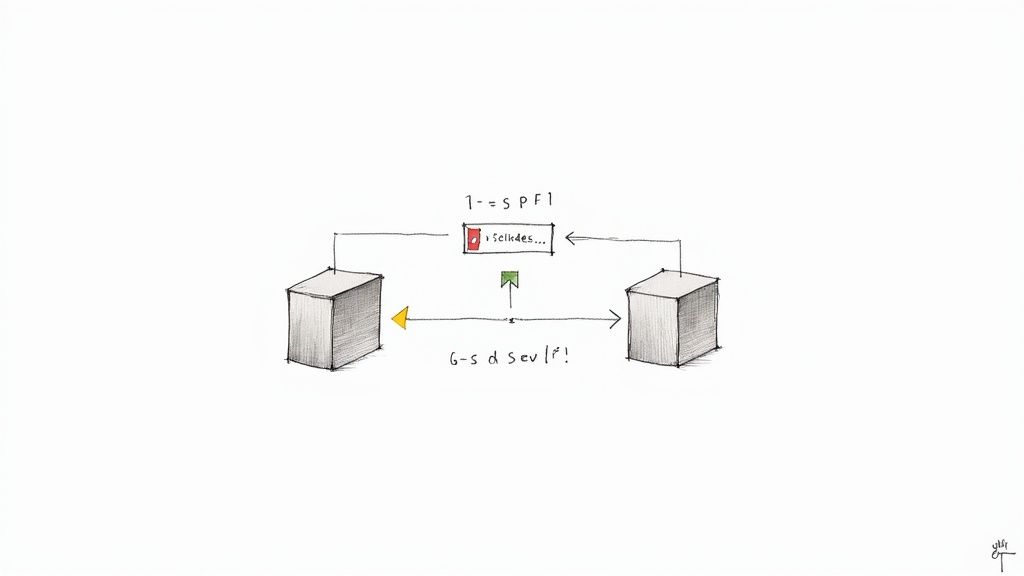
It looks at the IP address your email came from and compares it against the list in your domain's SPF record. If the IP is on the list, the email passes the first checkpoint. If not, it raises a red flag, which dramatically increases the chance of your message landing in the spam folder.
This process is a fundamental piece of the spf vs dkim puzzle, preventing basic domain spoofing and building foundational trust with major inbox providers like Google and Microsoft.
At its core, an SPF record is just a simple TXT record living in your DNS. While it might look a bit technical, it’s really just a set of rules for receiving servers to follow. Each piece, called a "mechanism," provides a specific instruction.
Here’s what you’ll typically find in an SPF record:
v=spf1: This is simply the version tag. It tells servers, "Hey, this is an SPF record."include:: This is the most common mechanism you'll use. It instructs the receiving server to check the SPF record of another domain (like _spf.google.com or sendgrid.net) and treat its approved IPs as your own.all: This is the catch-all directive at the end of the record. –all means "reject any sender not on this list," while ~all means "soft fail" (mark it as suspicious but don't outright reject). For cold outreach, ~all (soft fail) is often the safest starting point, as it prevents deliverability problems from complex but legitimate mail flows.The health of your SPF record is non-negotiable; a single typo or syntax error can render the entire thing useless. You can use a reliable SPF checker to quickly validate your record and make sure it's working as expected.
Here’s a technical detail where many well-intentioned email campaigns fall apart. The official SPF specification limits receiving servers to a maximum of 10 DNS lookups when validating a single SPF record. Every include statement you add counts as one lookup.
It’s easy to see how this becomes a problem. If you use Google Workspace for your primary inbox, a transactional service like SendGrid for app notifications, and a cold email platform, those include statements add up fast. Once you cross the 10-lookup threshold, your SPF check automatically fails with a "PermError," and your email is treated as if it has no authentication at all.
This limit is a silent campaign killer because, from your end, everything looks perfectly fine.
A Reddit user shared their struggle in a technical marketing subreddit: "We couldn't figure out why our deliverability tanked. Our SPF record looked fine. Turns out we were at 12 DNS lookups because of all the tools we’d added over the years. Our emails were failing SPF checks and we had no idea."
This real-world example shows just how common this pitfall is. The sender's reputation wasn't being harmed by bad content but by a technical constraint they never knew existed.
Another major weakness of SPF is what happens when an email gets forwarded. When a prospect forwards your message to a colleague, the email is now being sent from their company's mail server. That server's IP address is almost certainly not on your SPF record's approved list.
The result? The final receiving server sees an IP that doesn't match your record, and the SPF check fails. This is a fundamental flaw, especially in B2B outreach where emails are constantly shared internally. To get a sense of how service providers treat these kinds of technical failures, you can review documents like Astonish Email's Antispam Policy to see their standards.
This forwarding issue is a key reason why SPF alone just isn't enough. It does a great job of validating the very first server in the chain, but it offers zero protection for the rest of the message's journey. That’s where DKIM becomes an essential partner in any serious authentication strategy.
If SPF acts as a bouncer checking IDs at the door, think of DKIM (DomainKeys Identified Mail) as the high-tech, tamper-proof seal on the package itself. It uses cryptography to add a unique digital signature to every email, proving that the message and its important headers haven't been messed with on their way to the inbox.
This is a huge difference in the SPF vs DKIM debate. SPF verifies the server, but DKIM verifies the message. For anyone doing cold outreach, this integrity check is non-negotiable for building trust with inbox providers like Google and Microsoft, who are looking closer than ever for signals of legitimacy.
The magic here is all about a public/private key pair. Your private key lives securely on your sending server and creates an encrypted signature based on the content of your email. That signature gets attached to the email header.
When your email lands in a recipient's inbox, their server looks up your public key from your domain’s DNS records. It then uses that public key to decrypt the signature. If it decrypts properly and the resulting value matches the email's content, the message passes the DKIM check. This confirms two critical things: the email really came from your domain, and nobody altered it en route.
This cryptographic proof is incredibly strong—it’s the digital version of a wax seal that can't be forged.
Here’s where DKIM really shines, especially for cold email campaigns, and it's probably its single biggest advantage over SPF. The DKIM signature is part of the email header, so it travels with the message. When a prospect forwards your email to their boss, that original signature stays right where it is.
The new server can still look up your public key in your DNS and validate the original signature, even though the forwarding server’s IP address isn't in your SPF record. The email passes DKIM, keeping its trusted status alive as it gets passed around.
A Reddit user in a sales ops forum shared their breakthrough: "Our B2B emails were getting flagged when shared internally. We had SPF set up, but it was DKIM that fixed it. The signature stays with the message, so even when it's forwarded ten times, it still proves it came from us."
This resilience is exactly why DKIM is essential for any serious outreach. It protects your sender reputation by ensuring your message stays authenticated, no matter how many hands it passes through.
Let’s get practical and look at the components you’d actually find in an email header. It might look like a jumble of code, but each tag has a clear job.
s= (Selector): This points to the specific public key in your DNS records that was used to sign the message. It lets you use different keys for different services, like s=google for Google Workspace and s=sendgrid for another platform.d= (Domain): This is simply the domain that signed the email. It tells the receiving server where to go to find the public key.b= (Signature): This is that long string of characters that makes up the actual cryptographic signature. It’s the heart of the whole verification process.Knowing what these mean is crucial for troubleshooting. If you ever want to double-check your setup, a solid DKIM checker can analyze your records and signature to make sure everything is good to go. For cold email at scale, a valid DKIM signature is your ultimate proof of authenticity and an absolute must-have.
Getting your SPF and DKIM records set up correctly is a fantastic start, but it's really only two-thirds of the job. By themselves, SPF and DKIM are just passive checks. They don't give a receiving mail server any explicit instructions on what to do if an email fails authentication. That's where DMARC changes the game.
DMARC (Domain-based Message Authentication, Reporting, and Conformance) is the policy layer that brings SPF and DKIM together. Think of it as your instruction manual for providers like Google and Microsoft, telling them exactly how to handle unauthenticated emails claiming to be from your domain. This elevates the SPF vs DKIM conversation from a simple technical check to an enforceable security policy.
The real magic of DMARC lies in a concept called alignment. For an email to pass DMARC, it’s not enough for it to just pass SPF or DKIM. The domain used in that authentication check must match the domain in the "From" address—the one your recipient actually sees.
Without alignment, a spammer could send an email from their own perfectly authenticated domain while slapping your domain in the "From" field to trick people. The email would pass SPF and DKIM for the spammer's domain, but DMARC would catch the mismatch and fail the email. This alignment check is the key to shutting down sophisticated spoofing attempts.
This decision tree shows how authentication checks respond in common scenarios, like when an email gets forwarded.
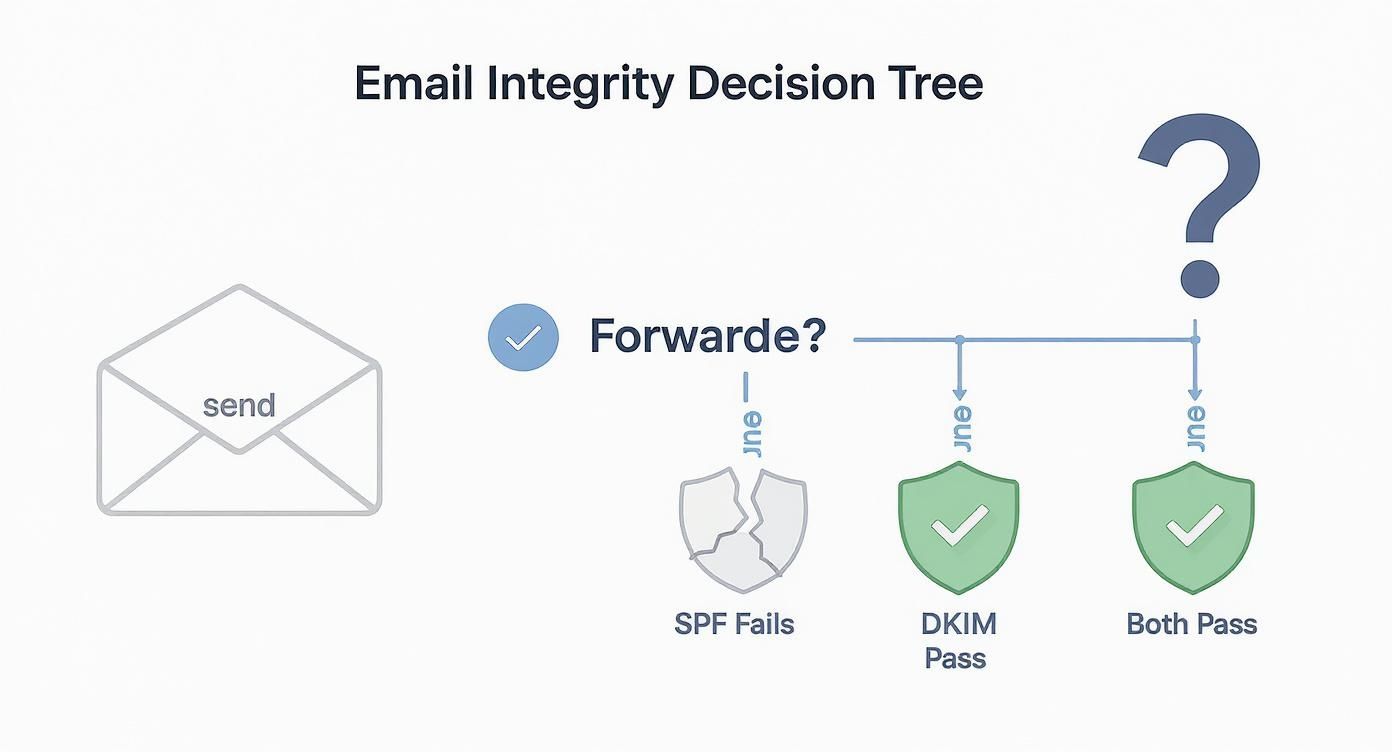
As you can see, forwarding almost always breaks SPF. But a DKIM signature travels with the message itself, making sure it stays valid and aligned no matter where it goes.
DMARC policies are set with a p= tag in your DNS record, which gives you three levels of control:
p=none: This is "monitoring mode." You're telling inbox providers to let unaligned emails through but to send you reports on who is sending email from your domain. This is the essential first step for every single domain.p=quarantine: This policy recommends that unaligned emails get sent straight to the spam or junk folder. It's the perfect intermediate step before moving to full rejection.p=reject: This is the ultimate goal. It's a direct command to servers: completely block and reject any email that fails DMARC checks. No exceptions.Implementing a strict policy is a powerful move. A huge part of DMARC's value is learning how to protect against phishing attacks and email spoofing, which dramatically improves the security and trust of your sending domain.
Beyond just blocking bad emails, DMARC's reporting feature is its most underrated asset, especially for cold outreach. These reports (called RUA reports) give you a complete picture of all the email traffic using your domain, including both your legitimate senders and any fraudulent sources.
By digging into these reports, you can identify:
You can validate your entire setup using a professional DMARC checker like the one on our site to make sure your policy is published correctly and ready to go. You can find it here: https://www.inboxkit.com/resources/tools/dmarc-checker
A Reddit user in r/sysadmin put it perfectly: "We thought our deliverability was fine until we set up DMARC with
p=none. The reports showed a third-party marketing tool we forgot about was failing DKIM alignment on 20% of its sends. We were unknowingly damaging our own reputation."
This real-world example shows that you can't fix what you can't see. DMARC reporting gives you the visibility you need to build and maintain a healthy cold email infrastructure.
When you bring SPF and DKIM together under a DMARC policy, you create a critical triple-layer defense. While it takes time and analysis to get to a strict policy, domains that enforce p=reject or p=quarantine see a dramatic drop in spoofing attempts, directly protecting their brand reputation.
Alright, let's move from the "what" to the "how." This is where theory meets reality, and frankly, where most cold email campaigns get tripped up before the first email is even sent. Adding a couple of DNS records sounds easy enough, but the small details can quickly tank your entire operation, often silently.
The real trick is being meticulous. A single typo, a misunderstanding of how your sending services play together—these are the things that lead to authentication failures that are a nightmare to diagnose later. Let’s walk through the setup process and, more importantly, how to fix the inevitable issues that pop up.
To get SPF and DKIM working, you'll need to add specific TXT records to your domain's DNS settings. Your email provider (like Google Workspace or Microsoft 365) or a platform like InboxKit will give you the exact values, but the basic structure is always the same.
For instance, a standard SPF record for a domain sending through Google Workspace looks like this:
v=spf1 include:_spf.google.com ~all
For DKIM, you'll get two pieces of information: a hostname (called the selector) and a value (the public key). The hostname is unique, something like google._domainkey, and the value is a very long string of cryptographic text. You'll add this as another TXT record.
I see this all the time on Reddit forums: people try to create multiple SPF records for different services. You can only have one SPF record per domain, period. If you need to authorize more than one sending service, you have to add their
includemechanisms into that single record, not create new ones.
One of the most maddening errors you'll encounter is the SPF PermError. This almost always comes from blowing past the 10-DNS lookup limit. Every include in your SPF record counts as one lookup. If you use Google, your CRM, and a cold email platform, you can hit that limit faster than you think.
Once you exceed the limit, receiving mail servers can't validate your SPF, and your deliverability takes a nosedive.
How to Diagnose and Fix It:
includes: Take a hard look at every service listed in your SPF record. Are you still actively using all of them? Get rid of anything you no longer need.include (which costs a lookup) with the specific IP addresses (ip4 or ip6 mechanisms) that service sends from. Be careful with this, though—if the service changes its IPs, your SPF record will break.DKIM failures are usually less mysterious. Nine times out of ten, the problem is either a typo in your DNS record or a misconfiguration on your sending platform.
A user in a deliverability subreddit recently shared a classic story: "I spent a week pulling my hair out over a DKIM failure. It turns out my DNS host automatically wrapped the public key in quotation marks when I pasted it, completely breaking the signature."
A Quick Troubleshooting Checklist:
s= tag in your email's header has to match the selector you put in your DNS. If they don't line up, it's an automatic fail. This is common when you're juggling multiple sending tools.Manually setting up and troubleshooting these records for a handful of domains is a pain. Doing it for dozens or hundreds? It's not just impractical—it's a recipe for costly mistakes. One slip-up can get an entire batch of domains flagged by spam filters, torching your investment.
This is where a specialized platform becomes a lifesaver. A service like InboxKit, for example, handles all of this for you. When you provision new mailboxes, it automatically generates and configures the correct SPF, DKIM, and DMARC records for every single domain. This completely removes the risk of human error and ensures your entire infrastructure is ready for high-volume outreach from the get-go. Instead of wrestling with DNS settings, you can focus on what actually matters: writing compelling emails and launching your campaigns.
Let's move past the simple "just use both" advice for SPF and DKIM. To build a cold email infrastructure that actually holds up, you need to think like a security expert. It isn't just about plugging in a few DNS records; it's about constructing a fortress around your sender reputation to handle high-volume outreach and shield your brand from impersonation. This means going well beyond the standard setup.
The very first step? Dedicated sending domains. You should never, ever run large-scale cold campaigns from your primary corporate domain. Using separate, warmed-up domains isolates your outreach reputation from your core business operations. If one of your sending domains hits a snag with deliverability, your main domain's health is completely untouched.
With your dedicated domains in place, the objective is to lock them down with the strongest authentication possible. This goes beyond a basic DKIM setup. I’m talking about using 2048-bit DKIM keys, which offer a much higher level of cryptographic security and make your email signatures significantly harder to fake. While 1024-bit keys are still common, the stronger encryption is a powerful trust signal to inbox providers.
Your DMARC policy is the final, critical piece of this puzzle. You'll start with p=none to monitor traffic and gather data, but that's just a temporary phase. The end goal is always to shift to a strict enforcement policy.
A policy of
p=rejectis the ultimate goal. It's an unambiguous instruction to the world: "If an email claiming to be from my domain fails authentication, do not deliver it. Period." This single setting is your most powerful defense against domain spoofing.
Email authentication is not a one-and-done task. It demands active, ongoing vigilance. Think of your DMARC reports as an intelligence feed, giving you invaluable data on who is sending email on behalf of your domain. Reviewing these reports regularly helps you spot unauthorized senders, catch configuration errors from your legitimate tools, and fix authentication problems before they crater your inbox placement.
This proactive approach pays direct dividends in campaign performance. Correctly authenticated emails achieve higher inbox placement rates and face less scrutiny from spam filters. The strict enforcement driven by DMARC has led to real security improvements, protecting your domain's reputation from being tarnished by phishers. For more on DMARC's impact, see Valimail's analysis. This comprehensive setup ensures more of your emails land exactly where they need to, maximizing your return.
Yes, absolutely. Think of SPF and DKIM as two different security guards checking different credentials. SPF verifies that the email came from an approved server, while DKIM ensures the message itself hasn't been tampered with since it left that server.
Having just one is like leaving a back door wide open. Spam filters are designed to spot these gaps, so if you're serious about cold outreach, using both isn't just a recommendation—it's a requirement.
This is a common point of confusion. For SPF, the rule is strict: only one record per domain. If you send emails through multiple services (like Google Workspace and a separate cold email tool), you need to consolidate them into a single record using include mechanisms. Multiple SPF records will break your authentication.
For DKIM, it's the opposite. You can—and often must—have multiple DKIM records. Each sending platform will provide its own unique DKIM key and selector, allowing you to authenticate each service independently without conflict.
Never just set it and forget it. The only way to know for sure is to test. Send an email from your configured domain to a testing address (or even just another inbox you control) and dive into the email headers.
You're looking for a line that says "Authentication-Results," which will show you a clear pass or fail for both SPF and DKIM.
We see this all the time on forums like Reddit: someone launches a huge campaign, only to find out weeks later that a single typo in their DNS record caused every single email to fail authentication. Test, test, and test again.
Getting SPF and DKIM right is just the price of admission. It gets you past the first checkpoint, but it doesn't guarantee a spot in the inbox. If you're still hitting the spam folder, it's time to look at the bigger picture.
Deliverability is a complex puzzle, and other pieces matter just as much:
Authentication is the foundation, but a winning cold email strategy depends on everything you build on top of it.
Ready to stop wrestling with DNS records and start focusing on your pipeline? InboxKit delivers ready-to-use cold email infrastructure, automating the entire setup of SPF, DKIM, and DMARC for you in minutes. Build a bulletproof sender reputation and scale your inbox placement. Find out more and get started at https://www.inboxkit.com.
spf record gmail: Learn how to set up and troubleshoot SPF for Gmail, manage multiple senders, and improve email deliverability with practical steps.
Read articleDiscover the best free email verification tools to boost deliverability for cold outreach. Compare top options and find the right tool to scale safely.
Read articleLearn how to setup DKIM to improve email deliverability and sender reputation. This guide covers Google, Microsoft 365, and third-party email services.
Read articleInboxKit provides everything you need to reach the inbox consistently