
On this page

 vs
vsInboxKit vs PuzzleInbox: Multi-Provider Accounts vs Done-For-You Pre-Warmed Inboxes (2026)
InboxKit and PuzzleInbox both sell real Google Workspace inboxes for email, but two differences decide the matchup: send caps and breadth of providers. PuzzleInbox is the cheapest, most hands-off path to pre-warmed Google or Outlook inboxes, with a conservative 12-sends-per-inbox-per-day recommendation. InboxKit adds Microsoft 365 and Azure, a full API, InfraGuard monitoring, and standard provider send caps, so you can hit the same daily volume with fewer inboxes.
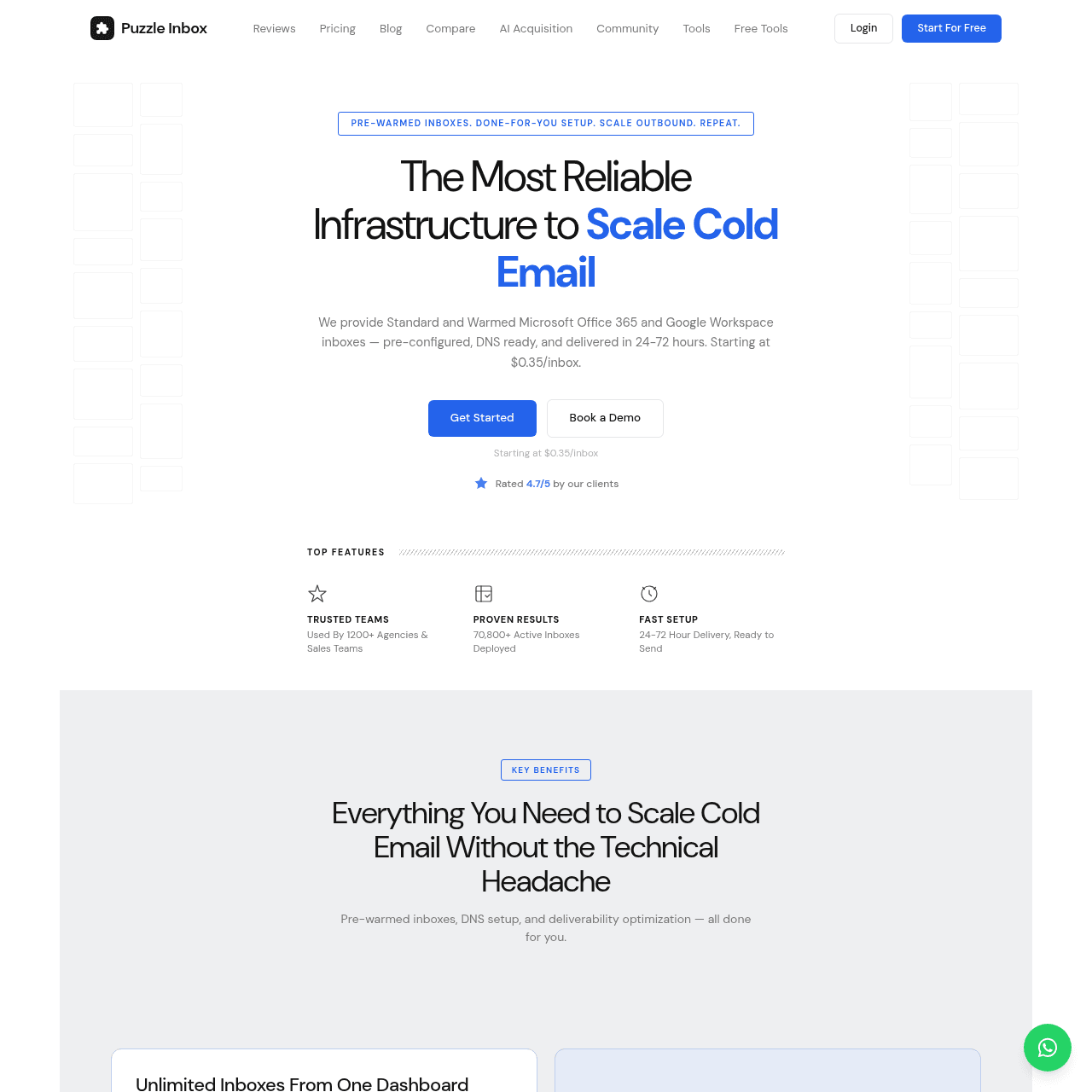
PuzzleInbox homepage as of May 2026
Our Summary
PuzzleInbox (puzzleinbox.com) sells email infrastructure as a service. You order inboxes and PuzzleInbox handles domain purchasing, DNS, authentication, and optional warmup, then hands you Google Workspace or Outlook 365 inboxes ready to connect to a sequencer. Setup lands in 24 to 72 hours, and the inboxes are real authenticated accounts with admin access (admin.google.com for Google, admin.microsoft.com for Outlook 365), not shared subaccounts.
Pricing is transparent and cheap. Standard Google Workspace inboxes are $3 each per month and pre-warmed Google Workspace inboxes are $4.50 each, both at 3 inboxes per domain with SPF, DKIM and DMARC configured. PuzzleInbox also sells Outlook 365 inboxes at $0.35 each per month for platform diversification, and offers bulk pricing above 100 inboxes.
The defining constraint is the send cap: PuzzleInbox recommends just 12 emails per inbox per day, more conservative than the standard provider guidance many Google setups run. It includes WhatsApp support with a 15-minute average response time, replaces suspended inboxes within 24 to 72 hours at no extra charge, and reports 1,200+ clients.
Feature Comparison
| Feature |  InboxKit InboxKit | |
|---|---|---|
| Mailboxes | ||
| Providers | Google, Microsoft 365 & Azure | Google Workspace & Outlook 365 |
| Admin Access | Full Google/Microsoft admin | admin.google.com / admin.microsoft.com |
| Azure Option | Yes ($30/tenant/mo) | Not offered |
| Pricing & Send Caps | ||
| Per-Inbox Price | From $2.50/mailbox ($3.00 monthly) | $3 / $4.50 Google; $0.35 Outlook |
| Send Cap | Standard provider caps | 12 sends/inbox/day |
| Monitoring & Setup | ||
| Monitoring | InfraGuard with auto-pause | Dashboard monitoring |
| Warmup | Isolated warmup add-on ($3/mb/mo) | Pre-warmed option (+$1.50/inbox) |
| Setup Time | Under 60 seconds | 24 to 72 hours |
| Access & Support | ||
| API | Full REST API on every mailbox | Dashboard-managed |
| Support | Support across plans | WhatsApp, 15-min average |
| Inbox Replacement | Managed via dashboard/support | Free, 24 to 72h |
Switch to InboxKit
Dedicated IPs. Isolated infrastructure. From $2.50/mo.
Pricing Comparison
InboxKit
inboxkit.com
- Google WorkspaceFrom $2.50/mailbox/mo
Real US-IP Google accounts, full admin access. One rate per mailbox, from $2.50/mo on annual billing ($2.70 quarterly, $3.00 monthly). No plans, no slots, no base fee.
- Microsoft 365From $2.50/mailbox/mo
Official Microsoft 365 accounts with admin control. Same flat rate as Google Workspace, no Microsoft premium.
- Azure Mailboxes$30/tenant/mo
Up to 100 mailboxes per tenant on Azure infrastructure. Same price on every cycle.
 PuzzleInbox
puzzleinbox.com
- Standard (Google Workspace)$3/inbox/mo
Official Google Workspace inboxes, 3 per domain, 12 sends/day, 24 to 72h delivery, SPF/DKIM/DMARC.
- Warmed (Google Workspace)$4.50/inbox/mo
Pre-warmed Google Workspace inboxes, 3 per domain, 12 sends/day, 500+ domain options.
- Outlook 365$0.35/inbox/mo
Outlook 365 inboxes for platform diversification, with admin.microsoft.com access.
- Bulk (100+ inboxes)Custom
Volume tiers reduce per-inbox cost with diversified provisioning to keep suspension rates low.
Pricing Verdict: On raw per-inbox price the two are close: PuzzleInbox is $3 to $4.50 for Google (and $0.35 for Outlook), while InboxKit is from $2.50 per mailbox on annual billing ($3.00 monthly). The real difference shows up when you normalize for send caps. PuzzleInbox recommends 12 sends per inbox per day, so hitting a given daily volume takes more inboxes than InboxKit's accounts at standard provider caps. Factor in that InboxKit includes InfraGuard monitoring, and the effective cost per unit of sending shifts further in InboxKit's favor.
Infrastructure and Deliverability
Higher Send Caps Mean Fewer Inboxes
PuzzleInbox recommends 12 sends per inbox per day. InboxKit's real Google and Microsoft accounts follow standard provider guidance, so you can reach the same daily volume with fewer inboxes, which changes the real cost math.
Microsoft 365 and Azure
InboxKit offers Google, Microsoft 365 and Azure ($30/tenant/mo). PuzzleInbox offers Google Workspace and Outlook 365, with no Azure tier.
InfraGuard Monitoring Built In
Blacklist checks every 6 hours, DNS drift detection, bounce tracking, and automatic auto-pause are included. PuzzleInbox provides dashboard monitoring without automated pausing.
Full API and Instant Provisioning
InboxKit exposes a full REST API on every mailbox and provisions mailboxes in under 60 seconds. PuzzleInbox is dashboard-managed with a 24 to 72 hour delivery window.
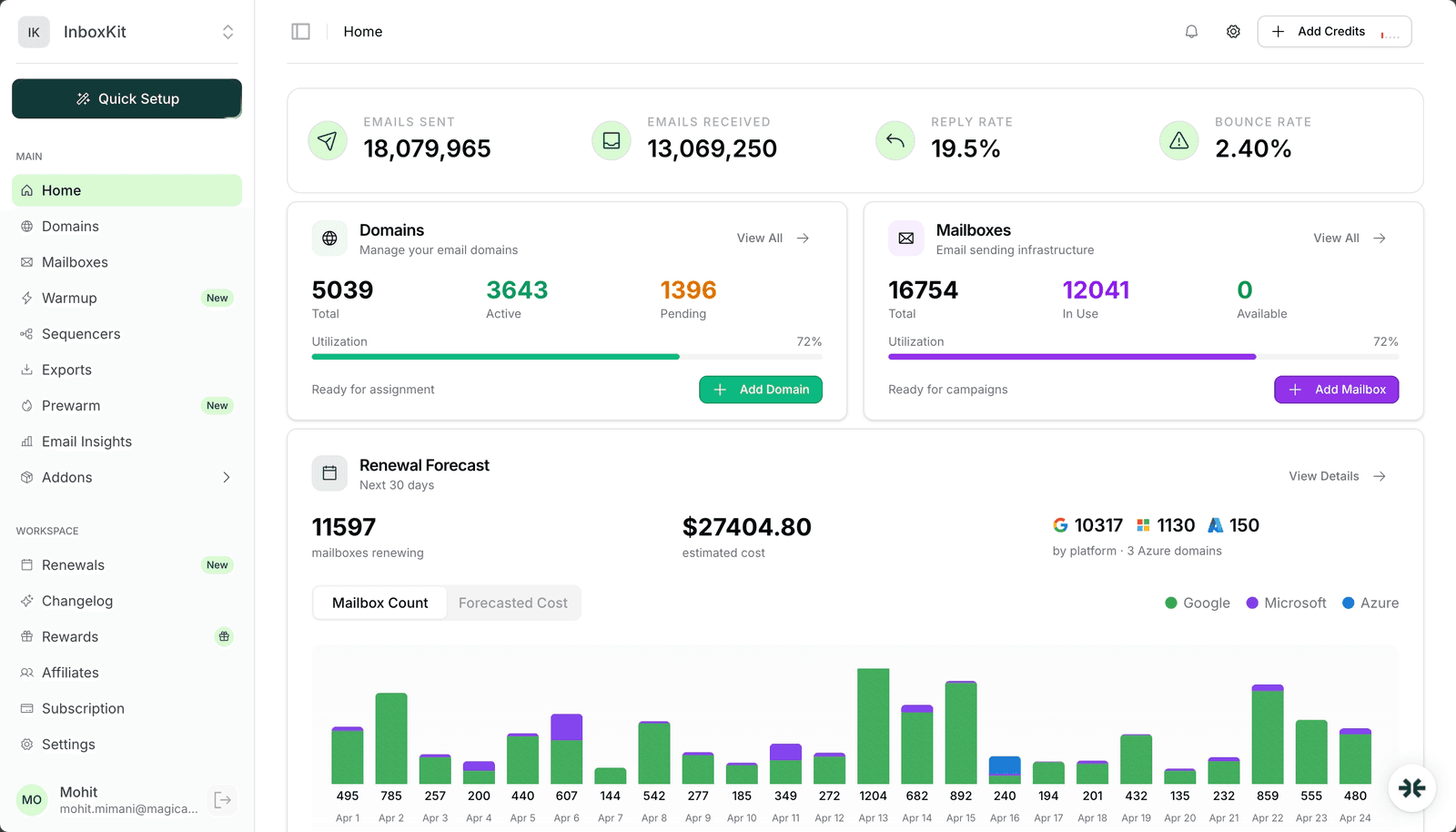
InboxKit dashboard — 18M+ emails, 5,039 domains, 16,754 mailboxes for a single client

PuzzleInbox homepage
Pros & Cons
InboxKitStrengths
- Google, Microsoft 365 and Azure (PuzzleInbox has no Azure)
- Standard provider send caps, so fewer inboxes for the same volume
- InfraGuard monitoring with auto-pause included
- Full REST API on every mailbox, provisioning in under 60 seconds
Limitations
- Isolated Warmup is a paid add-on ($3/mailbox/mo)
- No $0.35 ultra-cheap Outlook tier
Strengths
- Cheap done-for-you inboxes ($3 standard, $4.50 pre-warmed)
- Real accounts with admin.google.com / admin.microsoft.com access
- Very cheap Outlook 365 at $0.35/inbox
- WhatsApp support (15-min average), free suspended-inbox replacement
Limitations
- Conservative 12-send-per-inbox daily cap
- No Azure option
- No self-serve API (dashboard-managed)
- Dashboard monitoring without automated auto-pause
Who Should Choose What
PuzzleInbox is a strong choice if you want the cheapest, fastest, most hands-off path to pre-warmed Google or Outlook inboxes and you are comfortable with a conservative 12-send daily cap. InboxKit wins for teams that want Microsoft 365 and Azure as well as Google, higher send caps that need fewer inboxes for the same volume, a full API, and InfraGuard monitoring built in. Both deliver real Google inboxes; the decision comes down to send volume, provider breadth, and how much monitoring you want included.
Got questions? We've got answers.
Yes. PuzzleInbox provides real authenticated Google Workspace (admin.google.com) and Outlook 365 (admin.microsoft.com) accounts, not shared subaccounts. InboxKit also provides real accounts with full admin access, plus Azure as a third option.
PuzzleInbox recommends 12 sends per inbox per day. InboxKit's real Google and Microsoft accounts follow standard provider guidance, so you can typically hit the same daily volume with fewer inboxes.
Per inbox they are close: PuzzleInbox is $3 to $4.50 for Google (and $0.35 for Outlook), InboxKit from $2.50 ($3.00 monthly). Once you normalize for the 12-send cap, InboxKit often needs fewer inboxes for the same volume, and it includes InfraGuard monitoring.
InboxKit does ($30/tenant/mo). PuzzleInbox offers Google Workspace and Outlook 365, not Azure.
PuzzleInbox offers a pre-warmed Google Workspace tier at $4.50/inbox that ships with established sending reputation, so you skip the self-warmup phase. InboxKit offers an Isolated Warmup add-on at $3/mailbox/month.
Keep Reading
Competitor pricing and feature details were verified in June 2026. Pricing changes often — always confirm current rates on the provider's official website.
Ready to try InboxKit?
Dedicated US IPs. Isolated infrastructure. Real Google & Microsoft accounts from $2.50/mo.