TL;DR
BIMI (Brand Indicators for Message Identification) displays your logo next to emails in recipients' inboxes. It requires DMARC enforcement, a properly formatted SVG logo, and optionally a VMC certificate. Here is how to set it up.
What Is BIMI and Why It Matters for Cold Email
BIMI (Brand Indicators for Message Identification) is a DNS-based email standard that allows senders to display their brand logo next to emails in supported inboxes. When a recipient sees your email in Gmail, Apple Mail, or Yahoo, your company logo appears instead of a generic avatar.
For cold email, BIMI provides two benefits:
- 1Visual trust signal. A branded logo increases perceived legitimacy. Recipients are less likely to ignore or report an email that shows a professional logo.
- 2Indirect deliverability benefit. BIMI requires DMARC enforcement (p=quarantine or p=reject), which itself improves deliverability. The BIMI setup process forces you to complete your authentication stack.
| Provider | BIMI Support | VMC Required | Notes |
|---|---|---|---|
| Gmail | Yes (since 2021) | Yes, required | Only shows logo with valid VMC |
| Apple Mail | Yes (since iOS 16) | Yes, required | Full BIMI support including VMC |
| Yahoo Mail | Yes (since 2018) | No, optional | Shows logo without VMC |
| Fastmail | Yes | No, optional | Shows logo without VMC |
| Microsoft Outlook | Partial (2025+) | TBD | Rolling out gradually |
| AOL | Yes | No, optional | Shows logo without VMC |
The catch: Gmail and Apple Mail. the two largest email clients. require a VMC (Verified Mark Certificate), which costs $1,000-1,500/year. This makes BIMI primarily valuable for brands with established budgets. For cold email operations, the authentication requirements (DMARC enforcement) deliver the real value.
BIMI Without VMC
Yahoo, Fastmail, and AOL display your BIMI logo without a VMC. If your audience uses these providers, you can get BIMI branding benefits for free (just DNS + SVG logo). Gmail and Apple Mail require the paid VMC certificate.
Prerequisites: DMARC Enforcement Required
BIMI will not work without DMARC enforcement. Your domain must have a DMARC policy of p=quarantine or p=reject. A p=none policy is not sufficient.
Required authentication stack:
| Requirement | Status Needed | How to Check |
|---|---|---|
| SPF | Passing | MXToolbox SPF checker or InboxKit DNS validator |
| DKIM | Passing | Send test email, check Authentication-Results header |
| DMARC | p=quarantine or p=reject | MXToolbox DMARC checker or InboxKit DNS validator |
| DMARC alignment | SPF or DKIM aligned | DMARC aggregate reports |
If your DMARC is currently at p=none, you need to progress through the enforcement rollout before implementing BIMI:
- 1Week 1-2: Monitor DMARC reports at
p=none - 2Week 3-4: Move to
p=quarantine; pct=25 - 3Week 5-6: Increase to
p=quarantine; pct=100 - 4Week 7+: Optionally move to
p=reject - 5After enforcement is stable: Implement BIMI
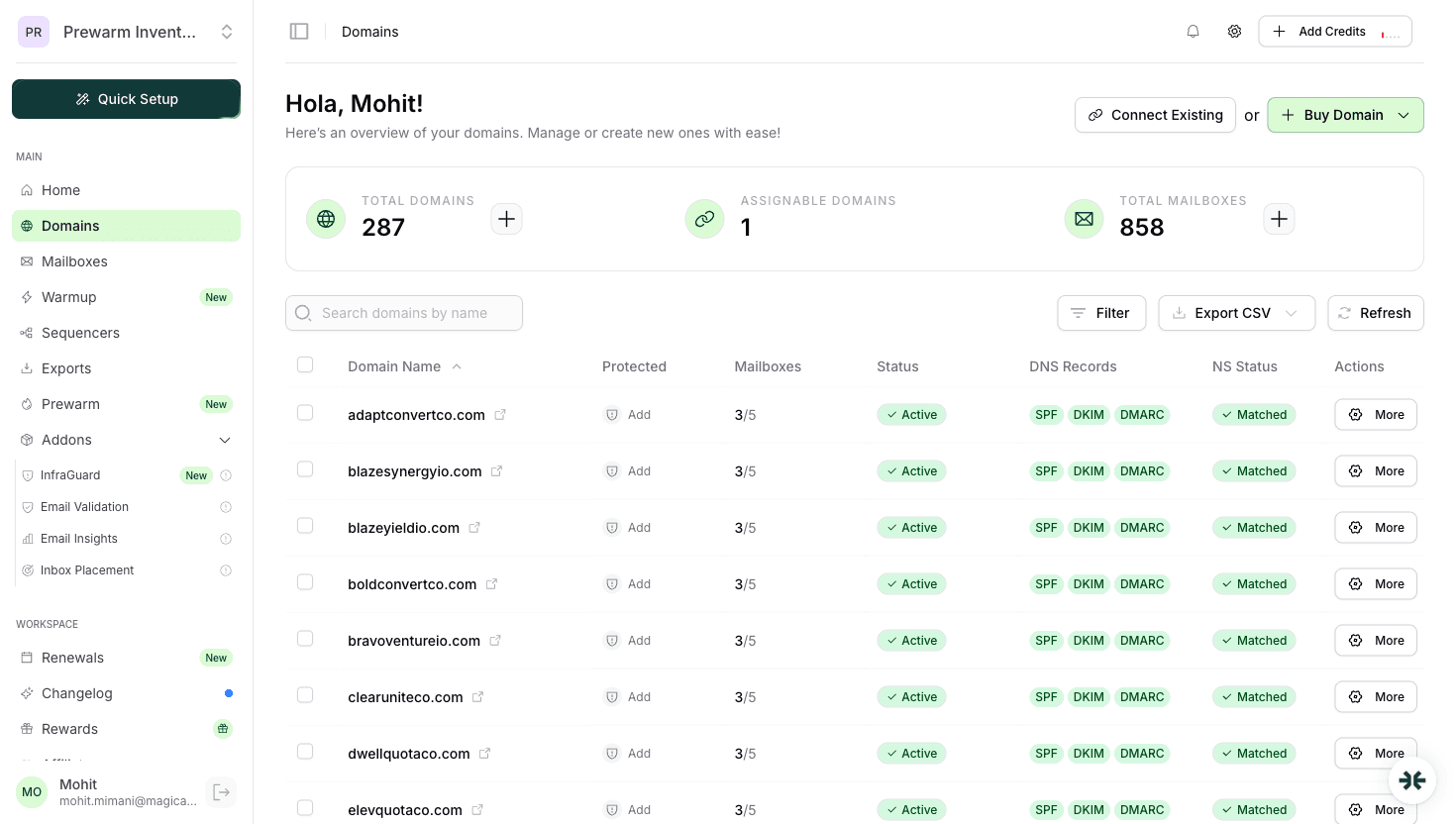
InboxKit configures DMARC automatically for all mailboxes. Check your current DMARC status in the InboxKit domains dashboard or use InboxKit's free DMARC checker tool.
Do Not Rush DMARC Enforcement
Moving to p=reject too quickly can block legitimate emails from third-party services you have not authenticated. Always monitor DMARC reports for 2-4 weeks at p=quarantine before considering p=reject.
Creating Your BIMI SVG Logo
BIMI has strict requirements for the logo file format. A regular SVG from your website will not work.
BIMI SVG requirements:
| Requirement | Specification | Notes |
|---|---|---|
| Format | SVG Tiny Portable/Secure (SVG P/S) | Not standard SVG |
| Size | Square aspect ratio | Must be perfectly square |
| Background | Solid, non-transparent | Transparent backgrounds not allowed |
| File size | Under 32 KB | Keep it simple |
| Content | Logo only | No text, animations, or external references |
| Encoding | Base64 is not allowed | Must be valid SVG XML |
| viewBox | Required | Must include viewBox attribute |
| Scripts | None | No JavaScript or interactivity |
Converting your logo to BIMI-compliant SVG:
- 1Start with your logo in SVG or high-res PNG format
- 2Open in a vector editor (Inkscape, Illustrator, Figma)
- 3Ensure it is perfectly square with a solid background
- 4Export as SVG Tiny 1.2
- 5Manually edit the SVG to add the BIMI profile:
<svg xmlns="http://www.w3.org/2000/svg" version="1.2" baseProfile="tiny-ps" viewBox="0 0 100 100">
<title>Your Company Name</title>
<!-- Your logo paths here -->
</svg>- 6Validate using InboxKit's BIMI checker or the BIMI Group's SVG validator
- 7Host the SVG on your domain over HTTPS (e.g.,
https://yourdomain.com/bimi/logo.svg)
Common SVG mistakes: Using standard SVG instead of SVG Tiny P/S, including tags, using external font references, or having a transparent background.
VMC Certificates: When You Need One
A VMC (Verified Mark Certificate) is a digital certificate that verifies your organization owns the trademark associated with your BIMI logo. Gmail and Apple Mail require a VMC to display your logo.
VMC certificate providers and pricing:
| Provider | Annual Cost | Trademark Required | Validation Time |
|---|---|---|---|
| DigiCert | ~$1,499/year | Yes (registered trademark) | 2-4 weeks |
| Entrust | ~$1,299/year | Yes (registered trademark) | 2-4 weeks |
- A registered trademark for your logo (USPTO, EUIPO, or equivalent)
- The trademarked logo must match your BIMI SVG exactly
- Organization validation (similar to EV SSL certificates)
- Valid DMARC with enforcement (p=quarantine or p=reject)
Do you need a VMC? It depends on your audience and goals:
Pros
- Logo displays in Gmail (60%+ of email users)
- Logo displays in Apple Mail (iOS 16+)
- Strongest possible brand recognition
- Additional trust signal for cold outreach
- Certificate validates your organization is legitimate
Cons
- $1,300-1,500 annual cost per logo
- Requires a registered trademark (cost + time to register)
- 2-4 week validation process
- Annual renewal required
- Overkill for small operations or testing
DNS Record Configuration
The BIMI DNS record is a TXT record added at a specific subdomain of your domain.
BIMI record format:
; BIMI record without VMC (works on Yahoo, Fastmail, AOL)
default._bimi.yourdomain.com IN TXT "v=BIMI1; l=https://yourdomain.com/bimi/logo.svg;"
; BIMI record with VMC (works on Gmail, Apple Mail, and all others)
default._bimi.yourdomain.com IN TXT "v=BIMI1; l=https://yourdomain.com/bimi/logo.svg; a=https://yourdomain.com/bimi/cert.pem;"Record breakdown:
| Component | Value | Required |
|---|---|---|
| Host | default._bimi | Yes |
| Type | TXT | Yes |
| v= | BIMI1 | Yes (version identifier) |
| l= | HTTPS URL to SVG logo | Yes |
| a= | HTTPS URL to VMC certificate (.pem) | Only for Gmail/Apple Mail |
Step-by-step DNS setup:
1. Host your BIMI SVG at a public HTTPS URL on your domain
2. If using VMC, host the .pem certificate file at a public HTTPS URL
3. Go to your DNS provider (Cloudflare, Namecheap, GoDaddy, etc.)
4. Add a TXT record:
- Host/Name: default._bimi
- Value: Your BIMI string (see format above)
- TTL: 3600
5. Wait 15-60 minutes for propagation
6. Validate using InboxKit's BIMI checker tool
Important: The logo URL must use HTTPS and must be on the same domain (or a subdomain) as the email sender. Cross-domain logo hosting is not recommended.
Verification and Testing
After setting up your BIMI record, verify everything works:
Step 1: Validate DNS record
Use InboxKit's BIMI checker or run:
`
dig TXT default._bimi.yourdomain.com
`
Step 2: Validate SVG format The BIMI Group provides an SVG validator. InboxKit's BIMI checker also validates the SVG format, checking for Tiny P/S compliance.
Step 3: Send test emails Send test emails to accounts on different providers and check if the logo appears:
| Provider | Where to Check | Expected Result |
|---|---|---|
| Gmail | Web client, avatar next to sender | Logo shows (VMC required) |
| Yahoo Mail | Inbox list view | Logo shows (no VMC needed) |
| Apple Mail | iOS/macOS sender avatar | Logo shows (VMC required) |
| Fastmail | Inbox sender column | Logo shows (no VMC needed) |
Step 4: Monitor DMARC reports BIMI will only work for emails that pass DMARC. Monitor your DMARC aggregate reports to ensure alignment stays above 95%.
- SVG not accessible at the URL (check HTTPS, CORS headers)
- SVG not in Tiny P/S format (most common issue)
- DMARC policy still at p=none
- VMC certificate expired or not matching the logo
- DNS record has typos in the hostname (
default._bimimust be exact)
BIMI for Cold Email: Practical Recommendations
For cold email operations, here is my practical recommendation:
If you are just getting started (under 50 mailboxes): Skip BIMI for now. Focus on SPF, DKIM, and DMARC enforcement. These provide the deliverability foundation. BIMI is cosmetic. it will not help if your authentication is broken.
If you are scaling (50-200 mailboxes): Set up BIMI without a VMC. It takes 15 minutes and is free. Your logo will display on Yahoo, Fastmail, and AOL. roughly 15% of business email. The DMARC enforcement requirement ensures your authentication is solid.
If you are an agency or established brand: Invest in a VMC certificate. The $1,300-1,500/year cost is justified when you are sending from branded domains at scale. Your logo appearing in Gmail and Apple Mail increases recognition and reduces spam complaints.
Cost-benefit analysis at scale:
| Scale | BIMI Without VMC | BIMI With VMC | Recommendation |
|---|---|---|---|
| 1-25 mailboxes | Free, 15 min setup | $1,500/year | Without VMC |
| 25-100 mailboxes | Free, 15 min setup | $1,500/year | Without VMC |
| 100-500 mailboxes | Free, 15 min setup | $1,500/year | With VMC (if branded domain) |
| Agency (10+ clients) | Free per client | $1,500/year per client | Per-client decision |
InboxKit's BIMI checker tool validates your entire BIMI setup. DNS record, SVG format, VMC certificate, and DMARC compliance. in one check.
Recommendation
Set up BIMI without a VMC on all your cold email domains. It is free, takes 15 minutes, and forces DMARC enforcement (which directly improves deliverability). Only invest in VMC certificates for primary brand domains where Gmail/Apple Mail logo display justifies the $1,500/year cost.
Frequently Asked Questions
BIMI itself does not directly improve deliverability. However, it requires DMARC enforcement (p=quarantine or p=reject), which does improve deliverability. Think of BIMI as a branding bonus that comes with the deliverability benefit of DMARC enforcement.
BIMI without a VMC is free. you just need a compliant SVG logo and a DNS record. BIMI with a VMC (required for Gmail and Apple Mail) costs $1,300-1,500/year for the certificate, plus you need a registered trademark.
Yes, but it makes the most sense for branded primary domains rather than secondary outreach domains. For cold email, the real value is the DMARC enforcement requirement, which improves deliverability regardless of whether recipients see your logo.
InboxKit provides a free BIMI checker tool that validates your BIMI record, SVG format, VMC certificate, and DMARC compliance. InboxKit also configures DMARC automatically for all mailboxes, which is the primary prerequisite for BIMI.
After DNS propagation (15-60 minutes), logos can appear within 24-48 hours. Gmail may take longer as it caches BIMI data. Yahoo typically shows logos fastest. Allow up to a week for full propagation across all supporting providers.
Sources & References
- 1
BIMI Group Official Specification(2026)
- 2
RFC 9495 - BIMI(2024)
- 3
Google BIMI Support Documentation(2026)
- 4
Apple Mail BIMI Support (iOS 16+)(2022)
- 5
DigiCert VMC Certificate(2026)
- 6
Entrust VMC Certificate(2026)
- 7
InboxKit BIMI Checker Tool(2026)
Related articles
How to Set Up DMARC for Cold Email (2026)
DNS Records Setup for Cold Email: SPF, DKIM, DMARC (2026)
Complete Email Deliverability Guide (2026)
Google Postmaster Tools: Complete Guide (2026)
Ready to set up your infrastructure?
Plans from $39/mo with 10 mailboxes included. Automated DNS, warmup, and InfraGuard monitoring included.