
LearnReviews
InboxKit Review (2026): Pricing, Features, Pros and Cons After 8 Months

By Mohit MimaniPublished on: Mar 30, 2026 · 9 min read · Last reviewed: Mar 2026
TL;DR
InboxKit is the best-value email infrastructure platform in 2026, but it is not perfect for everyone. After 200+ mailboxes across 4 client accounts for 8 months, here is an honest review with real numbers and deliverability results.
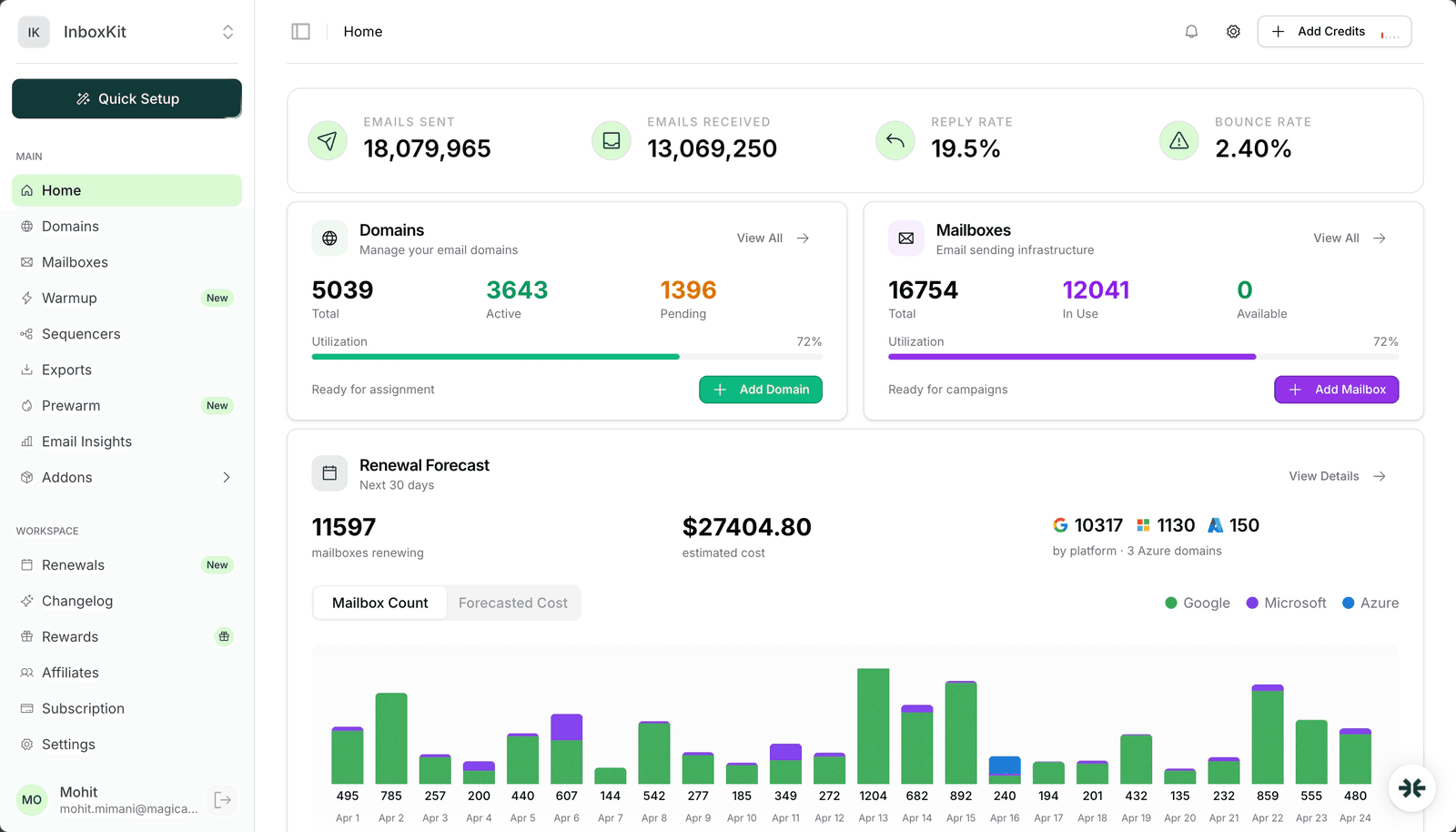
InboxKit charges a flat $3.00/mailbox/mo with no plan fee and no minimum (from $2.50/mailbox on annual billing), the only truly isolated warmup system tested (available as a $3.00/mailbox/mo add-on), and the most aggressive automated monitoring (InfraGuard) in the category. As shown in the InboxKit dashboard (see screenshot above), you get a single view of mailbox health scores, active warmup progress, and infrastructure overview.
For agencies and sales teams running 20+ mailboxes, it saves real money and real time.
Overall rating: 9/10. Minor points off for warmup being a paid add-on and Azure tenant pricing. The platform is built for scale and handles thousands of mailboxes without breaking a sweat.
InboxKit is an infrastructure platform, not a sending tool. You use it to:
It sits between your domain registrar and your sequencer (Instantly, SmartLead, etc.), handling all the infrastructure complexity in between.
Here are the actual costs:
| Billing Cycle | Per Mailbox | Minimum | 10 Mailboxes | 100 Mailboxes |
|---|---|---|---|---|
| Monthly | $3.00 | none | $30/mo | $300/mo |
| Quarterly | $2.70 | none | $27/mo | $270/mo |
| Annual | $2.50 | none | $25/mo | $250/mo |
| Add-On | Price |
|---|---|
| Warmup | $3.00/mailbox/mo (isolated) |
| Azure Domains | $30/domain (up to 100 mailboxes) |
| Domain Registration | From $2/year |
| InfraGuard Monitoring | Per-domain pricing |
| Inbox Placement Tests | Per-test from wallet |
The math at scale (with warmup):
| Mailboxes | Plan Cost | Warmup Cost | Total |
|---|---|---|---|
| 25 | Agency $99 (all included) | $75 | $174/mo |
| 50 | Agency $99 + 20 x $3.25 = $164 | $150 | $314/mo |
| 100 | Enterprise $299 (all included) | $300 | $599/mo |
All plans support both Google Workspace and Microsoft 365 mailboxes. Domain costs and InfraGuard are additional.
Domain Purchase and Setup: 9/10. DNS records are configured automatically within minutes. The real value is what happens after you buy: SPF, DKIM, and DMARC configured right on the first try.
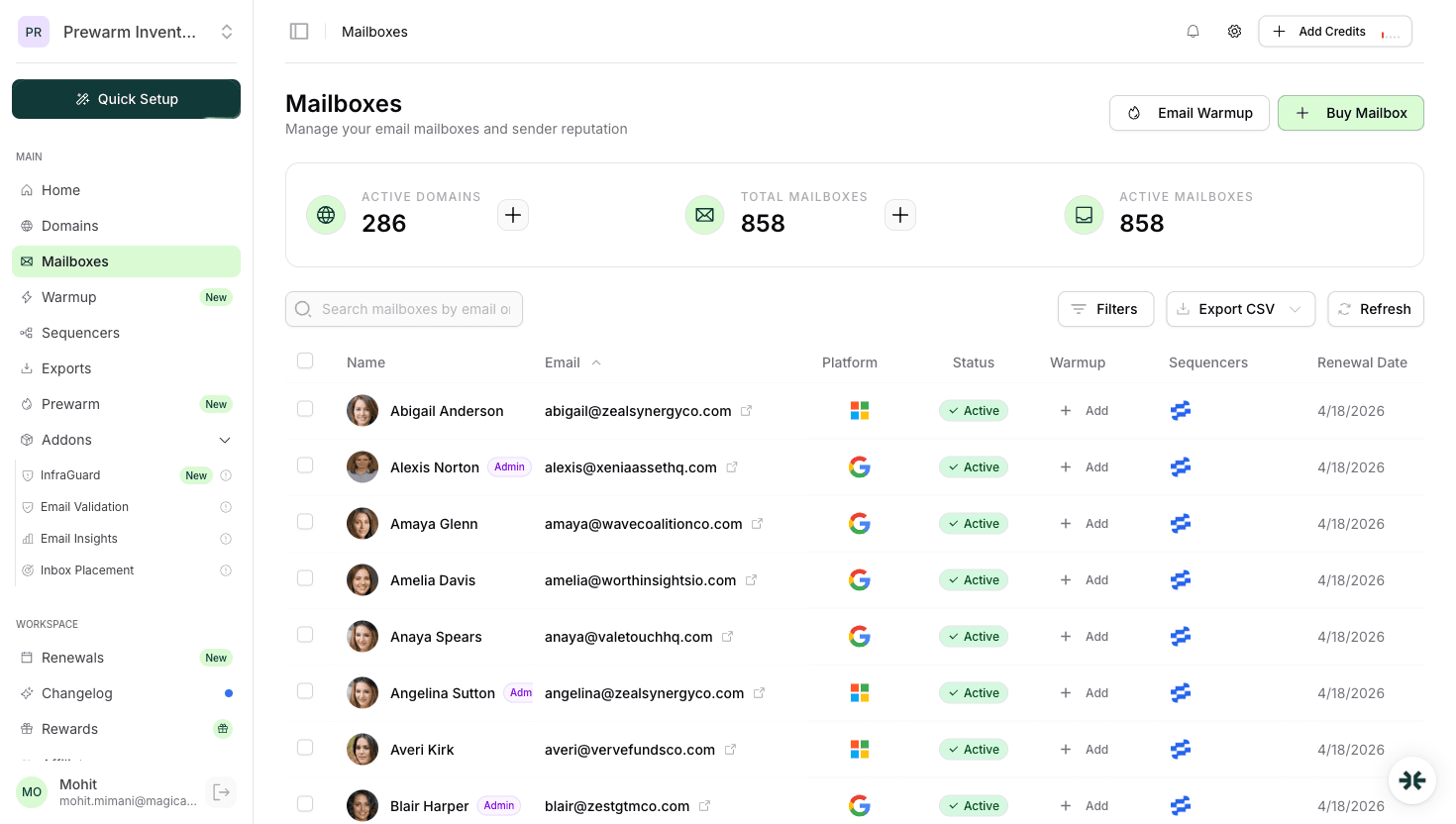
Mailbox Provisioning: 9/10. Fast creation, US-IP provisioning for Google Workspace is a genuine differentiator. Bulk creation of 30 mailboxes in a single batch works without issues.
Isolated Warmup: 9/10. Available at $3.00/mailbox/mo as an add-on. Granular controls for daily send volume, ramp-up speed, target reply rate, and weekend sending. The fact that it costs extra is a minor drawback, but the isolated network quality justifies it.
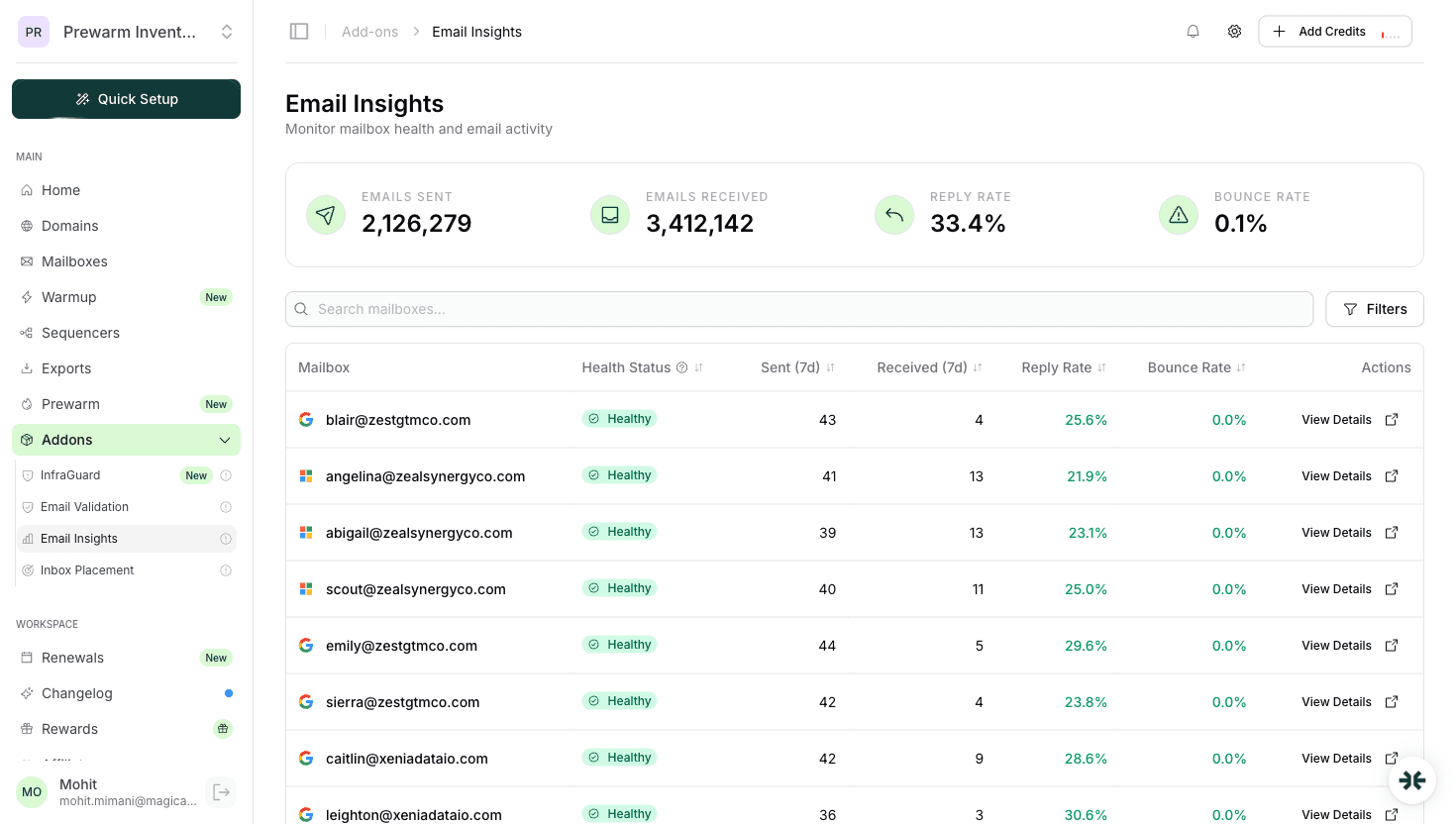
InfraGuard Monitoring: 9/10. Checks against blacklists, monitors DNS records, tracks sender reputation, and flags anomalies. Auto-pause feature is the key differentiator.
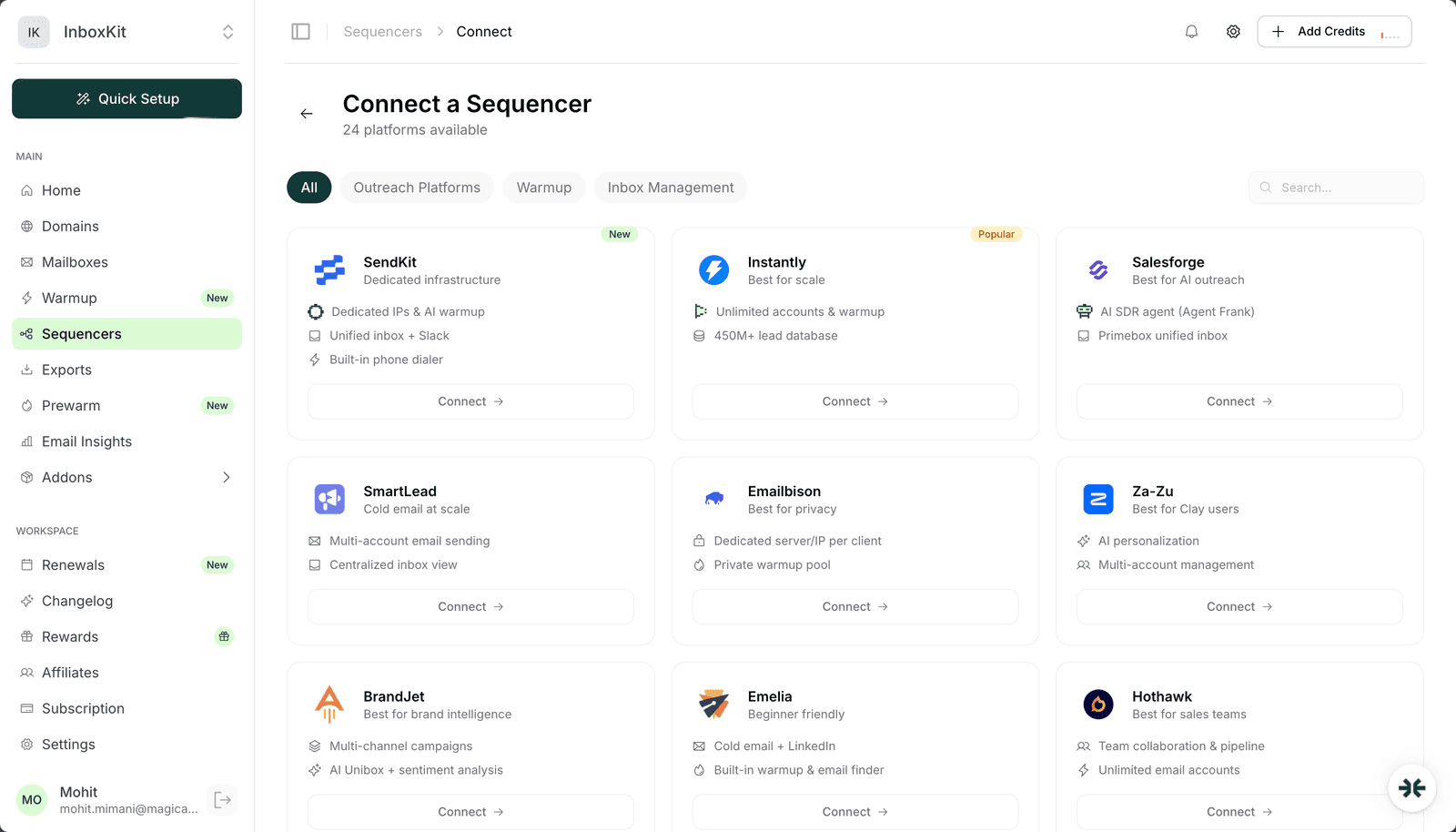
Sequencer Integrations: 8.5/10. One-click export to 24+ sequencers. Instantly, SmartLead, and Salesforge all work flawlessly.
Inbox Placement Testing: 8/10. Sends test emails to seed accounts and reports where they land. Takes 10-15 minutes to complete.
Dashboard and UX: 9/10. Clean, fast interface built for scale. Managing 500+ mailboxes across multiple workspaces feels snappy with filtering, bulk actions, and real-time status updates.
Actual numbers across 8 months:
These numbers are from real accounts sending real campaigns. Infrastructure is only one piece of the deliverability puzzle, but it is the foundation.
InboxKit is the best email infrastructure platform for teams that care about deliverability and cost efficiency. Plans from $2.50/mailbox/mo (10 mailboxes included, from $2.50/mailbox on annual billing), isolated warmup at $3.00/mailbox/mo, and InfraGuard monitoring at per-domain pricing. The total cost is competitive with all alternatives while offering superior infrastructure quality.
The platform is built for scale, managing 16,000+ mailboxes across thousands of domains without performance issues. Warmup being a paid add-on rather than bundled is a fair criticism. But for the core job of setting up, warming up, and monitoring email infrastructure at scale, nothing else comes close on value.
Rating: 9/10
Yes, especially at scale. Thirty mailboxes cost 30 x $3.00 = $90/mo, with additional mailboxes at $3.25 each. A 50-mailbox setup costs $164/month (Agency plan + 20 additional), plus $150/month for warmup ($3/mailbox/mo add-on). Enterprise at $299/mo includes 100 mailboxes with from $2.50/additional.
InboxKit provisions legitimate Google Workspace and Microsoft 365 accounts. The accounts are real, properly configured, and comply with provider terms. InfraGuard monitoring adds an extra layer of protection by catching deliverability issues early.
InboxKit and ZapMail have nearly identical plan structures and pricing (both start at $39/mo for 10 mailboxes). Both offer Google Workspace and Microsoft 365. InboxKit wins on infrastructure quality: Azure mailboxes ($30/tenant, up to 100 mailboxes per domain), isolated warmup ($3/mailbox/mo add-on vs ZapMail's pre-warmed at $6-8 premium), InfraGuard monitoring (ZapMail has no equivalent), and 24+ sequencer integrations.
Both platforms offer Google Workspace and Microsoft 365 mailboxes. InboxKit starts at $39/mo (10 mailboxes included, from $2.50/additional on Enterprise), has isolated warmup, includes InfraGuard, and supports 24+ integrations versus Primeforge's 4. Primeforge charges $3.50-$4.50/mailbox/month with warmup requiring a separate Warmforge subscription.
InboxKit uses a wallet-based system, so there is no traditional free trial. However, you can start with a small wallet deposit and test with a few mailboxes before committing to a larger setup. The low per-mailbox cost means you can evaluate the platform for under $20.
Support is responsive through email and chat. Response times are under 2 hours during business hours. For urgent infrastructure issues they have been quick to resolve.
Free tools and pages that go with this guide.
 Guides
 Mohit MimaniComparisonsMohit MimaniComparisonsMohit MimaniComparisonsMohit MimaniReviews
 Saksham Jain
From $2.50/mailbox/mo. No plans or slots. Automated DNS, warmup, and InfraGuard monitoring included.