
LearnGuides
What is InboxKit? The Email Infrastructure Platform Explained (2026)

By Mohit MimaniPublished on: Mar 30, 2026 · 9 min read · Last reviewed: Mar 2026
TL;DR
InboxKit is an enterprise email infrastructure platform that lets you buy, configure, warm up, and monitor email mailboxes at scale from a single dashboard. Plans from $2.50/mailbox/mo with Google Workspace + Microsoft 365 support, isolated warmup, and InfraGuard monitoring.
InboxKit solves a specific problem: setting up and managing email infrastructure is painfully slow when done manually. Buying domains, configuring DNS records, creating mailboxes, warming them up, and monitoring deliverability across dozens or hundreds of accounts takes hours of repetitive work.
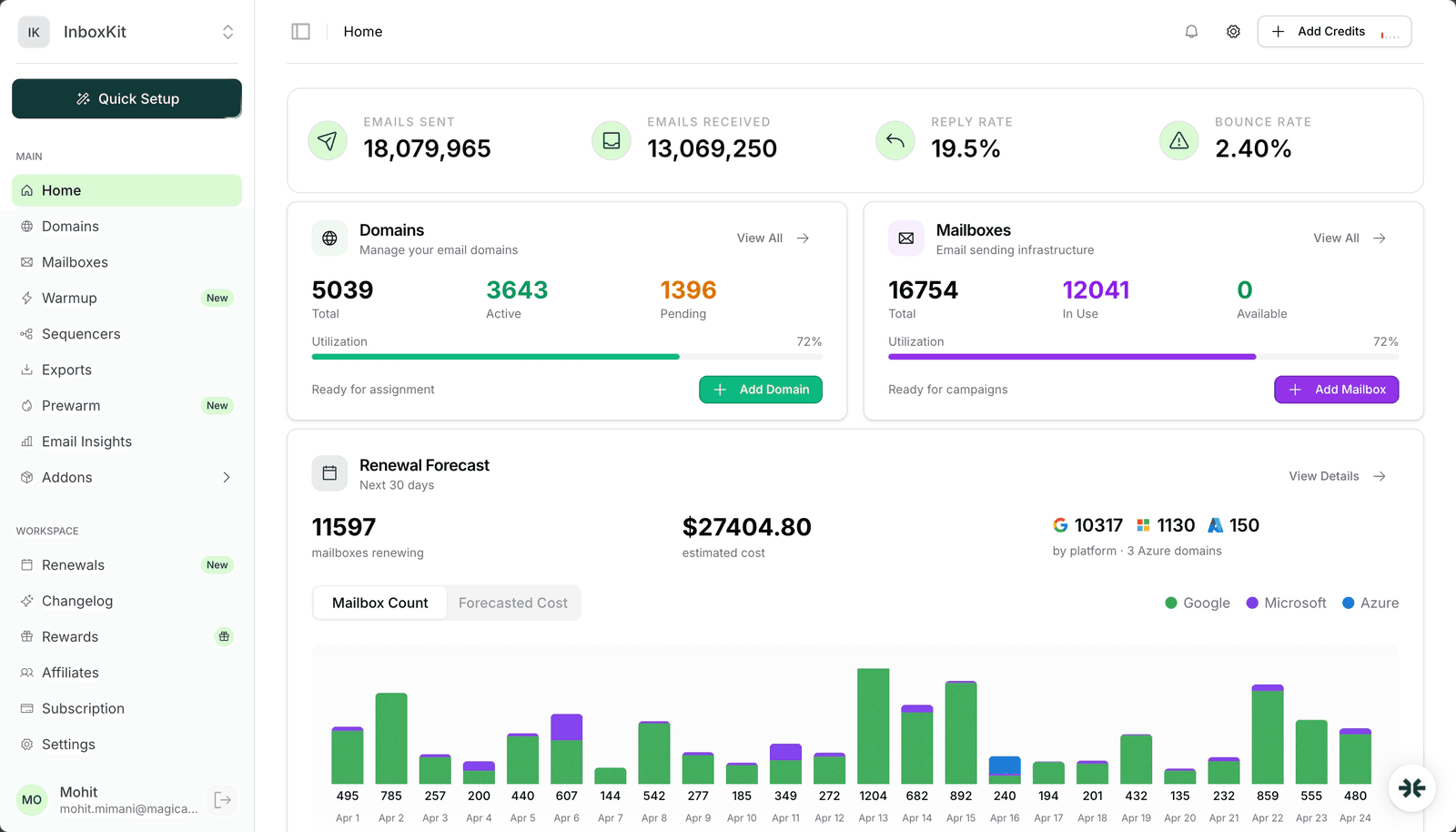
InboxKit automates that entire workflow. You log in, search for domains, buy them, create mailboxes on Google Workspace or Microsoft 365, and the platform handles SPF, DKIM, DMARC, and MX record configuration automatically. Then you activate warmup, connect to your sending tool, and monitor everything from one place. As shown in the InboxKit dashboard (see screenshot above), you get a consolidated view of all your domains, mailboxes, warmup status, and deliverability health in a single screen.
The platform uses tiered subscription plans (Professional $39/mo, Agency $99/mo, Enterprise $299/mo) that include mailbox slots. Additional mailboxes beyond included slots are available at competitive per-mailbox rates. There are no hidden platform fees beyond the plan price.
US-IP Google Workspace + Microsoft 365 Mailboxes. InboxKit provisions both Google Workspace (US-based IP) and Microsoft 365 accounts. Plans start at $39/mo for 10 mailboxes (Professional), with per-mailbox rates from $2.50/mailbox on annual billing. US-IP accounts get better initial reputation with North American email providers.
Microsoft 365 + Azure Support. InboxKit is the only major email infrastructure provider supporting both Google Workspace AND Microsoft 365. Running a mix of Google and Microsoft accounts reduces your risk if one provider tightens enforcement.
Azure Domains. $30/domain for up to 100 mailboxes. Azure-based domain registration, which some emailers prefer for Microsoft 365 setups.
Warmup Add-On. $3.00/mailbox/month. The warmup system operates on an isolated network, meaning your warmup emails interact with a controlled pool rather than random accounts. This produces more predictable warmup results and avoids warmup pool contamination.
InfraGuard (Deliverability Monitoring). Per-domain pricing for automated deliverability monitoring that continuously checks your mailboxes for blacklists, DNS misconfiguration, reputation drops, and sending anomalies. When it detects an issue, it can automatically pause sending and alert you.
Inbox Placement Testing. Built-in inbox placement testing lets you send test emails to seed accounts and see exactly where your messages land.
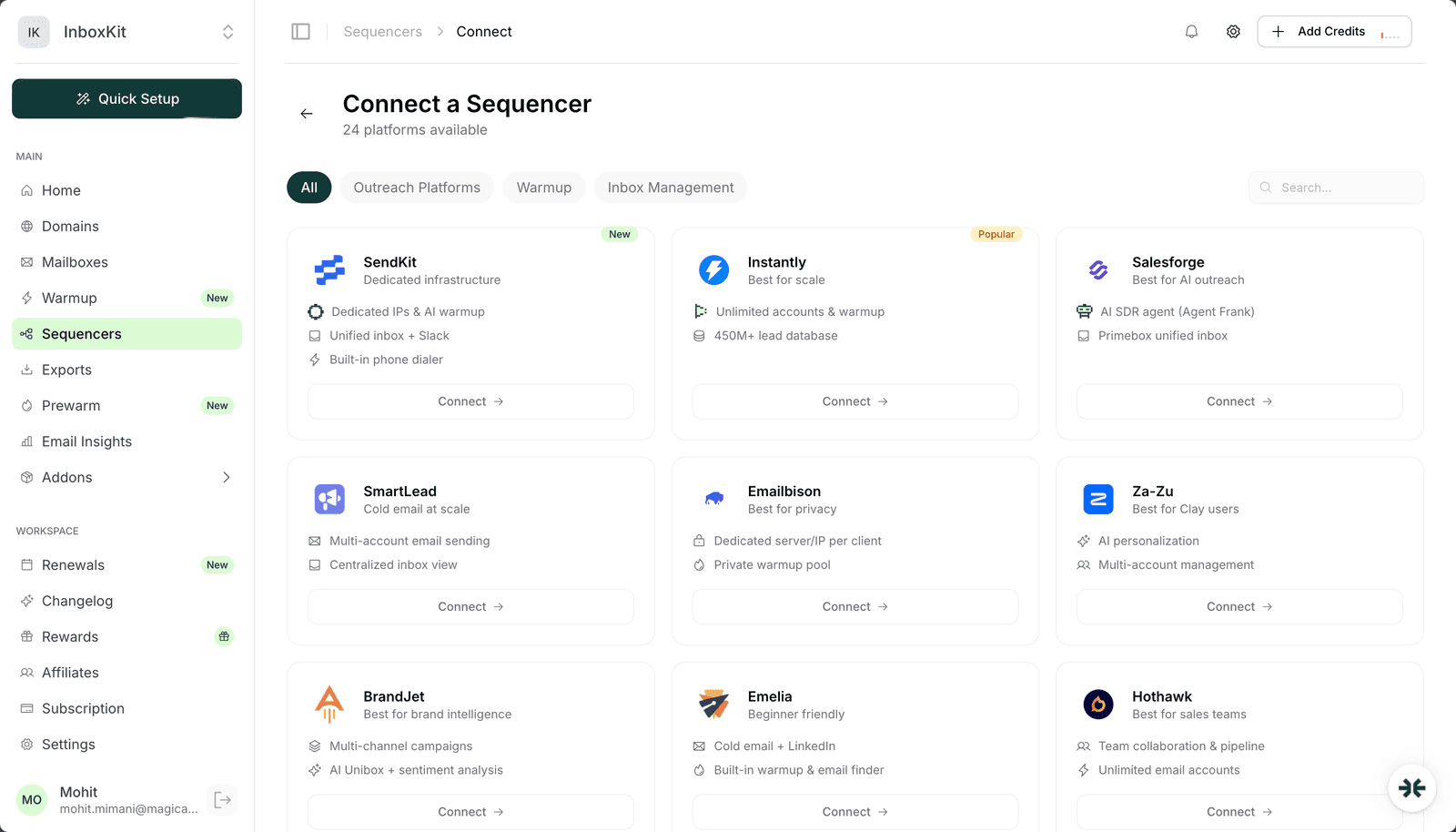
24+ Sequencer Integrations. One-click export to Instantly, SmartLead, Salesforge, Woodpecker, Reply.io, Snov.io, Lemlist, Saleshandy, Emailbison, ReachInbox, SendKit, Manyreach, Supersend, BrandJet, and more.
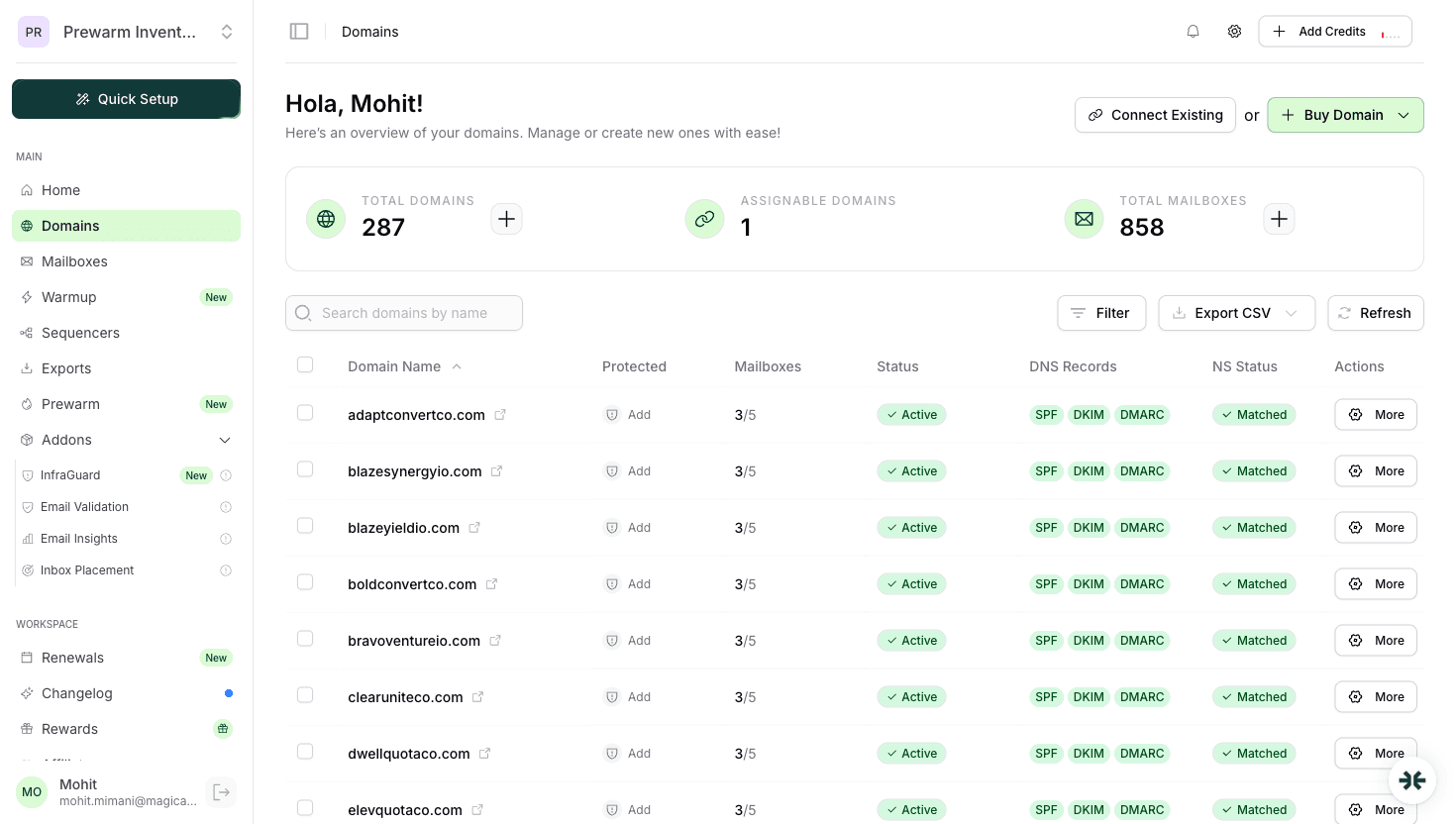
Automated DNS Configuration. As visible in the domain management panel (see screenshot above), SPF, DKIM, DMARC, MX, and custom tracking domain records are configured automatically when you buy a domain.
Workspace Management. Organize infrastructure into workspaces for multi-client management with tagging, filtering, and bulk operations.
Mailbox Forwarding. Email forwarding rules to route replies to a central inbox.
InboxKit uses a flat per-mailbox model with no plan fee, no included slots and no hidden platform fees:
| Billing Cycle | Per Mailbox | Minimum | 10 Mailboxes | 100 Mailboxes |
|---|---|---|---|---|
| Monthly | $3.00 | none | $30/mo | $300/mo |
| Quarterly | $2.70 | none | $27/mo | $270/mo |
| Annual | $2.50 | none | $25/mo | $250/mo |
| Add-On | Price |
|---|---|
| Warmup | $3.00/mailbox/mo (isolated network) |
| Azure Tenant | $30/tenant/mo (up to 100 mailboxes) |
| Domain Registration | Starting at $2/year |
| InfraGuard Monitoring | Per-domain pricing |
| DNS Configuration | Included |
| Inbox Placement Tests | Wallet-based, per test |
Annual billing reduces costs further (e.g., Annual: $2.50/mailbox/mo/additional). Example: 50 mailboxes on Agency plan with warmup: $99 + (20 x $3.25) + (50 x $3) = $314/mo.
Email Agencies. If you manage email infrastructure for multiple clients, InboxKit's workspace system and bulk operations save hours per week. The one-click sequencer export means you can spin up a new client's infrastructure in under an hour.
B2B Sales Teams. Sales teams running outbound at scale need reliable infrastructure. InboxKit handles the technical complexity so your team can focus on writing good copy and booking meetings. The InfraGuard monitoring means you catch deliverability problems before they kill your pipeline.
Lead Generation Companies. Companies that generate leads via email need high-volume infrastructure with consistent deliverability. InboxKit's isolated warmup and automated DNS setup are built for this use case.
InboxKit wins on infrastructure quality, feature depth, and integration breadth. The isolated warmup and InfraGuard monitoring are features that simply do not exist on most competing platforms.
| Feature |  InboxKit InboxKit |  ZapMail ZapMail |  Mailforge Mailforge |  Instantly Instantly |
|---|---|---|---|---|
| Plans | From $2.50/mailbox/mo (10 mailboxes) | From $39/mo (10 mailboxes) | Flat per-mailbox | Bundled in platform |
| Per-Mailbox (at scale) | From $2.50 (Enterprise) | From $3.00 (Pro) | $2-3/mo (shared IP) | ~$4/mo |
| Microsoft 365 | Yes | Yes | Shared IP only | No |
| Azure Mailboxes | Yes ($30/tenant, 100 mailboxes) | No | No | No |
| Warmup | Isolated ($3/mo add-on) + Prewarm Inventory ($6-9/mailbox) | Pre-warmed (12 weeks, pricing not public) | None (Warmforge extra) | Shared pool |
| Monitoring | InfraGuard (per-domain) | ZapShield (blacklist + DNS) | None (Infraforge extra) | Basic score |
| Integrations | 24+ sequencers | 50+ | 3 | Instantly only |
| Account Type | Real Google/Microsoft/Azure | Real Google/Microsoft | Shared IP | Real Google only |
Setting up InboxKit takes about 15 minutes for your first batch of mailboxes:
The platform handles DNS automatically at step 4, so you skip the most technical part entirely. As shown in the domain management panel (see screenshot above), you can verify SPF, DKIM, and DMARC status for each domain at a glance.
Yes. InboxKit is operated by Maximise AI and has been active since 2024. The platform processes thousands of mailboxes for agencies and sales teams worldwide.
InboxKit offers three plans: Professional at $39/mo (10 mailboxes, $3.50/additional), Agency at $99/mo (30 mailboxes, $3.25/additional), and Enterprise at $299/mo (100 mailboxes, $2.50/additional). Domain registration starts at $2/year. Annual billing is cheaper.
Warmup is available as a $3.00/mailbox/mo add-on. It is not included in the plan price. The warmup system uses an isolated network, and you can configure volume, ramp speed, and target metrics directly from the dashboard.
InboxKit supports 24+ integrations including Instantly, SmartLead, Salesforge, Woodpecker, Reply.io, Snov.io, Lemlist, Saleshandy, Emailbison, ReachInbox, SendKit, Manyreach, Supersend, and more. Export is one-click with IMAP/SMTP credentials.
Yes. You can either buy domains through InboxKit or connect domains you already own by pointing their nameservers to InboxKit. The platform will still handle DNS configuration automatically.
InfraGuard is InboxKit's automated deliverability monitoring system. It checks your mailboxes for blacklists, DNS issues, reputation drops, and sending anomalies. When it detects a problem, it alerts you and can automatically pause affected mailboxes.
Warmup typically takes 14 to 21 days before mailboxes are ready for cold outreach. The isolated warmup network tends to produce faster and more consistent results compared to shared warmup pools.
Free tools and pages that go with this guide.
From $2.50/mailbox/mo. No plans or slots. Automated DNS, warmup, and InfraGuard monitoring included.
