
LearnGuides
InboxKit Whitelabel Guide for Agencies

By Mohit MimaniPublished on: Mar 31, 2026 · 15 min read · Last reviewed: Mar 2026
TL;DR
InboxKit's whitelabel program lets agencies offer email infrastructure under their own brand. Custom domain, your logo, client management, and wholesale pricing. Here is how to set it up and the revenue math behind it.
InboxKit's whitelabel program gives agencies a fully branded email infrastructure platform they can offer to clients as their own product. Your clients see your brand, your domain, and your support. InboxKit powers everything behind the scenes.
What is customizable:
| Element | Customizable | Details |
|---|---|---|
| Logo | Yes | Your logo throughout the dashboard |
| Brand colors | Yes | Primary, secondary, accent colors |
| Custom domain | Yes | portal.youragency.com instead of app.inboxkit.com |
| Email notifications | Yes | From your domain, your branding |
| Client-facing features | Yes | Toggle which features clients see |
| Pricing | Yes | Set your own pricing for clients |
| Support | Your responsibility | You handle client support |
| Billing | Flexible | Wholesale from InboxKit, retail to clients |
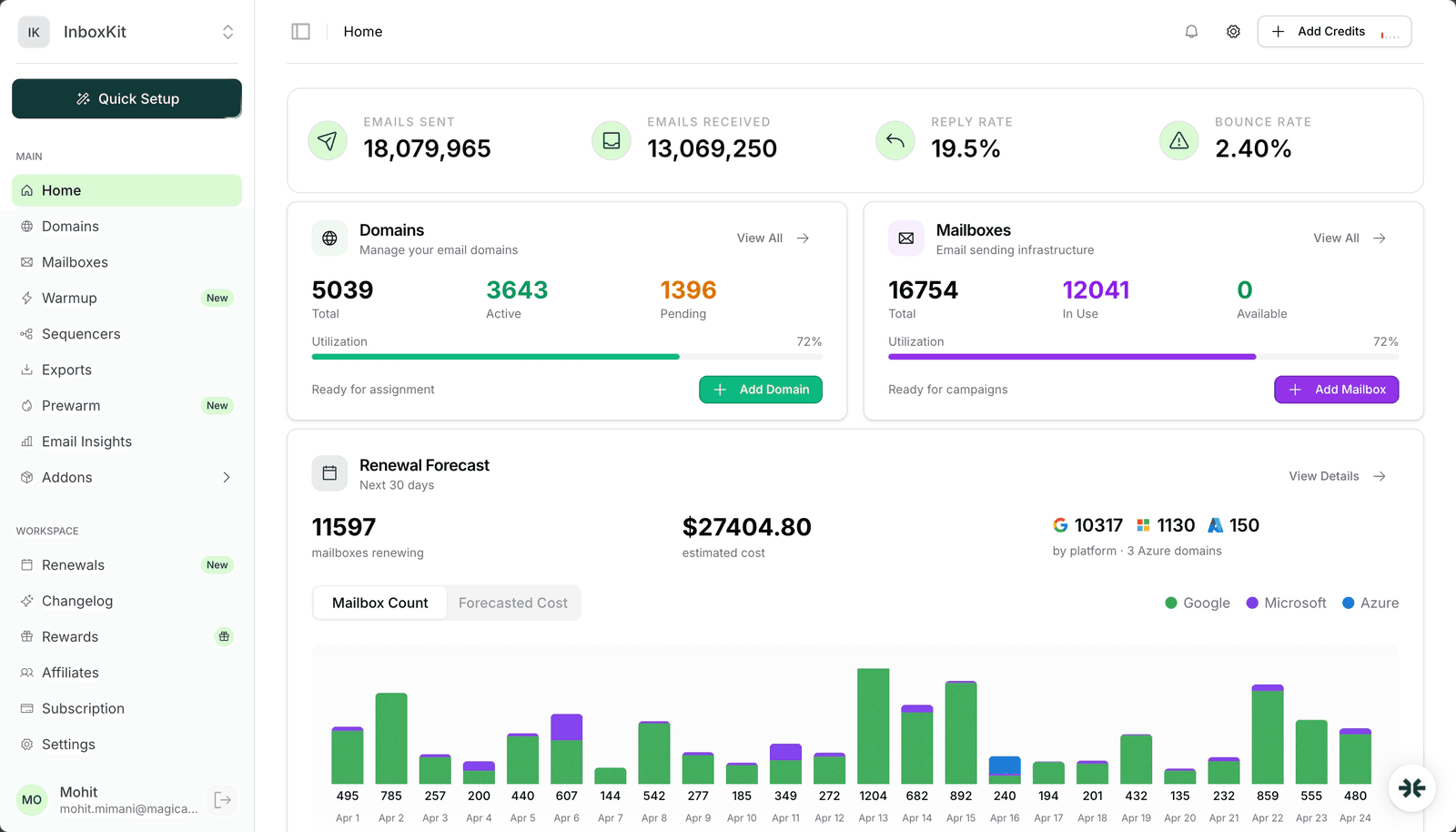
How it works architecturally: 1. InboxKit provides the platform infrastructure (servers, Google/Microsoft provisioning, DNS automation, warmup) 2. You get a branded portal on your domain 3. Your clients access the portal and see only your brand 4. You buy at wholesale, sell at retail 5. InboxKit handles the technical operations
Full whitelabel setup documentation: docs.inboxkit.com
Setup takes about 30 minutes with InboxKit's guided process:
Step 1: Apply for the partner program Contact the InboxKit partner team or apply through inboxkit.com/partners. Whitelabel is available for agencies managing 50+ mailboxes.
Step 3: Set up your custom domain Point your chosen subdomain to InboxKit's whitelabel servers:
; DNS records for custom domain
portal.youragency.com  CNAME  whitelabel.inboxkit.com
SSL certificates are provisioned automatically via Let's Encrypt.
Step 4: Configure email notifications Set your sending domain for client-facing emails (welcome emails, alerts, reports). Requires SPF/DKIM configuration on your agency domain.
Step 5: Set pricing and features Choose which features your clients can access and set your retail pricing. You can configure different pricing tiers for different client segments.
See docs.inboxkit.com for detailed branding configuration options.
The partner dashboard gives you a complete client management layer on top of InboxKit's infrastructure:
Client features:
| Feature | Description | Configuration |
|---|---|---|
| Client accounts | Separate login for each client | Email + password or SSO |
| Resource isolation | Each client sees only their domains/mailboxes | Automatic |
| Feature toggles | Control which features each client accesses | Per-client |
| Usage limits | Set max domains/mailboxes per client | Per-client |
| Sub-billing | Track per-client costs | Automatic |
| Activity logs | Monitor client actions | Read-only |
Client onboarding workflow: 1. Create client account in partner dashboard 2. Set their domain and mailbox limits 3. Configure which features they can see 4. Send them login credentials 5. Client manages their own domains and mailboxes within your platform
For agencies managing clients hands-on: You can manage all infrastructure from a single partner dashboard and only give clients read-only access or no access at all. Some agencies prefer to keep all infrastructure management in-house.
See docs.inboxkit.com for client management documentation.
The whitelabel model creates a recurring revenue stream from email infrastructure management. Here is the math:
Wholesale pricing (what you pay InboxKit): Partner pricing varies by volume commitment. Contact the partner team for exact rates.
Retail pricing (what you charge clients): You set your own prices. Common agency pricing models:
| Model | How It Works | Example |
|---|---|---|
| Per-mailbox markup | Charge $5-8/mailbox/mo | 100 mailboxes at $6 = $600/mo revenue |
| Flat monthly retainer | Infrastructure included in management fee | $500-2,000/mo per client |
| Tiered packages | Starter/Growth/Enterprise bundles | $199/$499/$999 per month |
| Cost-plus | Wholesale + fixed markup % | 40-60% margin on infrastructure |
Revenue calculator at different scales:
| Clients | Mailboxes/Client | Total Mailboxes | Retail at $6/mb | Monthly Revenue | Annual Revenue |
|---|---|---|---|---|---|
| 5 | 20 | 100 | $6.00 | $600 | $7,200 |
| 10 | 30 | 300 | $6.00 | $1,800 | $21,600 |
| 20 | 40 | 800 | $5.50 | $4,400 | $52,800 |
| 50 | 50 | 2,500 | $5.00 | $12,500 | $150,000 |
Key insight: Email infrastructure is a sticky, recurring revenue stream. Once clients are set up on your platform, switching costs are high (DNS migration, new warmup cycle). Retention rates for infrastructure services typically exceed 90% annually.
That stickiness also makes infrastructure a useful retention tool when a client's budget tightens. The Playbook Agency cut churn 80% by offering whitelabel infrastructure as a downsell tier instead of losing accounts outright, and grew infrastructure revenue 30% in the process.
Revenue Potential
An agency with 20 clients averaging 40 mailboxes each can generate $50,000+ in annual recurring revenue from infrastructure alone. This is on top of any campaign management or consulting fees.
The Partner API extends InboxKit's standard API with multi-tenant capabilities for managing clients programmatically:
# List all clients
curl -H "Authorization: Bearer PARTNER_API_KEY" \
  https://api.inboxkit.com/v1/partner/clients
# Create a new client
curl -X POST -H "Authorization: Bearer PARTNER_API_KEY" \
  -H "Content-Type: application/json" \
  -d '{"name": "Acme Corp", "email": "admin@acme.com", "maxMailboxes": 50}' \
  https://api.inboxkit.com/v1/partner/clients
# Provision mailboxes for a client
curl -X POST -H "Authorization: Bearer PARTNER_API_KEY" \
  -H "Content-Type: application/json" \
  -d '{"clientId": "client_123", "email": "outreach@acmedomain.com", "provider": "google"}' \
  https://api.inboxkit.com/v1/partner/mailboxes
Partner-specific endpoints:
| Method | Endpoint | Description |
|---|---|---|
| GET | /partner/clients | List all your clients |
| POST | /partner/clients | Create a client account |
| GET | /partner/clients/:id | Get client details |
| PUT | /partner/clients/:id | Update client settings |
| GET | /partner/billing | View wholesale billing |
| GET | /partner/usage | Usage breakdown by client |
Full partner API documentation: docs.inboxkit.com
Agencies have two options for offering email infrastructure to clients: whitelabel (branded platform) or direct reselling (managing InboxKit accounts on behalf of clients).
Here is how they compare:
Pros
Cons
Based on our most successful whitelabel partners, here is the playbook for building a profitable email infrastructure offering:
Pricing strategy that works: Start at $5-6/mailbox/mo for clients. This gives you healthy margins while remaining competitive with direct InboxKit pricing. Clients pay a premium for your support, expertise, and bundled services.
The support question: The #1 concern agencies have about whitelabel is support burden. In practice, InboxKit's automation handles 90% of infrastructure operations. The support you provide is primarily onboarding guidance and campaign strategy. which is your expertise anyway.
Use infrastructure as your downsell: When a client cannot renew the full retainer, offer infrastructure on its own rather than letting them go. It is recurring, it requires almost none of your labor, and it keeps the relationship alive. See how Playbook built this into a downsell tier and won 30% of those clients back into paid services.
Ready to get started? Apply at inboxkit.com/partners or see the full whitelabel documentation at docs.inboxkit.com.
Start Small
You do not need to migrate all clients on day one. Start with 2-3 clients to refine your workflow, then expand. Most successful partners reach profitability within the first month by converting existing clients.
The whitelabel program requires a minimum of 50 mailboxes under management. This can be spread across multiple clients. Contact the partner team for specific pricing at your expected volume.
Yes. You buy at wholesale from InboxKit and set whatever retail price you want for your clients. Most partners charge $5-8 per mailbox per month, creating a 40-60% margin.
No. The whitelabel experience is fully branded with your logo, colors, domain, and emails. Clients interact only with your brand. InboxKit branding is completely removed.
You handle all client-facing support. InboxKit provides partner-level support to you for technical issues. InboxKit's automation handles most infrastructure operations automatically.
Yes. The Partner API supports full programmatic control. client creation, mailbox provisioning, DNS management, and billing. Many partners build automated onboarding flows that require zero manual intervention.
Free tools and pages that go with this guide.
 Reviews
 Mohit MimaniGuidesMohit MimaniGuidesMohit MimaniComparisonsMohit MimaniPricingMohit Mimani
From $2.50/mailbox/mo. No plans or slots. Automated DNS, warmup, and InfraGuard monitoring included.