
LearnReviews
Mission Inbox Review 2026

By Saksham JainPublished on: May 20, 2026 · Updated: Sep 6, 2026 · 11 min read · Last reviewed: Sep 2026
TL;DR
Mission Inbox is an email infrastructure-as-a-service platform that positions itself as a deliverability-first alternative to SendGrid, Mailgun, and Google Workspace resellers. The product centers on isolated infrastructure ("Cubes"), 2 to 3 dedicated IPs by volume, an AI Pre-send Shield, and a real REST API with SDKs in six languages. The publicly advertised All-in-One MI plan starts at $199 per month for 30 inboxes, 10,000 sends, and 20 credits, with overage at roughly $1 per additional 1,000 sends and $2 to $3 per extra mailbox. This review summarizes the provider's public claims, what we could and could not independently verify, and the operational context buyers should weigh before purchasing.
This review is based on publicly available information as of the publication date, including the Mission Inbox website (missioninbox.com), the homepage FAQ, plus a sample of third-party coverage and review aggregators. We did not independently run inbox placement tests on Mission Inbox mailboxes, did not measure suspension rates, did not benchmark setup time, did not stress-test the Pre-send Shield or the OBM Engine, and did not audit support response times. Where we describe features, pricing, or behavior, the source is the provider's own marketing or documentation unless otherwise stated.
A note on third-party validation: public sentiment is more substantive than for many providers in the same tier (a small but real G2 and Trustpilot footprint), but the sample is still modest, and real-world deliverability reports are mixed, as a hands-on third-party reviewer put it, deliverability feedback is mixed "just like they are for pretty much all of these services." We treat the mixed-report signal as category context rather than a Mission Inbox-specific verdict.
InboxKit, the publisher of this review, sells deliverability tooling that overlaps with parts of the Mission Inbox use case. We have made an effort to keep the analysis neutral and to clearly mark sections where InboxKit is referenced as a comparison.
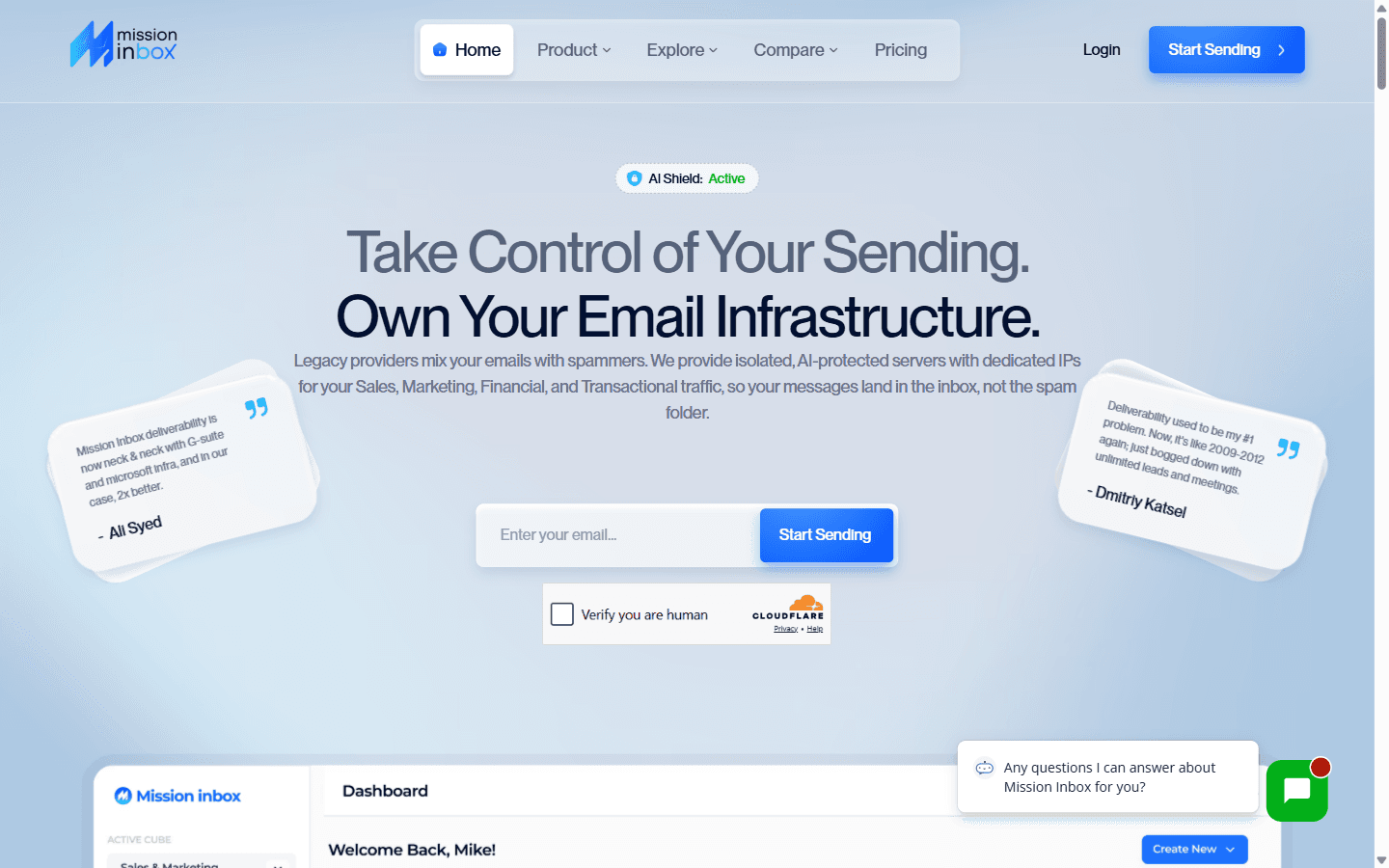
Mission Inbox positions itself, in its own homepage language, as an "all-in-one workload Infrastructure-as-a-Service (IaaS) platform," specifically engineered for deliverability across all email types. The core pitch is a direct shot at the alternatives: shared IP pools mean one spammer can damage everyone's reputation, and resellers are "just wrappers reselling Google" that halt a buyer's sending if they disappear. Mission Inbox's answer is isolated "Cubes" and dedicated IPs so the buyer owns the infrastructure, reputation, and data.
Per the provider, the product supports multiple workloads on the same platform: cold outreach, transactional mail (OTPs, alerts), and compliance mail (invoices, statements, residency-routed messages), with isolated lanes so that marketing blasts do not queue behind password resets. Mission Inbox also references a strong developer story, a RESTful API with SDKs in six languages, real-time webhooks, and sub-50 ms average latency, and supports volumes the provider describes as roughly 10,000 to 30 million sends per month.
The architecture rests on three layers Mission Inbox describes plainly:
We did not independently audit the architecture or the proprietary components named above; the descriptions are taken from the provider's homepage and FAQ.
Mission Inbox publishes a clear starting plan on its homepage FAQ. The credits-and-overage model takes a moment to parse, but the headline figures are firm. Figures below were confirmed on the Mission Inbox homepage at the time of research.
| Item | All-in-One MI (starting plan) |
|---|---|
| Price | $199 / month |
| Inboxes included | 30 |
| Sends included | 10,000 |
| Credits | 20 |
| Dedicated IPs | 2 to 3, by volume |
| Extra sends | ~$1 per additional 1,000 |
| Extra mailboxes | ~$2 to $3 per mailbox (provider FAQ) |
| Scale | Up to 30 million sends / month |
A few notes on the pricing, based on the provider's pages:
The capabilities below are taken from the Mission Inbox homepage and FAQ at the time of writing. We did not independently verify each item in production.
What is not described as a standalone offering in the public materials, based on our reading: a dedicated email sequencer (Mission Inbox is the infrastructure layer, not a sender). A formal SOC 2 attestation was not located on the homepage and is not referenced in the public FAQ we reviewed.
Mission Inbox's deliverability case rests on three pillars, all advertised here rather than independently audited: isolated infrastructure with dedicated IPs, the AI Pre-send Shield, and the OBM Engine.
Considerations buyers should weigh:
We did not run independent placement tests. The structural claims are consistent with credible deliverability-platform providers in the category; the performance claims are best evaluated against the buyer's own measured results.
The summary below reflects publicly advertised strengths and limitations relative to other providers in the same general category at the time of writing.
Pros
Cons
Based on the advertised feature set and pricing, Mission Inbox may appeal to:
It may be a weaker fit for:
The table below summarizes how Mission Inbox compares to other providers in adjacent categories, based on publicly available information at the time of writing. Pricing and features change frequently; verify directly with each provider.
| Provider | Advertised model | Isolation / deliverability layer | May suit |
|---|---|---|---|
| Mission Inbox | IaaS plan, $199 / mo entry (30 inboxes) | Isolated Cubes plus 2 to 3 dedicated IPs and Pre-send Shield | Teams wanting owned infrastructure plus a content firewall |
| InboxKit | Plan-based, from $39 / mo for 10 mailboxes | Bundled InfraGuard monitoring | Teams wanting mailboxes plus bundled deliverability monitoring |
| InfraForge | Slot-based, ~$2.50 to $4.00 per mailbox | Dedicated IPs as a paid add-on; SOC 2 referenced | High-volume teams in the Salesforge stack |
| AeroSend | Slot-based, ~$3.10 to $4.00 per mailbox | 10-domain pods plus five-metric burn alerts | Agencies wanting managed isolation plus monitoring |
| SendGrid / Mailgun | Transactional ESP, volume-based | Engineered for transactional, not cold | Transactional senders, not cold outreach |
For buyers who specifically want owned infrastructure and a content-side pre-send firewall across multiple workloads, Mission Inbox is the closest fit in this set. For buyers whose primary need is email mailboxes paired with continuous, real-time deliverability monitoring, a provider that bundles warmed, isolated mailboxes with monitoring (such as InboxKit's InfraGuard: blacklist alerts, DNS drift detection, and bounce-rate alerting) is an alternative worth weighing. Disclosure: InboxKit is the publisher of this review.
Editorial rating: 7.5 / 10
Based on publicly available information, Mission Inbox is one of the more technically credible deliverability-first providers in this tier. The isolated-Cube architecture, 2 to 3 dedicated IPs, the AI Pre-send Shield, the OBM Engine sending layer, and the multi-language REST API are coherent engineering choices, and the anti-lock-in positioning is more direct than most.
The rating is held below a higher score primarily by: (a) mixed real-world deliverability reports that reflect the broader category rather than a Mission Inbox-specific advantage; (b) credits-and-overage pricing that is harder to compare than a flat per-inbox rate; (c) the absence of a public SOC 2 attestation on the homepage; and (d) an independent review footprint that, while better than many peers, is still modest.
We did not independently test Mission Inbox deliverability, suspension rates, or support response times. Buyers should treat this review as a structured summary of public information rather than a substitute for their own evaluation.
Readers comparing options that bundle warmed mailboxes with independent deliverability monitoring in a self-serve product can see how InboxKit positions itself.
Per the provider's homepage FAQ at the time of research, the All-in-One MI starting plan is $199 per month and includes 30 inboxes, 10,000 sends, 20 credits, and 2 to 3 dedicated IPs (by volume). Overage is referenced as approximately $1 per additional 1,000 sends and roughly $2 to $3 per additional mailbox. Buyers should confirm the current numbers directly, as the credits-and-overage model is the part most likely to drift over time.
Per the provider, dedicated. The All-in-One MI plan includes 2 or 3 dedicated IPs depending on volume, on what the provider describes as isolated Cubes rather than shared IP pools. We did not independently verify tenant isolation or IP allocation in production.
Per the provider, the Pre-send Shield is an AI-powered firewall that scans every outgoing email before it leaves the system. It checks for poor structure, missing personalization, bad DNS, and spam triggers, and is one of three layers in the Mission Inbox architecture alongside the Inbox Layer (account creation plus Auto-push DNS) and the OBM Engine (the sending layer, with reputation control, logs, bounce handling, feedback loops, and analytics).
In spirit, yes. Per the provider, traditional ESPs are primarily designed for transactional email and may limit or suspend accounts that handle other workloads. Mission Inbox is built as an all-in-one workload IaaS platform that handles cold outreach, transactional, and compliance mail on the same infrastructure, with dedicated IPs and the Pre-send Shield engineered for deliverability across all of them.
Mission Inbox is an infrastructure-as-a-service platform with dedicated IPs, a content-side pre-send firewall, and a multi-language REST API across multiple workloads, with a $199 per month entry plan tied to 30 inboxes and a credits-and-overage model. InboxKit is plan-based (from $39 per month for 10 mailboxes) and bundles InfraGuard monitoring (blacklist checks, DNS drift detection, and bounce-rate alerts) into the standard plan. They are different shapes; buyers should weigh owned infrastructure plus a pre-send firewall against warmed mailboxes plus bundled monitoring at a lower entry commitment. Disclosure: InboxKit is the publisher of this review.
Free tools and pages that go with this guide.
From $2.50/mailbox/mo. No plans or slots. Automated DNS, warmup, and InfraGuard monitoring included.


