
LearnReviews
Premium Inboxes Review 2026

By Saksham JainPublished on: May 19, 2026 · Updated: Sep 6, 2026 · 11 min read · Last reviewed: Sep 2026
TL;DR
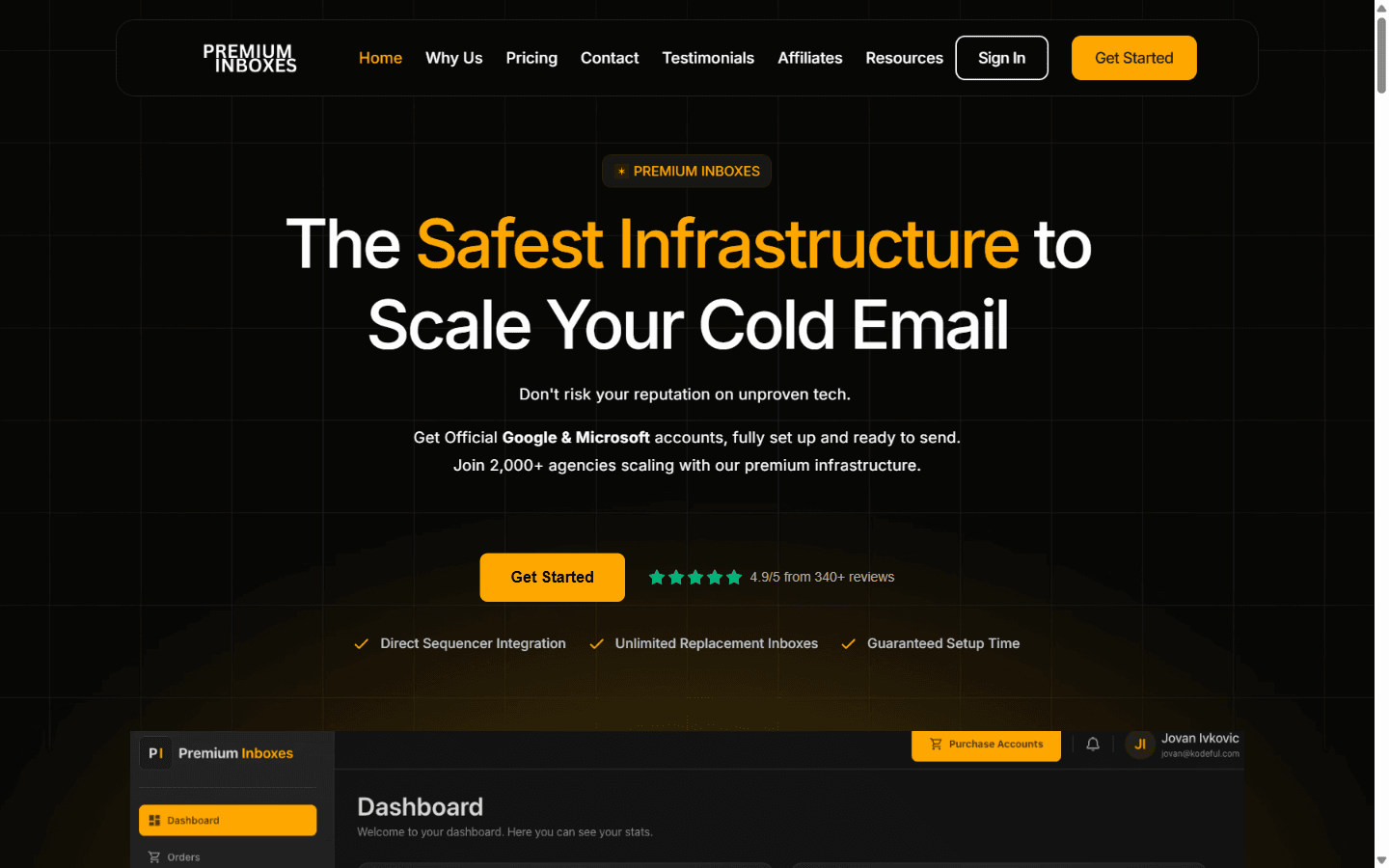
Premium Inboxes is a Google Workspace and Microsoft 365 mailbox reseller that markets a service-oriented setup model with manual DNS verification and Slack-based support. The provider references aggregate platform figures such as 2,000+ customers, 250,000+ inboxes in circulation, and a target setup time of under six hours. This review summarizes the provider's public claims, what we could and could not independently verify, and the operational context buyers should weigh before purchasing.
This review is based on publicly available information as of the publication date, including the Premium Inboxes website and pricing page. We did not independently run inbox placement tests on Premium Inboxes mailboxes, did not measure suspension frequency, did not verify support response times under controlled conditions, did not audit DNS configuration practices, and did not independently confirm the scale or volume figures referenced on the provider's website. Where we describe features, pricing, or behavior, the source is the provider's own marketing or documentation unless otherwise stated.
InboxKit, the publisher of this review, sells deliverability tooling that overlaps with parts of the Premium Inboxes use case. We have made an effort to keep the analysis neutral and to clearly mark sections where InboxKit is referenced as a comparison.
The feature list below is taken from Premium Inboxes' public materials at the time of writing. We did not independently verify each item in production.
Capabilities not advertised as included in the standard tiers, based on public materials: native blacklist alerts at standard tiers (24-hour active monitoring is referenced specifically for the Insured Infrastructure tier), native DNS-drift detection at standard tiers, integrated domain procurement, or a developer API for programmatic provisioning.
Deliverability is the most consequential dimension for email infrastructure and also the hardest to evaluate from public information alone. We did not independently run inbox placement tests, did not measure suspension rates, did not verify replacement turnaround times, and did not audit DNS configuration outcomes across customer orders. The notes below describe structural considerations and provider claims; they should not be read as evidence of inbox placement quality.
Points buyers should weigh:
The summary below reflects publicly advertised strengths and limitations. Specific suitability depends on the buyer's use case.
Pros
Cons
Editorial rating: 8 / 10
Based on publicly available information, Premium Inboxes appears to deliver what it advertises in terms of product shape: standard Google Workspace and Microsoft 365 mailboxes provisioned with a service-oriented setup process, a manual DNS verification step, Slack-based support at higher tiers, an unlimited-replacement program advertised across all tiers, a real-time dashboard, and an advertised setup window of under approximately six hours. The provider references initiating the warm-up process on behalf of buyers, with ongoing scope not detailed in the public materials we reviewed.
The rating reflects: (a) the tier-gating of active deliverability monitoring to the Insured Infrastructure tier, which means buyers requiring automatic monitoring at standard tiers will likely need an additional tool; (b) the higher per-inbox price relative to several lower-cost mainstream resellers, which is a material consideration at agency scale; (c) the absence of a founder or named team on the public materials we reviewed; and (d) the absence of publicly available compliance documentation that we could locate.
We did not independently test inbox placement rates, suspension frequency, replacement turnaround, support response times, or long-term deliverability performance. Buyers should treat this review as a structured summary of public information rather than a substitute for their own evaluation, and should verify current pricing, replacement program terms, warmup scope, and any compliance documentation directly with the provider.
Readers comparing options that bundle the mailbox layer with deliverability monitoring at standard pricing can see how InboxKit positions itself.
Per the provider's pricing page, Premium Inboxes is listed at $3.50 per inbox per month on the Start Up tier (1 to 249 inboxes), $3.00 on Growth (250 to 1,249), and $2.80 on Enterprise (1,250+). The Insured Infrastructure tier is listed at $4.50 per inbox at any volume and adds 24-hour active monitoring, a priority build queue, and priority replacement. Annual billing is referenced as discounted; the specific percentage should be verified directly with the provider. Domains are purchased separately by the buyer through third-party registrars.
Per the provider, the underlying mailboxes are standard Google Workspace and Microsoft 365 business accounts. The advertised differentiation is in the service layer (manual DNS verification, Slack-based support at higher tiers, unlimited replacement inboxes, sequencer upload to Smartlead/Instantly/Pipl.ai/Prospi.ai/Salesforge, warm-up initiation, and a target setup window of under approximately six hours). Whether the price difference relative to lower-cost mainstream resellers is justified depends on how the buyer values that service scope for their specific use case. We did not independently test deliverability or support quality.
Per the provider, the homepage references "we initiate the warm-up process for you." The methodology, peer network, and ongoing scope of warmup beyond initiation are not detailed in the public materials we reviewed. Buyers seeking detailed warmup mechanics or confirmation about whether the provider continues to manage warmup over time should verify directly with the provider. Many email teams pair any mailbox provider with sequencer-native warmup (for example within Smartlead or Instantly) or a third-party warmup tool.
Per the provider, active deliverability monitoring (described as 24-hour reputation tracking and priority replacement) is part of the Insured Infrastructure tier at the higher per-inbox price. Standard tiers ship with a real-time dashboard but are not advertised as including automatic blacklist alerts, DNS-drift detection, or bounce-rate spike alerting. Buyers who require those capabilities at standard tiers will likely need to layer a separate monitoring tool, such as InboxKit's InfraGuard, on top.
Both providers resell mainstream Google Workspace and Microsoft 365 mailboxes. Premium Inboxes advertises a more service-oriented setup model (manual DNS verification, Slack-based support at higher tiers, sequencer upload, an unlimited-replacement program advertised across tiers, warm-up initiation, and a faster advertised setup window) at higher per-inbox pricing. CheapInboxes advertises lower per-inbox pricing with WhatsApp-based support and a leaner included service scope. The right choice depends on whether the buyer prioritizes a service-oriented experience or the lowest publicly listed per-inbox price.
Free tools and pages that go with this guide.
 Alternatives
 Saksham JainReviewsSaksham JainReviews
 Mohit MimaniComparisonsMohit Mimani
From $2.50/mailbox/mo. No plans or slots. Automated DNS, warmup, and InfraGuard monitoring included.