
LearnGuides
How to Set Up DMARC for Cold Email (2026)

By Saksham JainPublished on: Mar 30, 2026 · 9 min read · Last reviewed: Mar 2026
TL;DR
DMARC tells receiving servers what to do when SPF or DKIM fails. The wrong policy can get your emails rejected. Here is the correct DMARC setup for cold email domains.
DMARC (Domain-based Message Authentication, Reporting, and Conformance) is a DNS TXT record that completes your email authentication stack on top of SPF and DKIM. It does three critical things:
DMARC builds on SPF and DKIM. Without it, receiving servers make their own unpredictable decisions about failed authentication. In our data across 2,000+ cold email domains, domains without DMARC see 8-12% more emails routed to spam compared to properly configured domains. Google and Yahoo explicitly require DMARC records as of 2024 for bulk senders.
Understanding the three DMARC policy levels is critical for cold email. Choose the wrong one and your emails get rejected. Here is the complete comparison:
| Policy | DNS Value | What Happens to Failed Emails | Risk Level | When to Use |
|---|---|---|---|---|
| none | p=none | Delivered normally (monitor only) | High. no protection against spoofing | Starting point. use during warmup and initial setup (first 2 weeks) |
| quarantine | p=quarantine | Sent to spam/junk folder | Medium. failed emails still arrive but in spam | After 2-4 weeks. once SPF and DKIM pass consistently |
| reject | p=reject | Blocked entirely, never delivered | Low. maximum protection but no margin for error | After 30+ days. only when fully confident in authentication setup |
Recommended progression for cold email domains: 1. Day 1: Set p=none. monitor authentication results without risking deliverability 2. Day 14-28: Move to p=quarantine. after verifying SPF and DKIM pass consistently on all mailboxes 3. Day 30+: Optionally move to p=reject. most cold emailers stay at p=quarantine permanently
Most cold emailers should stay at p=quarantine. Moving to p=reject provides marginal security benefit but means a single misconfigured DNS record can cause 100% email loss for that domain.
Add a TXT record to your domain's DNS:
Host/Name: _dmarc Value: v=DMARC1; p=none; rua=mailto:dmarc@yourdomain.com
After warmup (2-4 weeks): v=DMARC1; p=quarantine; pct=100; rua=mailto:dmarc@yourdomain.com
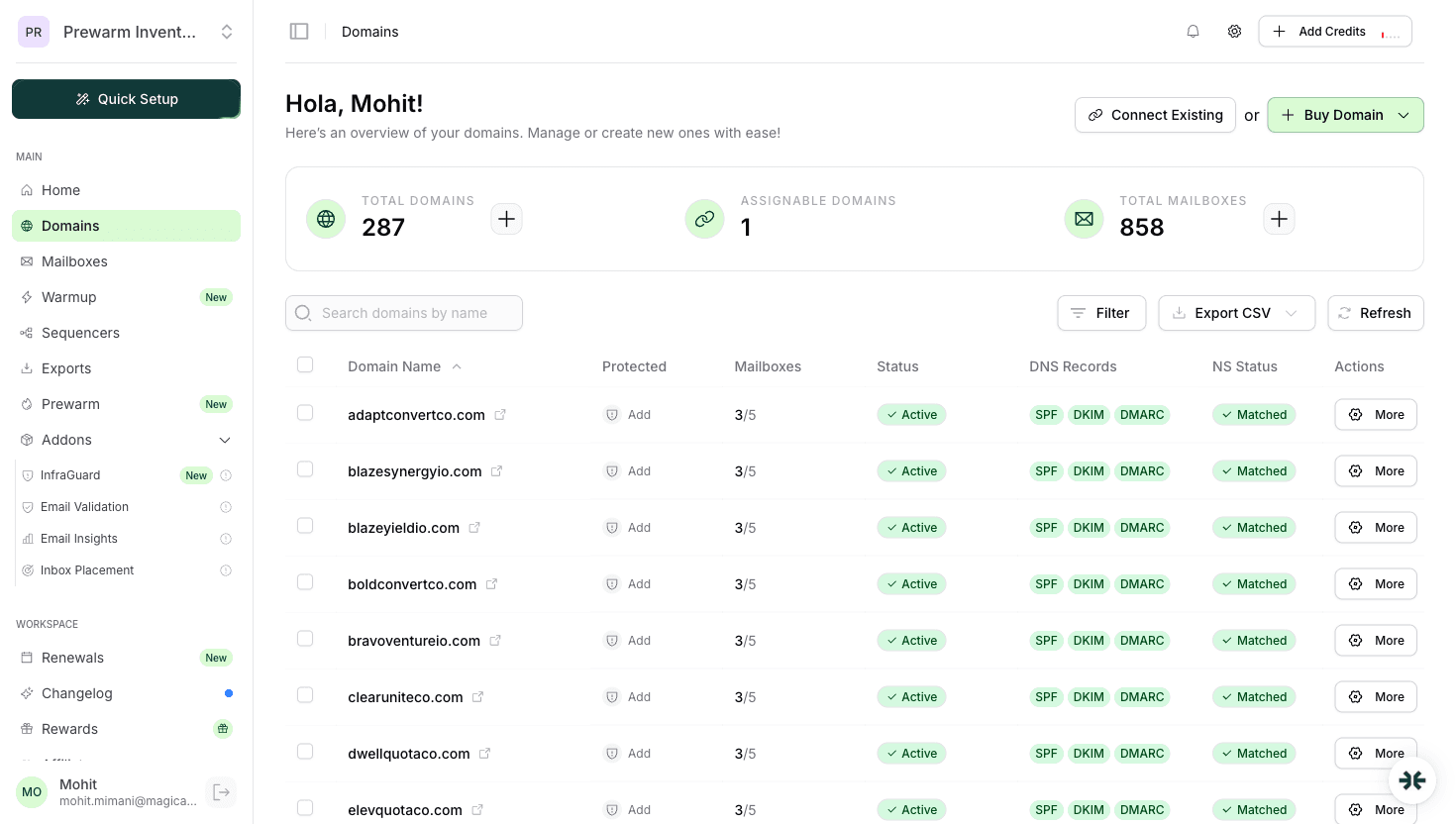
InboxKit sets up DMARC automatically with the correct initial policy.
DMARC Policy Comparison Table:
| Policy | DNS Value | Action on Failed Emails | Risk Level | Recommended Timeline |
|---|---|---|---|---|
| none | p=none | Monitor only. emails still delivered | High (no protection) | Starting point. first 2 weeks |
| quarantine | p=quarantine | Send to spam/junk folder | Medium | After 2-4 weeks of clean warmup |
| reject | p=reject | Block delivery entirely | Low (maximum protection) | After 30+ days (most cold emailers stay at quarantine) |
InboxKit handles rules 1-4 automatically when you create mailboxes. InfraGuard monitors rule 6 continuously.
1. Starting with p=reject. This rejects any email that fails authentication, including legitimate emails during setup. Start with p=none.
2. No DMARC record at all. Without DMARC, receiving servers make unpredictable decisions about your emails.
3. Forgetting alignment. DMARC requires the From domain to align with SPF and DKIM domains. Misalignment causes failures even when SPF and DKIM individually pass.
4. Not monitoring reports. DMARC reports show authentication failures. Ignoring them means missing configuration issues.
5. Multiple DMARC records. Like SPF, only one DMARC record per domain.
| # | Mistake | Fix |
|---|---|---|
| 1 | p=reject too early | Start p=none, upgrade after 2-4 weeks |
| 2 | No DMARC at all | Add on day 1, even p=none |
| 3 | Alignment mismatch | From: must match auth domain |
| 4 | Ignoring reports | Set rua= and review weekly |
| 5 | Multiple records | One DMARC per domain only |
No manual DNS editing required.
| Feature | What InboxKit Does | Time Saved |
|---|---|---|
| Initial DMARC | Sets p=none with correct alignment and reporting | 15-30 min/domain |
| SPF/DKIM alignment | Ensures From: domain matches authenticated domain | Eliminates #1 failure cause |
| InfraGuard monitoring | Checks DMARC integrity every few hours | Replaces manual audits |
| Change alerts | Instant notification if records are modified | Catches issues in hours |
For 50 domains, InboxKit saves ~12-15 hours of manual DMARC configuration.
Start with p=none during warmup. Move to p=quarantine after 2-4 weeks of clean warmup. Avoid p=reject for cold email domains.
Yes. DMARC is configured automatically with the correct initial policy. InfraGuard monitors it continuously.
Yes. DMARC ties SPF and DKIM together and tells receivers what to do when they fail. Without DMARC, your authentication is incomplete.
Plans from $39/mo with 10 mailboxes included. Automated DNS, warmup, and InfraGuard monitoring included.

