
LearnEducational
Inbox Placement Testing Explained: Why It Matters for Email

By Rahul LakhaneyPublished on: Mar 30, 2026 · 9 min read · Last reviewed: Mar 2026
TL;DR
Inbox placement testing tells you where emails actually land before you send campaigns. Without it, you discover spam issues after wasting thousands of sends. InboxKit includes it free.
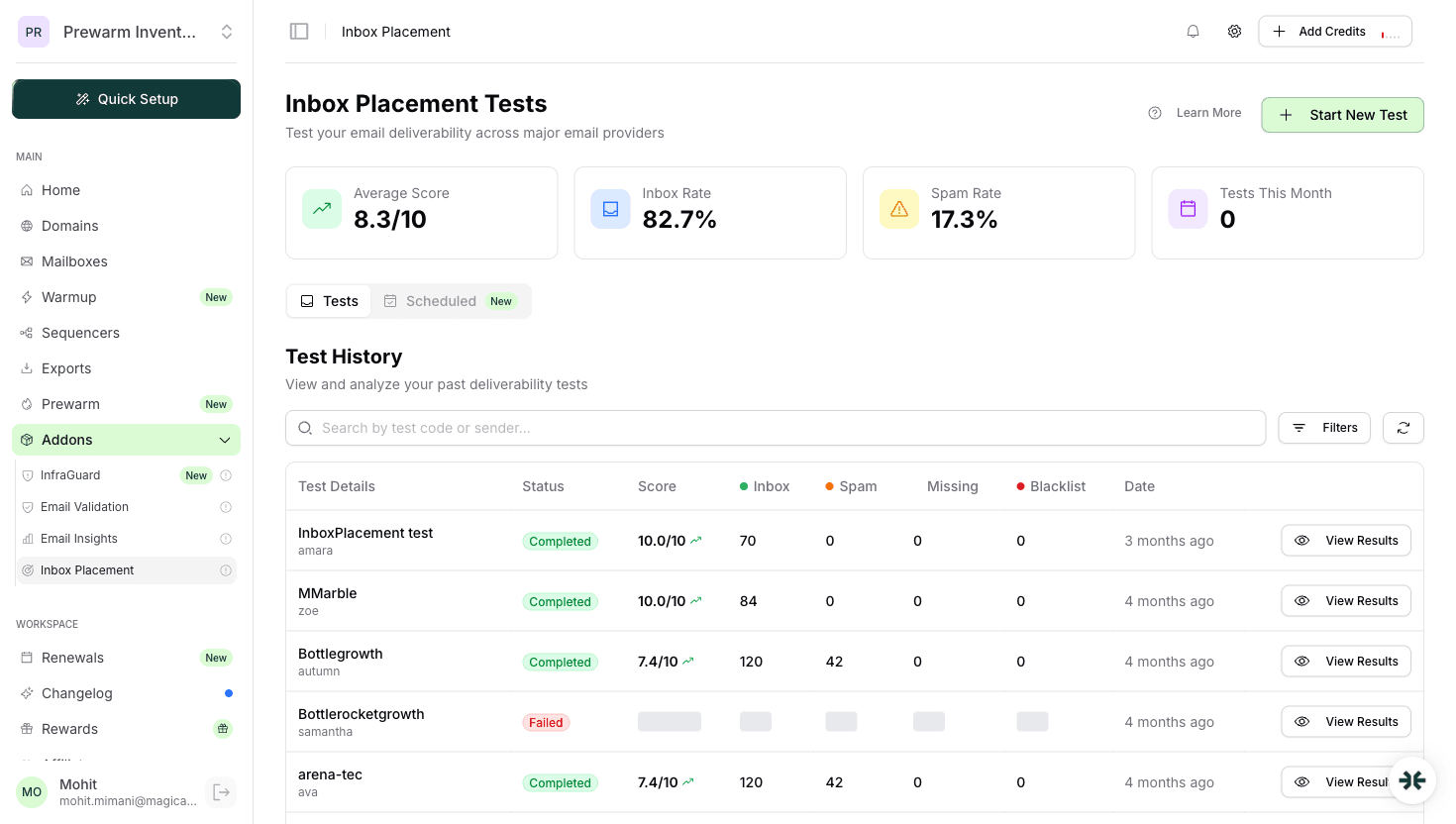
Inbox placement testing sends emails from your mailboxes to a network of seed accounts across Gmail, Outlook, Yahoo, and other providers. It then checks where each email landed:
The test produces a percentage breakdown showing your actual inbox placement rate.
Without inbox placement testing: You send 1,000 emails, get low reply rates, and guess whether it is a copy problem or a deliverability problem. You waste days A/B testing subject lines when the real issue is 30% of emails hitting spam.
With inbox placement testing: You know before sending that your inbox rate is 85%. You fix the 15% hitting spam first. Your campaign launches with confidence.
One test before a campaign can save thousands of wasted emails.
Inbox placement testing is included with InboxKit at no additional cost. Most competitors charge $50-150/month for a separate tool (GlockApps, MailReach, etc.).
Before every major campaign. Verify deliverability before sending to your main list After warmup completes. Confirm mailboxes are ready for campaigns After any infrastructure change. DNS updates, new domains, provider changes Weekly for active mailboxes. Catch reputation degradation early After blacklist removal. Verify recovery was successful
Use this table as a quick reference:
| Inbox Rate | Status | Action |
|---|---|---|
| 85-95% | Excellent | Launch campaigns |
| 75-85% | Good | Monitor promotions tab |
| 65-75% | Warning | Pause, check DNS/warmup |
| 50-65% | Poor | Stop sending, full audit |
| Below 50% | Critical | Blacklist + auth check |
Follow these steps to run a reliable inbox placement test:
| Test Result | What It Means | Action Required |
|---|---|---|
| Primary Inbox | Email delivered to main inbox | None. mailbox is campaign-ready |
| Promotions/Updates | Delivered but filtered to a tab | Review content for promotional language, reduce links and images |
| Spam/Junk | Flagged by provider filters | Pause sending, check DNS (SPF/DKIM/DMARC), review warmup status |
| Missing/Not Delivered | Email bounced or silently dropped | Verify mailbox is active, check for blacklisting, confirm DNS records |
InboxKit includes inbox placement testing at no extra cost. Competing tools like GlockApps ($89/mo) or MailReach ($25/mo) charge separately for this functionality. Running tests regularly. especially before campaigns and after warmup. prevents wasted sends and protects your sender reputation.
Open rates tell you about engagement. Inbox placement testing tells you about deliverability. You need both.
Yes. Built-in inbox placement testing is included at no extra cost. Most competitors require a separate $50-150/month tool.
Before every major campaign, after warmup completes, and weekly for active mailboxes.
80%+ is good. 70-80% is acceptable but investigate. Below 70% requires immediate attention.
Free tools and pages that go with this guide.
From $2.50/mailbox/mo. No plans or slots. Automated DNS, warmup, and InfraGuard monitoring included.

