
LearnReviews
QuickMail Review 2026

By Saksham JainPublished on: May 26, 2026 · Updated: Sep 6, 2026 · 11 min read · Last reviewed: Sep 2026
TL;DR
QuickMail positions itself as a deliverability-focused email platform built for agencies, and at the time of writing the headline facts back that up: unlimited team members listed on every plan, free built-in warmup via MailFlow, inbox rotation, and a Deliverability AI feature that QuickMail advertises as automatically swapping email accounts based on health signals. For agencies and operators who prioritise reliability over marketing gloss, it is a defensible pick. The honest catch is the volume-based pricing, an interface that's more functional than polished, and the fact that, like every sequencer, deliverability still rides on the mailboxes and domains you connect. Pricing observed at the time of writing and is subject to change.
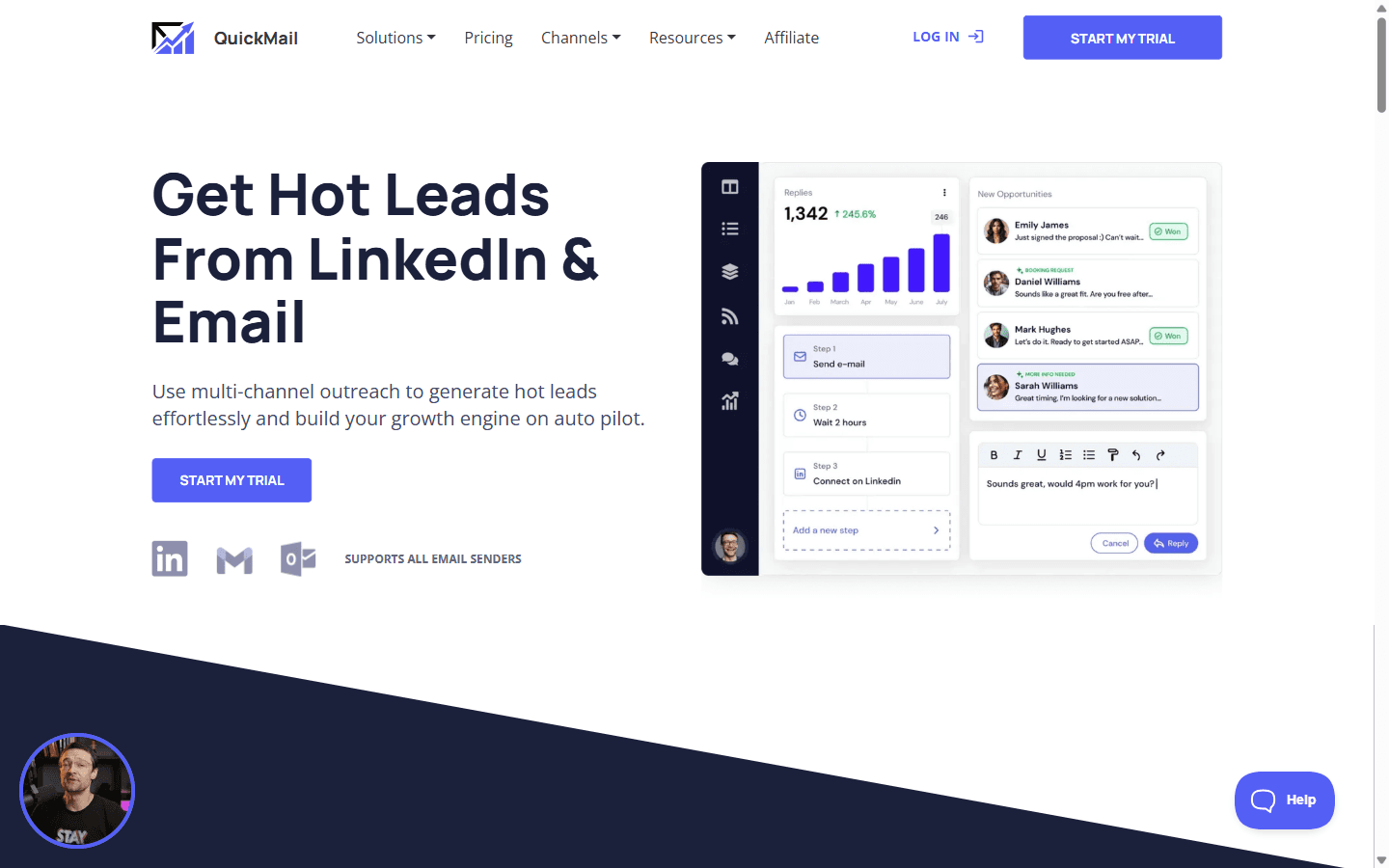
QuickMail (quickmail.com) is an email automation platform with an agency-first design. It sends sequences, follows up automatically, rotates across inboxes, and consolidates replies, with a stated emphasis on deliverability and stability. QuickMail was founded by Jeremy Chatelaine in 2014 (Crunchbase lists the founding date as 1 May 2014), which lines up with the company's '12 Years of Innovation' framing on its homepage at the time of writing. Marquee features advertised today include Deliverability AI (which QuickMail describes as automatically swapping email accounts based on health) and Reword with AI.
Two design choices define it. First, per QuickMail's pricing FAQ, it does not charge per seat; teams can add unlimited members. Second, per QuickMail's own FAQ, it does not send through proprietary servers; it automates sends from the connected provider (Gmail, Outlook, or SMTP), so the email provider's IPs are used. Free warmup is advertised through MailFlow, QuickMail's companion warmup tool.
QuickMail prices by sending volume, with unlimited users advertised on every plan. Pricing observed on quickmail.com/pricing at the time of writing; QuickMail has restructured its plan names and limits in the past, and some third-party reviews still cite the older Basic/Pro/Expert lineup, so re-check before purchase.
| Plan | Price | Emails/mo | Uploaded contacts | Best for |
|---|---|---|---|---|
| Starter | $49/mo | 5,000 | 1,000 | Solo operators, light volume |
| Growth | $99/mo | 100,000 | 25,000 | Growing teams |
| Agency | $299/mo | 500,000 | 100,000 | Agencies, high volume |
Honest notes on the real cost:
QuickMail's deliverability story holds up on paper: free MailFlow warmup, inbox rotation, a Deliverability AI feature for automatic account swapping, and a stated design choice to send through the connected provider's servers rather than QuickMail-owned IPs. Among sequencers, it is one of the more deliverability-minded tools on paper, and several agencies cite it as stable.
The core truth still holds: placement is largely decided by the infrastructure you connect. QuickMail rotates and warms, but the domains, authentication, mailbox age, and provider reputation tend to dominate inbox placement. We also could not find infrastructure-wide blacklist and DNS-drift alerting in QuickMail's published product, so a domain quietly drifting onto a blacklist or a DNS record changing across a large sending fleet may not surface as an alert. For agencies running dozens of client domains, that is exactly the kind of blind spot worth designing around.
The summary below reflects publicly advertised strengths and limitations relative to other email sequencers at the time of writing.
Pros
Cons
Good fit:
Bad fit:
| Option | What it is | Strength | Best for |
|---|---|---|---|
| QuickMail | Email sequencer | Deliverability + unlimited users | Agencies, reliability |
| Smartlead | Email sequencer | Unlimited accounts, agency tooling | High volume, agencies |
| Woodpecker | Email sequencer | Adaptive, compliant sending | Careful senders |
| InboxKit | Mailbox infrastructure + InfraGuard | Mailboxes + real-time monitoring | The infrastructure layer under any sequencer |
The honest positioning: QuickMail is a sequencer, and InboxKit is not a competitor, it is the layer underneath. QuickMail sends through the mailboxes you supply; InboxKit provides those mailboxes, isolated and controllable, plus InfraGuard monitoring (real-time blacklist alerts, DNS drift detection, bounce-rate alerting) across your whole domain fleet, exactly the visibility agencies running many client domains need. Because InboxKit is sequencer-agnostic, those mailboxes run in QuickMail today and any other tool tomorrow.
Rating: 8 / 10
QuickMail reads as the quietly competent choice for agencies at the time of writing: unlimited users on every plan, free MailFlow warmup, inbox rotation, Deliverability AI, and a 12-year track record (founded 2014 per Crunchbase). It does not chase trends; it focuses on sending fundamentals, which tends to be what high-volume operators ask for.
It isn't higher because the interface is more functional than modern, pricing scales with volume, and, like every sequencer, it depends on the infrastructure you connect; we could not find continuous monitoring of the domains and inboxes your campaigns rely on in the published product.
If you want isolated, monitored mailboxes feeding QuickMail across all your client domains, while staying free to switch sequencers later, see how InboxKit compares.
Per quickmail.com/pricing: Starter $49/mo (5,000 emails, 1,000 contacts), Growth $99/mo (100,000 emails, 25,000 contacts), and Agency $299/mo (500,000 emails, 100,000 contacts). Unlimited team members are included on every plan and there is a 14-day free trial.
Yes. Free MailFlow AutoWarmer is built in across all plans, at no extra charge.
No. Every plan includes unlimited team members, with personalized access and an audit log, which is a meaningful advantage for agencies.
Through your connected provider's servers (Gmail, Outlook, or SMTP), so your emails use your provider's IPs and look authentic. Inbox rotation spreads sends across multiple connected mailboxes, and Deliverability AI can automatically swap accounts based on health.
Sending-side signals like Deliverability AI exist, but no infrastructure-wide monitoring across your full domain fleet is built in. For blacklist and DNS-drift alerting across your domains you need a dedicated layer like InboxKit's InfraGuard.
Free tools and pages that go with this guide.
 Reviews
 Saksham JainReviewsSaksham JainReviewsSaksham JainReviewsSaksham JainReviews
 Mohit Mimani
From $2.50/mailbox/mo. No plans or slots. Automated DNS, warmup, and InfraGuard monitoring included.