
LearnGuides
How to Skip Email Warmup Safely: The Honest 2am Answer

By Mohit MimaniPublished on: Apr 11, 2026 · Updated: Oct 8, 2026 · 9 min read · Last reviewed: Oct 2026
TL;DR
You cannot really skip warmup without burning domains. You can move it earlier in time via pre-warmed mailboxes. Here is the honest answer, the risks, and what to do if your launch is tomorrow.
You cannot skip email warmup without burning your domains. A freshly provisioned Google Workspace or Microsoft 365 mailbox that sends 40 emails on day one will hit spam folders hard, get rate-limited by the provider within 48 hours, and in some cases get the whole domain flagged on Spamhaus or similar blacklists inside a week. The 14-21 day warmup period is not an arbitrary gatekeeper, it is the window during which Google's and Microsoft's spam classifiers observe your sending behavior and build a baseline reputation signal.
The thing you can legitimately do: move the warmup earlier in time via pre-warmed mailboxes. You are not skipping warmup; someone else already ran it on your behalf before you bought the account. The 14-21 days happened, just not on your calendar.
If you landed on this page because your campaign launches tomorrow and you need the real-world answer, here it is in order:
The rest of this article walks through each option honestly, with the risks and tradeoffs.
A fresh Google Workspace or Microsoft 365 mailbox has no sending history. When it sends the first 40 emails, the spam classifiers on the receiving end. Gmail's filter, Exchange Online Protection, Yahoo, ProtonMail, corporate gateways: observe a new sender with no reputation and apply conservative defaults.
'Conservative defaults' on Gmail means aggressive spam folder routing for messages that would otherwise land in primary inbox. On Microsoft it means Junk folder placement and, for larger volumes, outright quarantine. On corporate gateways it means content inspection and greylisting.
Here is what typically happens to a bare mailbox that tries to send email on day one:
This is not a theoretical risk, it is what happens on r/coldemail threads every week. The 'I tried to skip warmup' posts all end the same way: the domain is dead and the operator buys new domains to start over. That is why pre-warming exists as a category at all.
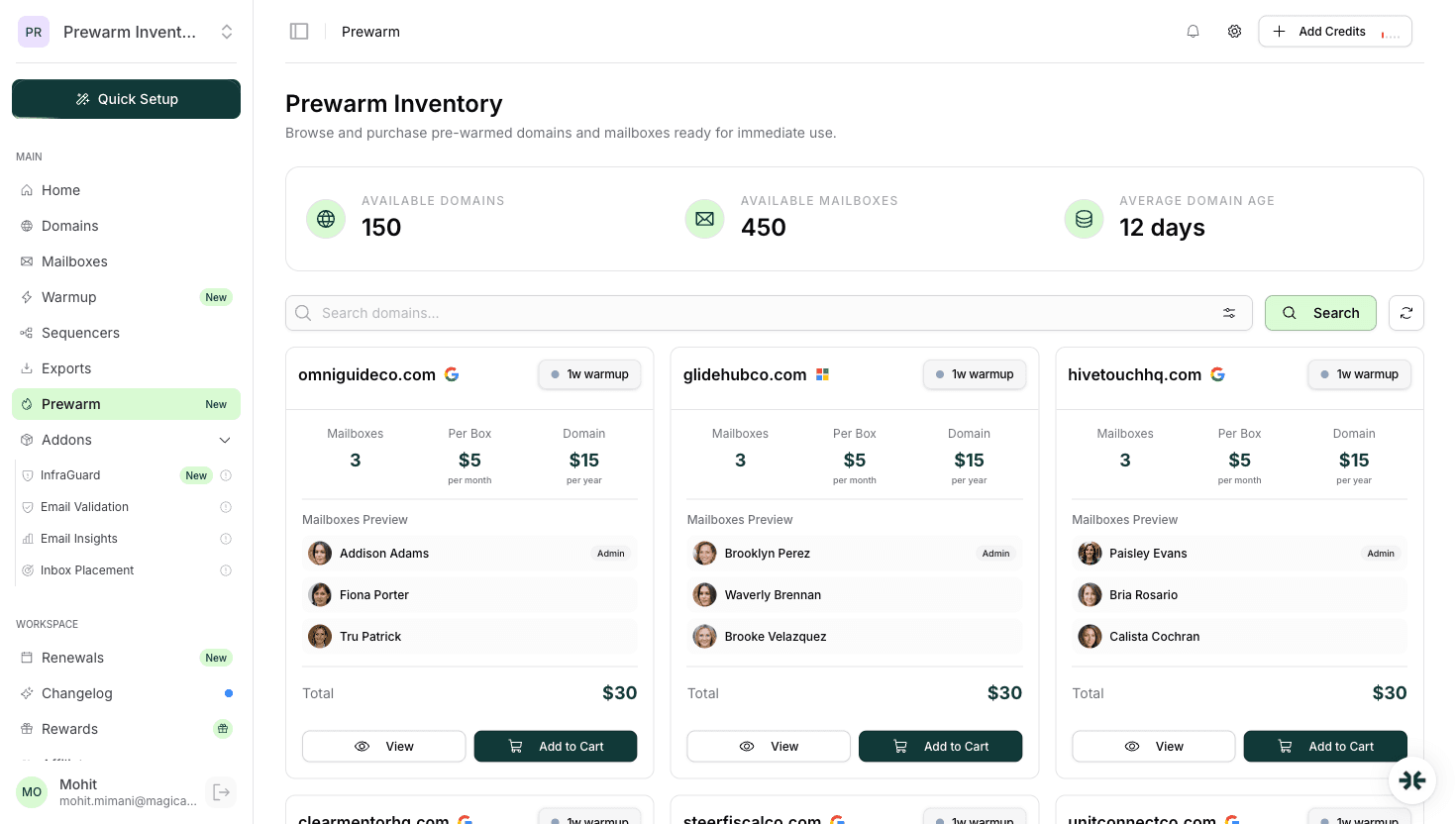
Pre-warmed mailboxes are real Google Workspace or Microsoft 365 accounts that have been run through 14-21 days of warmup traffic on a disciplined isolated network before you bought them. When you take delivery, the reputation signal is already built, DNS is pre-configured, and you can connect to a sequencer and start cold outbound on the same day.
This is not skipping warmup, the warmup happened, just before you owned the mailbox. From the spam classifier's perspective, the sending account has 14-21 days of behavior on record, which is exactly what the filter was waiting to see.
The 2026 pre-warmed providers:
If you need to launch tomorrow, InboxKit's pre-warmed offering is usually the fastest disciplined answer. Read InboxKit pre-warmed mailboxes for the product overview and buy pre-warmed email accounts guide for the full purchase workflow and quality checklist.
If you have a Google Workspace or Microsoft 365 mailbox that has been sitting idle for 30+ days with some light sending history, the personal-business mailbox you use for client emails, for example, or a team mailbox that receives normal business traffic, it already has the warmup window behind it. You can use it for cold sending starting today without the ramp.
The caveats are serious and worth understanding:
This option is viable for founders and small teams who have 2-3 existing mailboxes they can repurpose for a short cold campaign. It is not viable for any program that needs more than 3-5 mailboxes or sustained send volume.
This is the riskiest of the three viable options and only works for a narrow use case: 1-3 messages per day per mailbox for the first 7 days, ramping to 5-10/day over the second week, and holding there until day 21.
The idea: instead of running synthetic warmup traffic, you use your real cold outbound as the warmup signal. 1-3 messages per day from a fresh mailbox is low enough that spam classifiers do not treat it as a volume anomaly, and if those messages get real replies, the engagement signal builds legitimate reputation faster than warmup traffic alone would.
Why this mostly fails in practice:
Use this option only if your list is a hand-curated set of <30 extremely high-value targets where you expect individual replies, and even then only for the first week before transitioning to a proper warmup or pre-warmed workflow.
Several approaches circulate on email forums as 'warmup skip' techniques. They do not work and most of them actively burn your domains faster than sending cold with no warmup at all.
Warmup traffic that counts as sends. Some users try to run warmup traffic using their real sequencer, hoping to build reputation while also sending cold outbound. Sequencer-controlled 'warmup' is not isolated from the cold sends, the spam classifier sees one unified sender and treats the warmup traffic as suspicious content mixed with the real emails. The result is worse than either alone.
Rapid-fire warmup compression. Running 200+ warmup emails per day in week one on the theory that you can collapse 21 days of warmup into 3 days of high volume. Volume spikes are exactly what spam classifiers flag as anomalies. The filter does not care that the 200 emails are warmup traffic, it sees a new sender hitting its rate limit and routes the traffic to spam.
IP warming without mailbox warming. Warming the domain or IP without warming the specific sender mailbox. This protects the domain-level reputation but does nothing for the mailbox-level reputation Gmail and Microsoft track per-address.
Buying 'warmed' mailboxes on Fiverr or Telegram. Shared-IP relays, shared admin pools, and legacy educational Workspace accounts sold as 'aged and warmed' accounts. These are not real provisioned mailboxes, they are reseller accounts with opaque warmup history and a high probability of being on shared admin infrastructure that was burned by a previous buyer. If the price is below $3/mailbox/month the account is not what it claims to be.
Sending from a temporary mailbox provider. ProtonMail, Tutanota, SimpleLogin, and similar are not email infrastructure. The ESPs on the receiving end treat these senders as higher risk by default and spam-filter aggressively.
Here is the fastest disciplined workflow for launching a cold campaign when you have less than 24 hours of runway and you are reading this right now:
The entire workflow from 'I need to launch tomorrow' to 'first real send is in the air' is under 4 hours if you have the list and copy ready and under 24 hours if the pre-warmed inventory has any wait. Read launch email campaign same day for the longer playbook.
If you are reading this before the campaign launch is locked in, the honest answer is often: push the launch by 14-21 days and self-warm instead of purchasing pre-warmed mailboxes and rushing the setup.
Reasons the wait is usually worth it:
If you have 14-21 days, self-warm. If you have 7-14 days, consider both options with a slight lean toward self-warm. If you have less than 7 days, buy pre-warmed from a disciplined provider. If you have less than 24 hours, the only viable answer is pre-warmed from a provider with ready inventory.
You cannot skip email warmup. You can move it earlier in time by buying pre-warmed mailboxes, which is a legitimate category as long as the provider is shipping real Google Workspace or Microsoft 365 accounts with 14-21 days of isolated-network warmup already on record.
The dangerous path is trying to 'skip warmup' by sending email from a bare mailbox. That is how domains get burned, reputations get damaged, and campaigns fail in the first week. The 2am panic answer is not 'skip warmup', it is 'buy pre-warmed and launch on day one.'
Read email warmup guide for the mechanics of what warmup actually does, InboxKit pre-warmed mailboxes for the fastest disciplined way to get pre-warmed Google Workspace or Microsoft 365 accounts, and pre-warmed mailboxes vs self-warmup for the decision framework between the two approaches.
No. A fresh Google Workspace or Microsoft 365 mailbox sending 40 emails on day one will hit spam folders, get rate-limited within 48 hours, and in bad cases get the domain flagged on Spamhaus. The 14-21 day warmup is not an arbitrary rule, it is the window during which spam classifiers observe your sending and build a baseline reputation signal.
Yes, if the provider ran 14-21 days of warmup traffic on a disciplined isolated network before handoff. The reputation signal is already built by the time you take delivery, so first-day cold sending behaves similarly to a self-warmed mailbox after a completed ramp. Still start at 20-30 messages per day, not 50+.
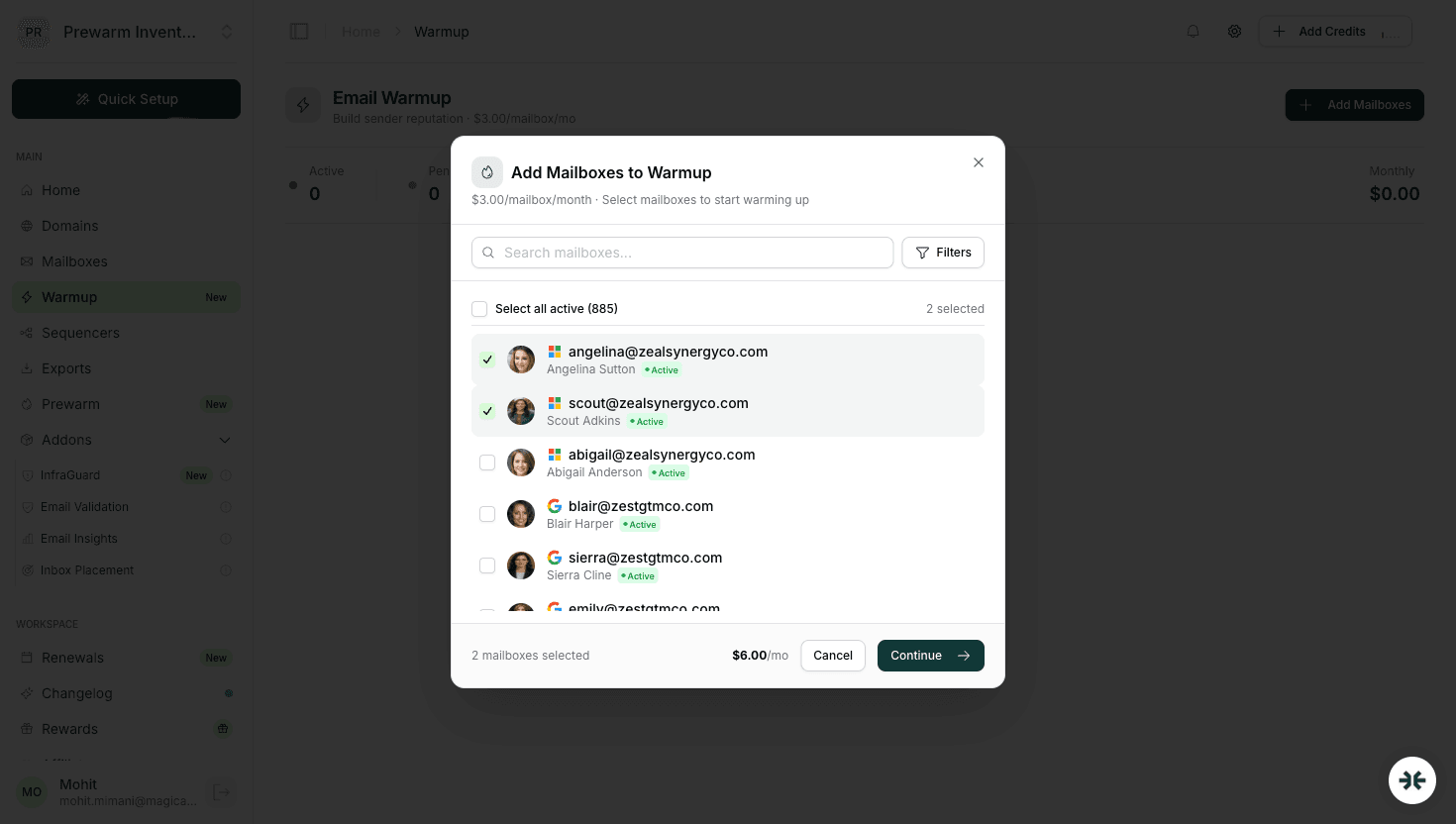
Buy pre-warmed Google Workspace or Microsoft 365 mailboxes from a disciplined provider (InboxKit, Zapmail), verify DNS is live at handoff, export to your sequencer, and start sending at 20-30 messages per mailbox per day. End-to-end the workflow is under 4 hours if the list and copy are ready and the provider has ready inventory.
Technically yes, but strongly discouraged. A deliverability drop on your primary business inbox affects your real customer communication, which is much more expensive than a burned cold campaign. If you must use an existing mailbox, isolate cold traffic to a dedicated subdomain or secondary domain and keep cold volume low.
Typical pattern: inbox placement drops to 20-40%, reputation signal turns negative within 48 hours, provider rate limits kick in on day 3-7, bounces climb, and the sending domain can land on Spamhaus or Barracuda blacklists by day 7-14. Recovery takes weeks and in bad cases requires buying new domains.
Microsoft 365 actually requires more warmup runway than Google Workspace, 17-21 days vs 14-16. Exchange Online Protection is more conservative on new senders and weighs volume anomalies more aggressively. Pre-warmed M365 mailboxes are rarer in the market; InboxKit is one of few providers offering them through a dedicated Prewarm Inventory.
Free tools and pages that go with this guide.
 Guides
 Rahul LakhaneyGuides
 Mohit MimaniComparisonsMohit MimaniGuidesMohit Mimani
From $2.50/mailbox/mo. No plans or slots. Automated DNS, warmup, and InfraGuard monitoring included.