
LearnGuides
InboxKit Pre-Warmed Mailboxes: Ship Same-Day Email Infrastructure

By Mohit MimaniPublished on: Apr 11, 2026 · Updated: Oct 8, 2026 · 11 min read · Last reviewed: Oct 2026
TL;DR
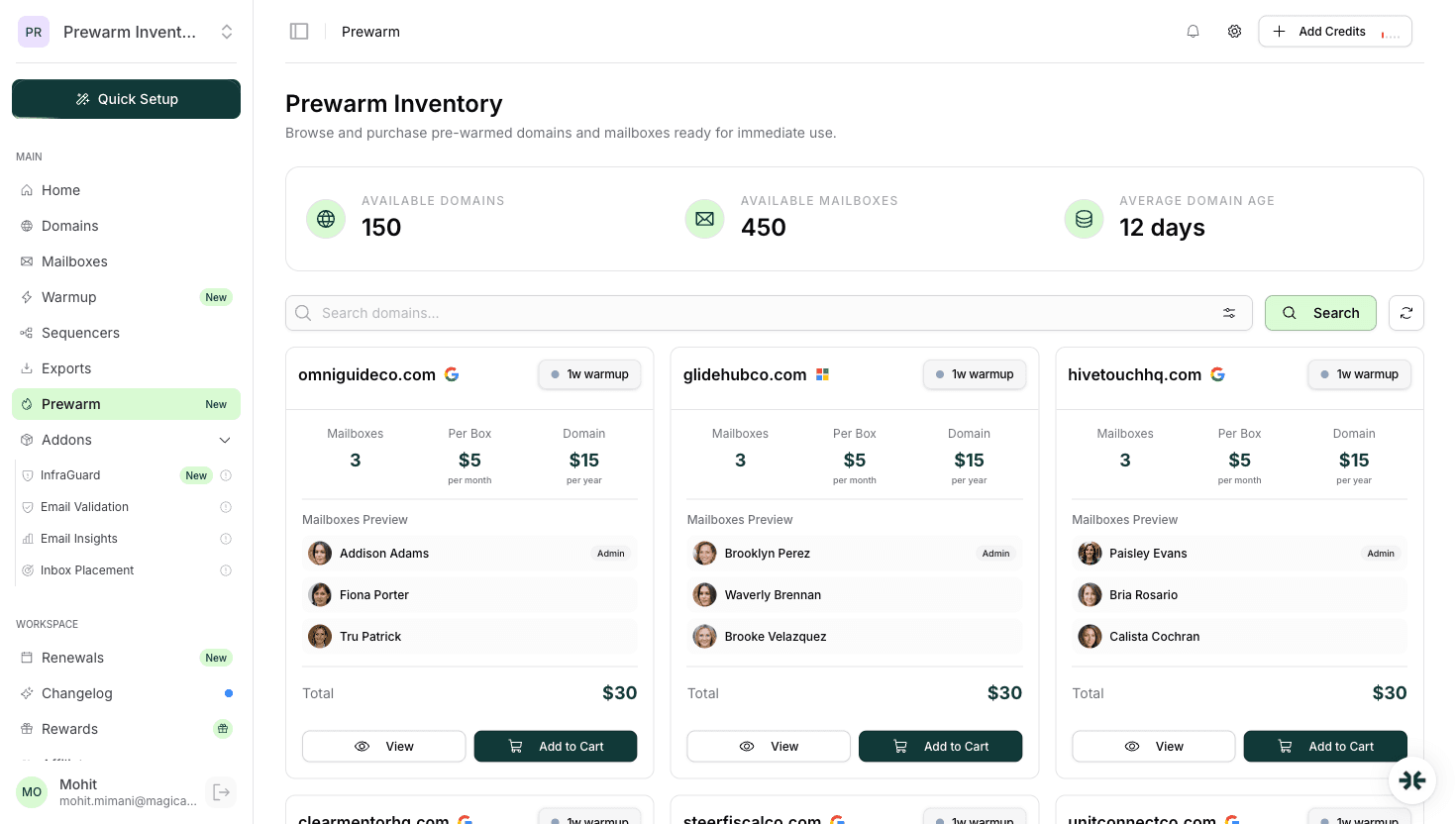
InboxKit offers pre-warmed Google Workspace and Microsoft 365 mailboxes you can start sending from on day one, browse the dedicated Prewarm Inventory, pick a domain age tier, and go.
InboxKit pre-warmed mailboxes are real Google Workspace and Microsoft 365 accounts that have been seasoned on the InboxKit isolated warmup network before you get the keys. They land in your dashboard already sending and receiving warmup traffic, so you can plug them into your sequencer and start cold outbound on the same day you buy them.
The short version: standard Google Workspace and Microsoft 365 accounts, warmed on an isolated pool, available through a dedicated Prewarm Inventory section in the dashboard. You browse available pre-warmed domains, pick a warmup age: 2-4 weeks at $6/mailbox, 4-8 weeks at $7/mailbox, or 8+ weeks at $9/mailbox, plus a domain transfer cost (e.g. .com = $15). It is a distinct product section, not a toggle on your standard mailboxes.
Both InboxKit and Zapmail offer pre-warmed mailboxes, but with different approaches and pricing models. Zapmail claims 12 weeks of warmup; Zapmail's pre-warmed pricing is not publicly listed. InboxKit's Prewarm Inventory pricing is transparent and tiered by domain age.
InboxKit's warmup system runs on an isolated network, not a shared pool where every Smartlead user's mailbox trades warmup emails with every other Smartlead user's mailbox. The network is closed: InboxKit-managed seed accounts exchange traffic with other InboxKit warmup mailboxes under rate-limited rules that match sender guidelines.
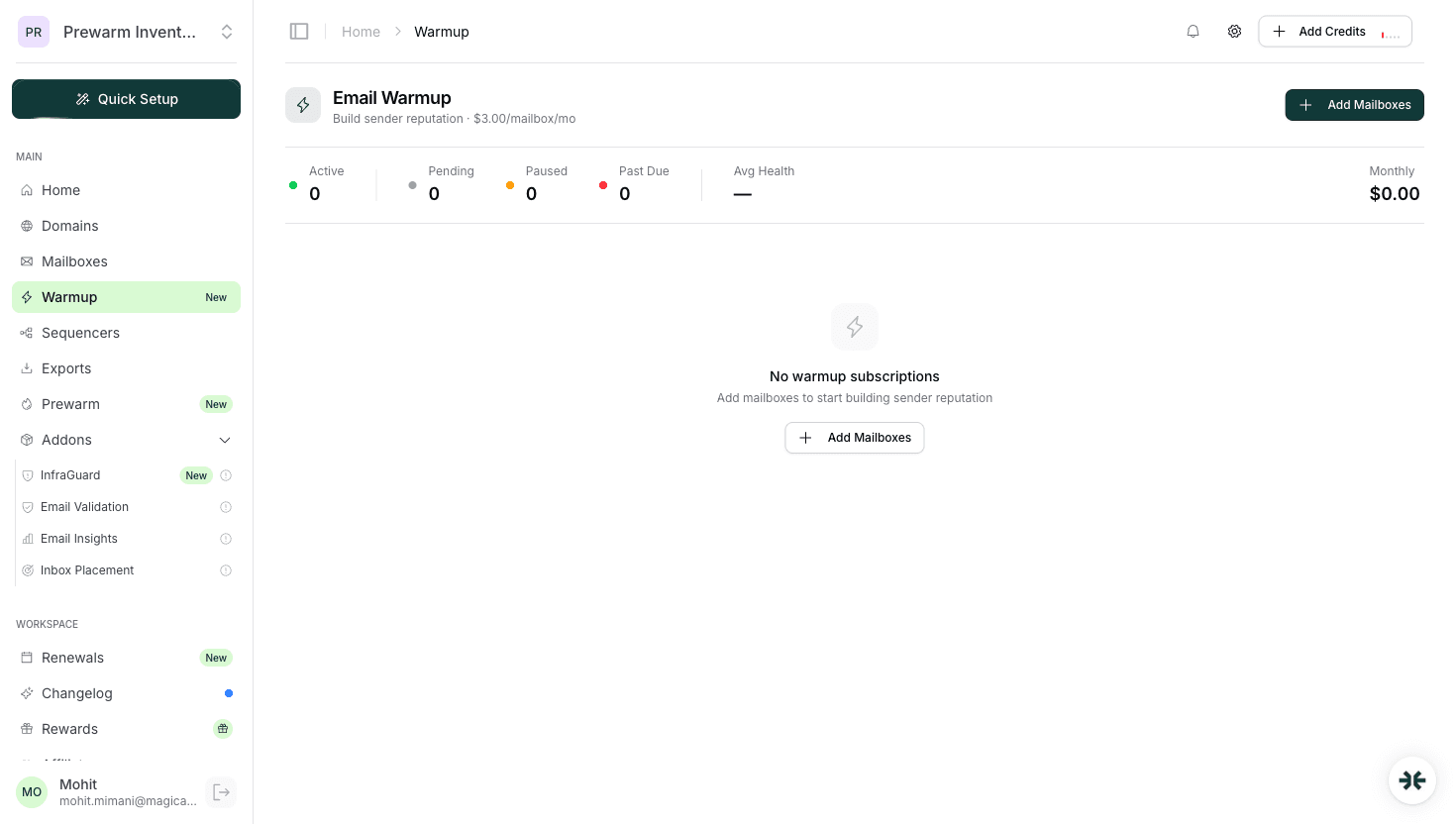
Pre-warmed mailboxes are the result of that same system, run for you in advance and sold through the dedicated Prewarm Inventory section of the dashboard. By the time a pre-warmed mailbox shows up in your account:
The hand-off is deterministic: you flip the mailbox from warming to active, connect a sequencer, and the warmup traffic keeps running in the background so the reputation stays warm during your first send ramp.
InboxKit pre-warmed mailboxes are sold through a dedicated Prewarm Inventory section in the dashboard, a separate product area where you browse available pre-warmed domains and buy them at per-mailbox pricing based on how long the domain has been warming:
| Warmup age tier | Per-mailbox price | What you get |
|---|---|---|
| 2-4 weeks warmup | $6/mailbox | Domain aged under load for 2-4 weeks, reputation signal established |
| 4-8 weeks warmup | $7/mailbox | Longer warmup history, stronger inbox placement signal |
| 8+ weeks warmup | $9/mailbox | Maximum domain age and reputation depth |
On top of the per-mailbox price, there is a one-time domain transfer cost (e.g. .com = $15). This is a one-time fee, not recurring.
This is a distinct product section, not a toggle or add-on to standard InboxKit mailboxes. You are buying domains that have already been warmed on the isolated network, with real sending history baked in.
Zapmail also offers pre-warmed mailboxes and claims 12 weeks of warmup, but Zapmail's pre-warmed pricing is not publicly listed on their site (as of April 2026). The two platforms take different approaches: InboxKit exposes transparent per-mailbox pricing tiered by domain age, while Zapmail's prewarm pricing requires contacting their sales team or accessing their dashboard.
Pre-warming is not always the right call. Here is the decision framework that actually matters in practice:
Pick pre-warmed when:
Pick self-warmup when:
A lot of experienced operators run both. The pre-warmed mailboxes carry the first wave of sending while a larger self-warmup batch seasons in the background, and the two pools get rotated as domains age. InboxKit supports both modes from the same dashboard, see the longer decision framework in pre-warmed mailboxes vs self-warmup.
A pre-warmed InboxKit mailbox is not a bare Google or Microsoft account with a fresh DNS record. Here is the state of the system on the day it is handed off:
That last point matters more than most buyers realize. A pre-warmed mailbox that takes two hours to hand-wire into Smartlead is not really same-day. InboxKit's 24+ native integrations mean the campaign is running inside the first 15 minutes after you claim the accounts.
InboxKit is one of very few platforms offering pre-warmed Microsoft 365 at all. The entire market is still heavily skewed toward Google-only prewarm, which is a problem if your buyers live in Outlook or your ICP runs M365 at the tenant level. If 60% of your target market is reading email in Outlook, sending exclusively from Gmail accounts puts the domain-to-ESP signal slightly out of alignment, not catastrophic, but a measurable deliverability cost over thousands of sends.
Pre-warmed mailbox provider comparison, April 2026:
| Provider | Pre-warmed Google Workspace | Pre-warmed Microsoft 365 | Per-mailbox pricing |
|---|---|---|---|
| InboxKit | Yes | Yes | $6-$9/mailbox depending on warmup age tier (Prewarm Inventory) |
| Zapmail | Yes | Partial (Microsoft toggle present) | Not publicly listed |
| Primeforge | No (standard mailboxes, warmup via Warmforge separate) | No | N/A |
| Mailforge | No (shared-IP relays, not real accounts) | No | N/A |
| Instantly | No (shared warmup pool, not pre-warmed) | No | N/A |
If you need pre-warmed Microsoft 365 specifically, read pre-warmed Microsoft 365 mailboxes for the deeper buying guide. If you are Google-only, pre-warmed Google Workspace accounts covers that angle.
The honest answer from r/coldemail and from operators who have run both: pre-warming from a disciplined network is close, but not identical, to a 21-day self-warmup you run yourself under your own ramp schedule. The gap shows up in one place: the first week of cold sending, where self-warmed mailboxes running on their own historical ramp tend to stay in primary inbox a few percentage points more than pre-warmed mailboxes that are transitioning from warmup traffic to real outbound.
The gap closes after 10-14 days of real sending. At that point the mailbox reputation is being shaped by actual recipient behavior (opens, replies, zero spam complaints if your copy is clean) and the pre-warm / self-warm distinction stops mattering. Every study that has tried to measure this has landed on the same conclusion: warmup quality matters for the first month, and after that it is dominated by your list quality and message relevance.
Two things the isolated warmup network does to close that gap:
InboxKit's Prewarm Inventory is a dedicated section of the dashboard where you browse available pre-warmed domains and purchase them. Here is the flow:
The whole sequence takes 30 minutes the first time you do it and about 5 minutes per subsequent batch once you know the dashboard.
Pre-warming fixes the time-to-send problem. It does not fix the things that actually blow up most email programs:
Pre-warming is a time-shift tool. It moves the 14-21 day warmup curve to before the purchase. Everything else about running a cold campaign still applies. If you are new to the discipline, start with the email warmup guide and the email infrastructure setup guide.
If you need to launch cold outbound in the next week and waiting 14-21 days for warmup is not an option, pre-warmed mailboxes are the legitimate answer.
InboxKit's approach is a dedicated Prewarm Inventory where you browse available pre-warmed domains and buy them at transparent per-mailbox pricing: $6 for 2-4 weeks warmup, $7 for 4-8 weeks, $9 for 8+ weeks, plus a one-time domain transfer fee. The same dashboard, same integrations, same InfraGuard monitoring, plus the isolated warmup network that produces a better quality signal than the shared pools every sequencer uses by default. Zapmail also offers pre-warmed mailboxes with a claimed 12 weeks of warmup, though their pre-warmed pricing is not publicly listed. Both platforms support Google Workspace; InboxKit also offers pre-warmed Microsoft 365 and Azure mailboxes (Azure at $30/tenant/mo) if you want further provider diversity.
For the full platform overview read what is InboxKit and the plan breakdown in InboxKit pricing. If you still want to know whether pre-warming is worth it at all, are pre-warmed mailboxes worth it is the honest analysis from before the InboxKit prewarm offering shipped.
Pre-warmed mailboxes are sold through the dedicated Prewarm Inventory section in the InboxKit dashboard, a separate product area, not a toggle on standard mailboxes. Pricing is per-mailbox based on domain warmup age: $6/mailbox for 2-4 weeks warmup, $7/mailbox for 4-8 weeks, $9/mailbox for 8+ weeks. There is also a one-time domain transfer cost (e.g. .com = $15).
Both InboxKit and Zapmail offer pre-warmed mailboxes with different approaches. InboxKit has a dedicated Prewarm Inventory in the dashboard where you browse available pre-warmed domains and buy them at transparent per-mailbox pricing ($6-$9 depending on warmup age). Zapmail claims 12 weeks of warmup, but their pre-warmed pricing is not publicly listed. InboxKit also offers pre-warmed Microsoft 365, which most competitors do not, and bundles InfraGuard monitoring.
Same day. Once the mailbox is handed off in the dashboard (typically within 24 hours of order for available inventory), you can connect a sequencer and start outbound immediately. We recommend starting at 20-30 messages per day per mailbox and ramping by 10% per day over the first week.
Yes. InboxKit is one of very few providers offering pre-warmed Microsoft 365 at all. Most of the category is still Google-only. If your ICP runs M365, you can browse and purchase pre-warmed Microsoft accounts from the Prewarm Inventory section of the dashboard.
Very close. The gap shows up in the first week of real sending, self-warmed mailboxes on their own historical ramp tend to stay in primary inbox a few points more. The gap closes after 10-14 days of real sending, when reputation is shaped by recipient behavior rather than warmup traffic. The isolated warmup network (not a shared pool) is what keeps the pre-warm quality close to self-warm.
Yes, and it is the workflow most experienced operators actually use. Pre-warmed accounts cover the first-wave sending while a larger self-warmup batch seasons in the background. You rotate the two pools as domains age. Both modes live in the same InboxKit dashboard with unified monitoring.
Free tools and pages that go with this guide.
 Reviews
 Mohit MimaniEducational
 Rahul LakhaneyComparisonsMohit MimaniComparisonsMohit MimaniPricingMohit Mimani
From $2.50/mailbox/mo. No plans or slots. Automated DNS, warmup, and InfraGuard monitoring included.