
LearnGuides
Connect InboxKit Mailboxes to Salesforge in 4 Minutes

By Mohit MimaniPublished on: Apr 11, 2026 · 8 min read · Last reviewed: Apr 2026
TL;DR
Salesforge pairs Agent Frank's AI sequences with InboxKit's real Google Workspace and Microsoft 365 mailboxes. Here is the exact connect flow, plus the Primebox reply-routing setup.
Salesforge connects to InboxKit via a standard email + password handoff. You paste your Salesforge account login into the InboxKit Sequencers Connect screen, InboxKit validates the credentials against Salesforge's API, and then every selected InboxKit mailbox gets provisioned inside your Salesforge workspace for use by Agent Frank or a manual sequence. The actual connect takes about 90 seconds per attempt. Validation is synchronous, so a wrong password returns an instant error instead of a silent fail.
This is the integration to use if you are running Agent Frank (Salesforge's AI SDR) or Primebox (the unified inbox) and you want every InboxKit mailbox to show up inside Salesforge automatically, rather than hand-copying SMTP credentials for each one.
Have these ready before opening the Sequencers Connect screen:
| Item | Where | Required |
|---|---|---|
| Salesforge account (any plan with SDR seats) | app.salesforge.ai | Yes |
| Salesforge login email | , | Yes |
| Salesforge account password | , | Yes |
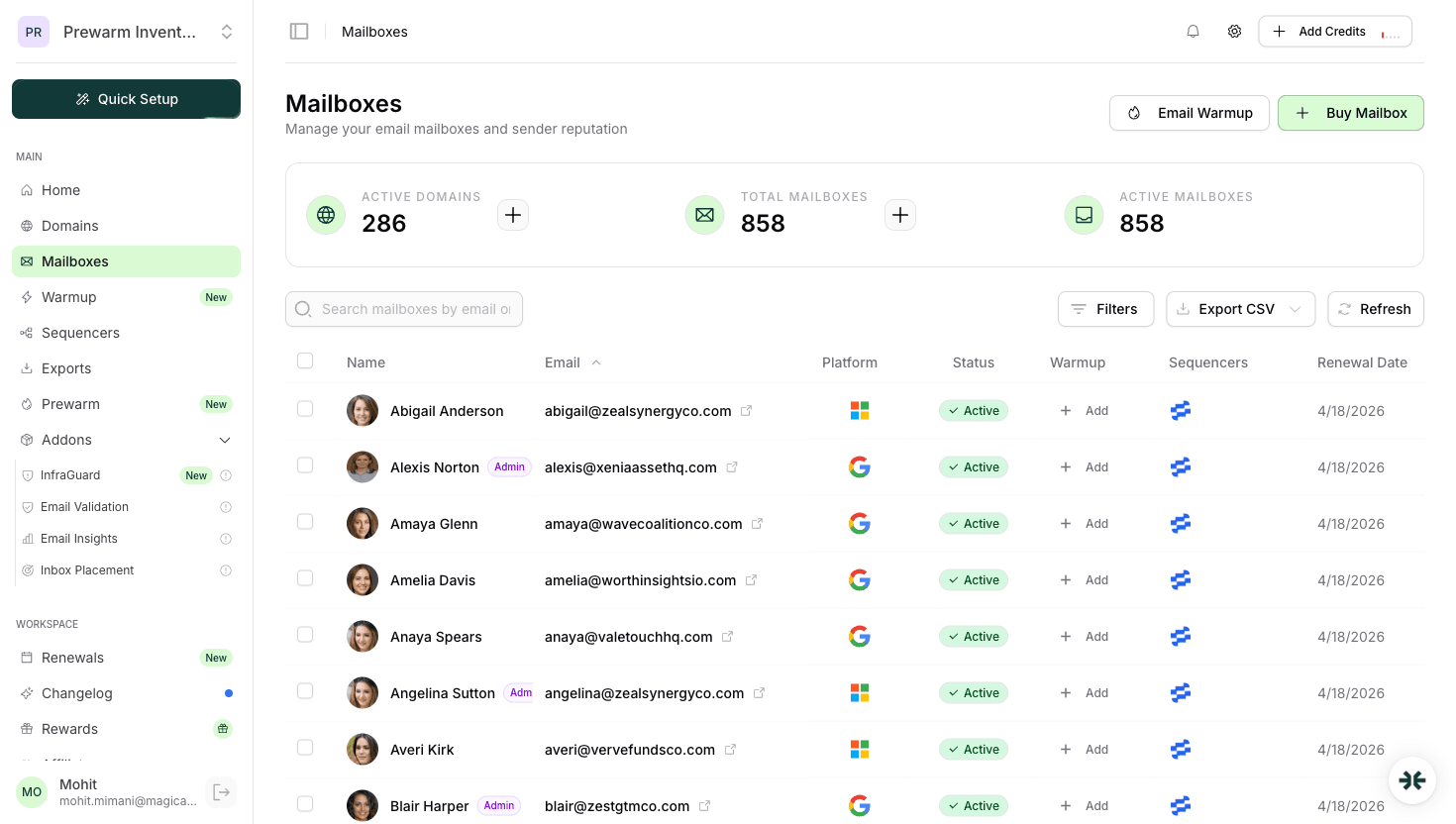
| At least one InboxKit mailbox | InboxKit → Mailboxes | Yes |
| Domain DNS (SPF, DKIM, DMARC, MX) live | InboxKit auto-configures via Cloudflare in under 60 seconds | Yes |
| Decision on Agent Frank vs manual sequences | Salesforge Settings | No: can change later |
Note on Salesforge's password policy. Salesforge does not have per-API-key authentication for sequencer connections the way Instantly or Smartlead do, the InboxKit integration uses your account email + password directly. This means 2FA must be set to 'email OTP' or disabled on the Salesforge side during the initial connect, otherwise validation fails with a 403. Once the connection is established you can re-enable app-based 2FA without breaking the InboxKit sync. For a more detailed look at how email tools authenticate, see email sequencer integration guide.
Here is the exact click path from a fresh InboxKit dashboard:
| Step | Action | Time |
|---|---|---|
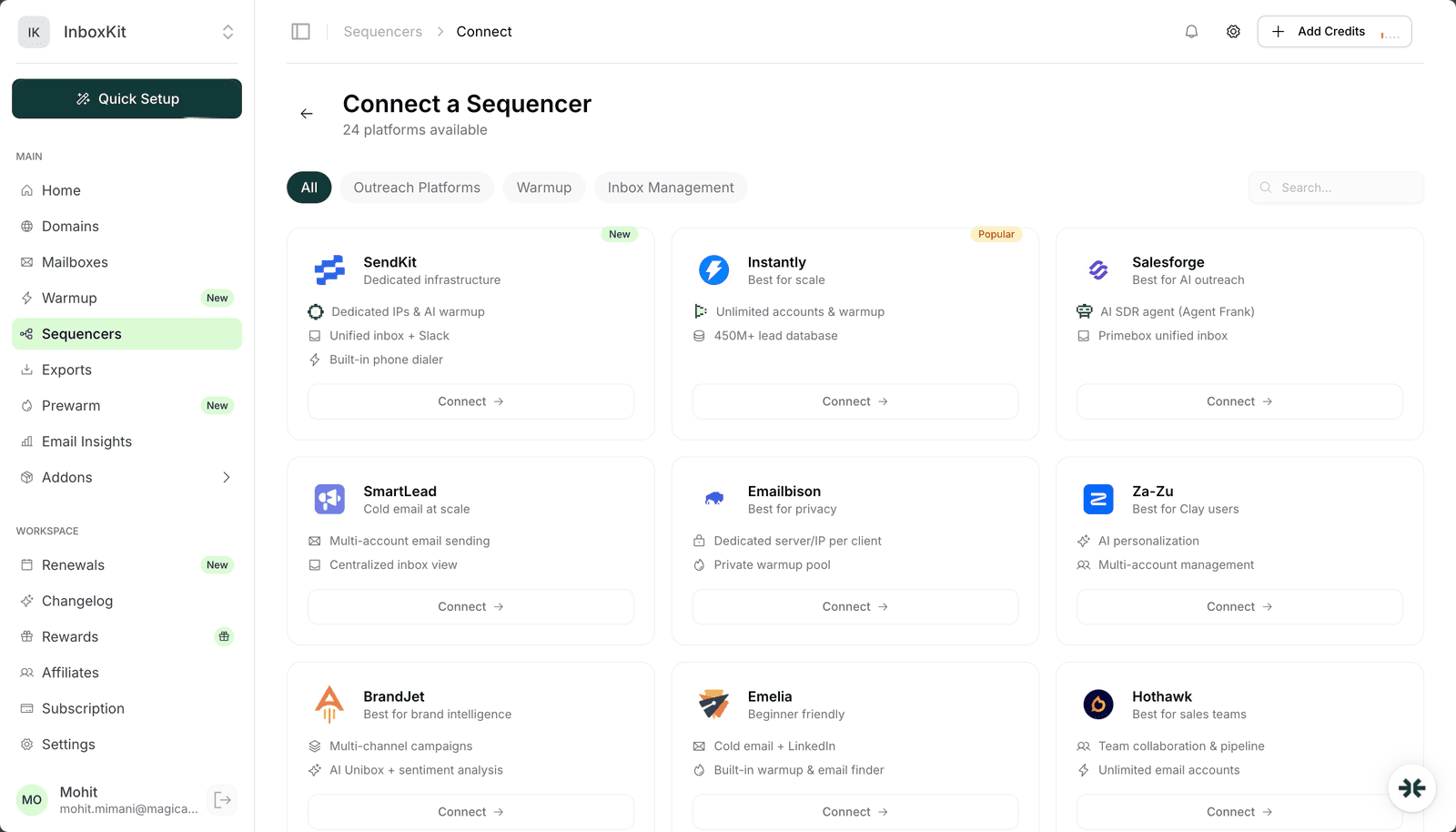
| 1 | InboxKit → Sequencers → Connect New Sequencer | 5 sec |
| 2 | Filter by category Outreach and pick Salesforge | 5 sec |
| 3 | Enter the Email field, your Salesforge login address | 5 sec |
| 4 | Enter the Password field, your Salesforge account password | 5 sec |
| 5 | (Optional) Enter an account nickname if you have multiple Salesforge tenants | 5 sec |
| 6 | Click Connect Account | , |
| 7 | InboxKit validates credentials against Salesforge and pushes every selected mailbox | 20-40 sec |
| 8 | Redirect to /sequencers with success toast | , |
Total: about 60-90 seconds for a clean credential set.
Unlike SendKit (which uses an API key only) or BrandJet (API key with custom validation), Salesforge relies on the standard credential form. There is no debounced validation popup, no workspace dropdown, no multi-step flow. The submit itself triggers the Salesforge API check, so expect a 1-2 second delay after clicking Connect Account before success or failure.
Agent Frank is Salesforge's AI SDR agent. Once your InboxKit mailboxes are inside Salesforge, Agent Frank can use them for three things:
| Capability | What it means | Implication for InboxKit mailboxes |
|---|---|---|
| AI-written first touches | Frank generates the first email per prospect based on your ICP + value prop | Higher message variance per mailbox: better for reputation |
| Multi-step follow-ups | Frank schedules automated follow-ups based on reply signals | Same per-mailbox send limits apply |
| Primebox unified inbox | All replies land in one view across every InboxKit mailbox | You reply once, Frank routes via the right mailbox |
Why this matters for deliverability. Agent Frank's variance is one of the reasons high-volume agencies pair it with InboxKit: every message is slightly different (not a 5-variant A/B test), which reduces the chances Gmail's spam filter pattern-matches your outreach. For a breakdown of how message variance affects inbox placement, see why emails go to spam.
Warmup interaction. Salesforge's warmup ships as Warmforge, a separate product in the Forge stack. Do not run Warmforge and the InboxKit warmup add-on on the same mailbox: pick one. For most InboxKit customers the $3/mailbox/month InboxKit isolated warmup is simpler to reason about because it lives in the same dashboard. See email warmup tools comparison for the trade-offs.
Agent Frank respects whatever daily limit you set in Salesforge → Mailboxes → (select mailbox) → Daily Limit. Here are the values to use for InboxKit mailboxes at each age:
| Mailbox age | Safe daily send | Salesforge daily_limit value | Notes |
|---|---|---|---|
| Day 1-14 | 0 (warmup only) | 0 | Let InboxKit warmup establish reputation first |
| Day 15-30 | 10-20 | 15 | Frank starts sending; ramp slowly |
| Day 31-60 | 25-40 | 30 | Full Agent Frank cadence |
| Day 60+ | 40-50 | 40 | Steady state: scale horizontally with more mailboxes |
Google's published hard cap is 2,000 external recipients per day for Google Workspace relay, but nobody should ever run close to that on an email mailbox. Stay at 40-50 and add mailboxes when you need more throughput. The scale email 100 to 10000 playbook walks through the mailbox-count math for each sending tier.
One Salesforge-specific note: the Agent Frank daily cap is configured separately from the mailbox daily cap. If Frank's cap is 30 and the mailbox cap is 40, Frank sends 30. If Frank's cap is 50 and the mailbox cap is 30, the mailbox wins at 30. The lower value always applies. Check both when setting up a new campaign.
Primebox is Salesforge's unified inbox. After the InboxKit → Salesforge connection is live, every reply to any of your InboxKit mailboxes routes into a single Primebox view by default. This has two implications worth knowing before you launch.
Implication 1, IMAP must be enabled on the Google Workspace side. Primebox pulls replies via IMAP, not Gmail API. If your workspace admin disabled IMAP at the OU level, Primebox stays empty even though Salesforge shows a green 'connected' state. Fix: admin.google.com → Apps → Google Workspace → Gmail → End User Access → Enable IMAP Access for the OU containing your InboxKit mailboxes. This is the #1 missed prereq when Salesforge shows zero replies on day one.
Implication 2, Primebox labels propagate back to the real mailbox. When you archive a reply inside Primebox, Salesforge writes the label/archive state back to the underlying InboxKit mailbox via IMAP. This is normally fine, but if you are running Gmail aliases or send-as addresses the label sync can look chaotic. Keep outreach mailboxes dedicated to email only: do not use an InboxKit mailbox for both Agent Frank outreach and personal replies.
These are the five failure modes we have seen for InboxKit → Salesforge connections, roughly in order of frequency:
| Error | Cause | Fix |
|---|---|---|
| 'Authentication failed' | Wrong password, or 2FA interrupting the flow | Verify password in a private browser tab, disable 2FA during connect, re-enable after |
| Green success toast but no mailboxes in Salesforge | API responded OK but subscription tier has no sender slots | Upgrade Salesforge plan, then InboxKit → Sequencers → Salesforge → Retry Export |
| 'IMAP handshake timeout' (during Primebox reply fetch) | IMAP disabled at OU level | Enable IMAP in Google Workspace Admin Console |
| 'Too many connections' after adding 20+ mailboxes | Salesforge rate-limits high-burst IMAP opens | Space out the export, 10 mailboxes at a time with 2 minutes between |
| Replies show in mailbox but not in Primebox | Label sync lag, usually <5 minutes | Wait 5 minutes. If persistent, disconnect and reconnect the mailbox inside Salesforge |
The 2FA trap in more detail. Salesforge offers both email-OTP 2FA and authenticator-app 2FA. Email-OTP is fine for the InboxKit connect, the flow handles it automatically by prompting InboxKit to wait 10 seconds. Authenticator-app 2FA is not handled by the connect flow, so validation fails immediately with 'Authentication failed' even if the password is correct. The fix is to either switch to email-OTP in Salesforge → Security temporarily, or to contact Salesforge support to generate a one-time app-specific password for the InboxKit connection.
Three checks before launching a real sequence:
Check 1: test send from a single mailbox. In Salesforge, open the imported mailbox, click Send Test to your own address. Expected: <30s delivery, DKIM passes in headers, from matches the InboxKit mailbox.
Check 2: reply round-trip into Primebox. Reply to the test send. Return to Primebox within 2 minutes. If the reply appears, IMAP is working end to end. If not, IMAP is broken: fix that before doing anything else.
Check 3: one-mailbox pilot with Agent Frank. Before loading 1,000 prospects, start a 10-prospect Agent Frank sequence from a single mailbox. Watch for two days. You want zero bounces, zero complaints, and Frank's quality score ≥7/10 on the written first touches.
Check 4: inbox placement test. Send a seed-list test via Mail Tester or GlockApps across Gmail, Outlook, Yahoo, Hotmail. Look for 9/10+. Below 8/10 means something in your setup needs work before you scale: see inbox placement testing explained for the full methodology and diagnostic tree.
Yes, that's the expected flow. Let InboxKit warmup run for 14-21 days before Agent Frank starts sending. You can toggle Frank's send status to 'warming' during that window so the mailbox is present in Salesforge but not used for outreach. Once warmup completes, flip Frank to 'active' and the mailbox enters the sequence rotation.
No. The send limit you set in InboxKit is just a planning number. Salesforge enforces its own per-mailbox limit. Set the Salesforge daily limit to match your InboxKit ramp-up plan manually after import. Most users set 30 for day 15-30 and 40 for day 31+.
Yes. Rotating the underlying mailbox password (or the app password used for SMTP) invalidates the SMTP session Salesforge stores. InboxKit flags this in the Sequencers dashboard with a red 'auth failed' indicator. Fix: click the mailbox in Salesforge, update the password, revalidate. Or rotate the whole connection from InboxKit → Sequencers → Salesforge → Re-sync.
Yes. Connect Salesforge twice with different credentials. InboxKit stores each connection separately and you pick which Salesforge tenant receives a given mailbox when you run Export. This is the setup most agencies with multiple clients use.
Trial accounts work for connection testing, but Agent Frank is gated behind the paid plan, and trial accounts often have a 5-mailbox cap. If you're pushing more than 5 mailboxes, upgrade before running the InboxKit export or the later mailboxes will silently fail with 'seat limit exceeded'.
Free tools and pages that go with this guide.
 Reviews
 Mohit MimaniGuides
 Saksham JainGuidesSaksham JainGuidesMohit MimaniComparisons
 Rahul LakhaneyGuidesSaksham Jain
From $2.50/mailbox/mo. No plans or slots. Automated DNS, warmup, and InfraGuard monitoring included.