
LearnGuides
Connect InboxKit Mailboxes to MailToaster in Under 4 Minutes

By Mohit MimaniPublished on: Apr 11, 2026 · 7 min read · Last reviewed: Apr 2026
TL;DR
MailToaster runs a peer-to-peer warmup network with GPT-powered replies. InboxKit connects via a standard credential flow: here is the setup, plus why you only run one warmup engine per mailbox.
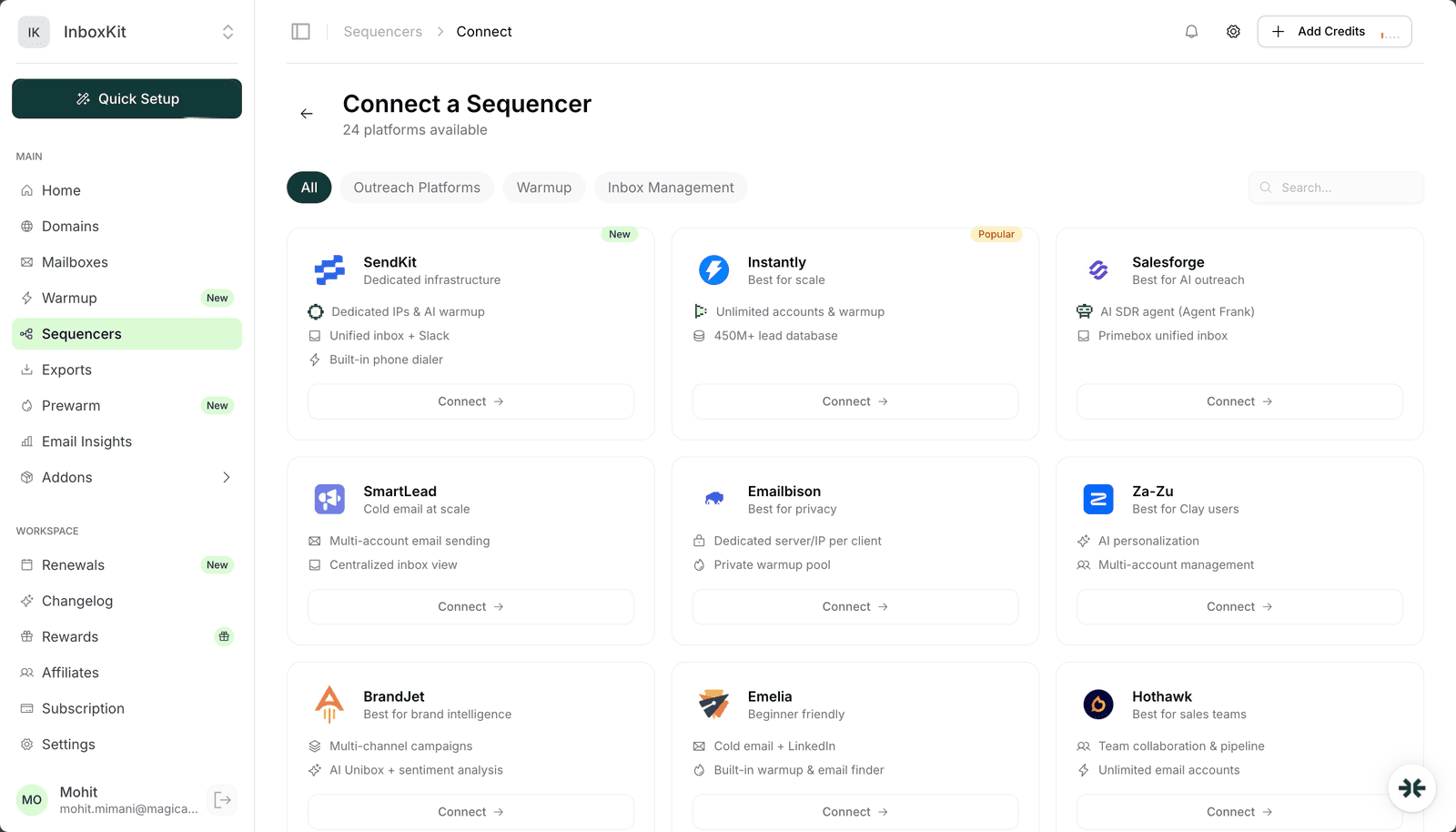
MailToaster sits in the Warmup category in the InboxKit Sequencers Connect screen. You paste your MailToaster login email and password, InboxKit validates against the MailToaster API, and every selected InboxKit mailbox joins the peer-to-peer warmup network on the MailToaster side. The whole connect takes about 90 seconds.
Unlike outreach-category integrations like Instantly or Smartlead, MailToaster does not send emails on your behalf, it warms the mailbox by exchanging messages with other MailToaster users in a shared peer network. Every member sends to every other member, GPT generates natural-looking replies, and the resulting inbox activity looks real to Gmail and Microsoft's spam filters. That inbox activity is what builds sender reputation.
Peer-to-peer warmup is the most common warmup design, and it is what MailToaster, Warmy, TrulyInbox, and most consumer warmup tools use. Here is what the network actually does:
| Action | Who does it | How often |
|---|---|---|
| Your mailbox sends a warmup message | Your InboxKit mailbox via MailToaster | 2-10 times/day, growing over 2 weeks |
| Another MailToaster user's mailbox receives it | Random peer mailbox in the network | , |
| GPT generates a natural reply | MailToaster's backend | 30-90% of received messages |
| Reply comes back to your mailbox | Peer mailbox via MailToaster | , |
| Your mailbox marks the conversation as 'Read, Not Spam' | MailToaster auto-label | , |
| Gmail Postmaster sees the positive signal | Gmail's internal reputation scorer | Within 24-48h |
The magic of the loop is that it trains Gmail's reputation engine to mark your sends as 'legitimate conversations' instead of 'outreach that gets marked as spam'. You do not need to hand-type any of this, MailToaster handles the whole loop once the mailbox is connected.
Why GPT replies matter. Early peer-to-peer warmup tools used canned 10-template replies that Gmail eventually pattern-matched and ignored as fake. GPT replies solve this by generating variance: every warmup message gets a slightly different, contextual reply that reads like a real human exchange. MailToaster's GPT integration is what gives it an edge over legacy peer warmup.
Have these ready:
| Item | Where | Required |
|---|---|---|
| MailToaster account | mailtoaster.ai | Yes |
| MailToaster login email | , | Yes |
| MailToaster password | , | Yes |
| InboxKit mailboxes provisioned | InboxKit → Mailboxes | Yes |
| IMAP enabled on Google Workspace OU | admin.google.com → Gmail → End User Access | Yes (warmup reads+marks inbox state) |
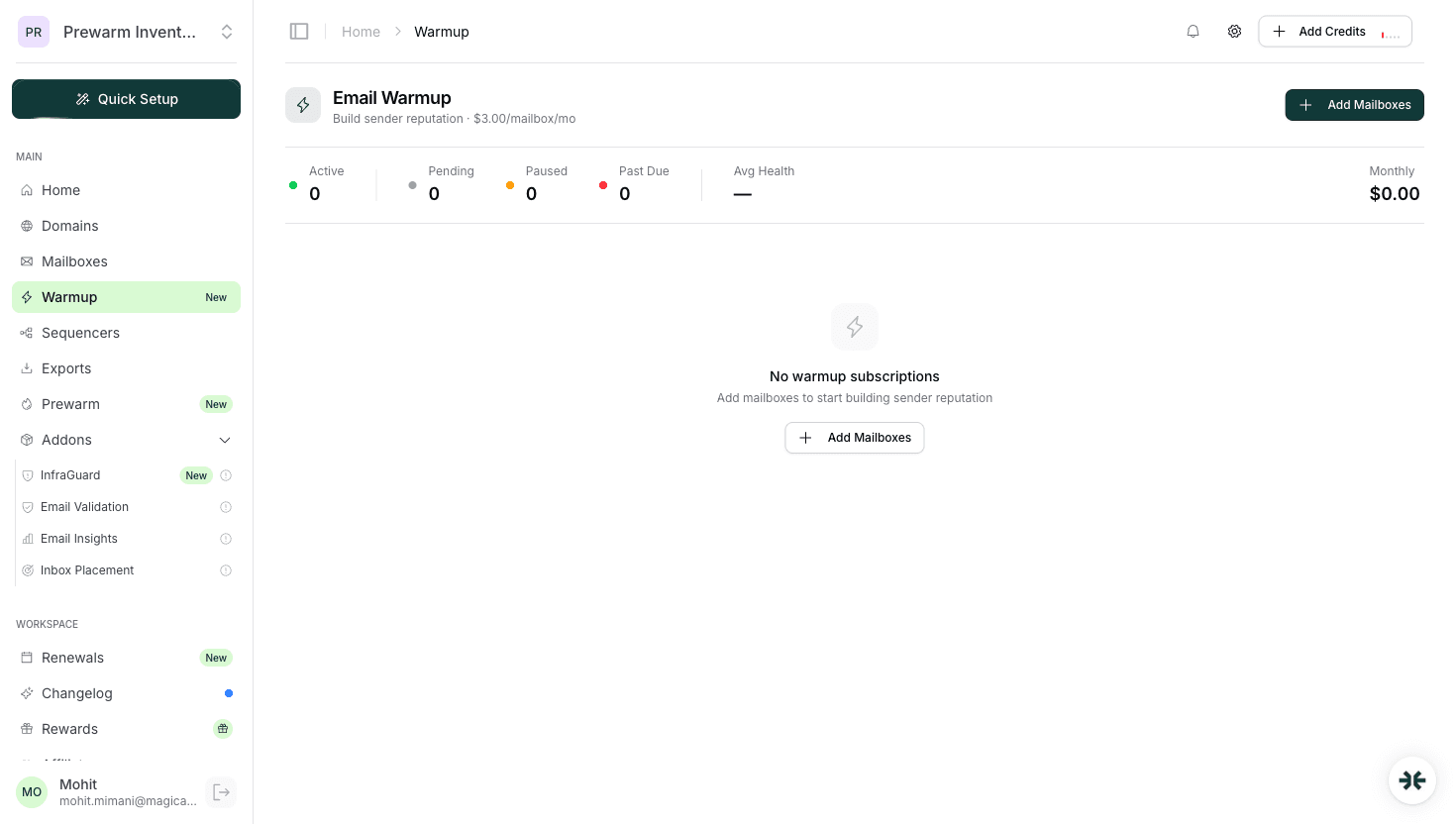
| InboxKit warmup add-on toggled OFF for this mailbox | InboxKit → Mailboxes → Warmup | Yes if you plan to use MailToaster warmup instead |
The double-warmup trap (this is the big one for warmup-category integrations). InboxKit ships its own isolated warmup add-on at $3/mailbox/month. If that add-on is ON for a mailbox and you then connect the same mailbox to MailToaster, the mailbox is now receiving warmup traffic from two separate peer networks at the same time. Volume roughly doubles, Gmail Postmaster starts seeing contradictory signals, and reputation can move sideways instead of up. Pick one engine and turn the other off.
For most InboxKit users running multi-sequencer setups, the decision tree is: use MailToaster if you're also using it for outreach; use InboxKit warmup if you're running mailboxes across multiple senders and want consistent warmup regardless of which sender you use on a given day. See email warmup tools comparison for side-by-side trade-offs.
The full click path:
| Step | Action | Time |
|---|---|---|
| 1 | InboxKit → Mailboxes → (select the mailbox) → Warmup → toggle OFF | 10 sec |
| 2 | InboxKit → Sequencers → Connect New Sequencer | 5 sec |
| 3 | Filter by Warmup category and pick MailToaster | 5 sec |
| 4 | Enter Email: your MailToaster login | 5 sec |
| 5 | Enter Password: your MailToaster password | 5 sec |
| 6 | Click Connect Account | , |
| 7 | InboxKit validates credentials against MailToaster's API | 1-3 sec |
| 8 | Selected InboxKit mailboxes join the MailToaster warmup network | 20-40 sec |
| 9 | Redirect to /sequencers with success toast | , |
Total: about 90-120 seconds including the InboxKit warmup toggle.
Note the extra step 1: turning off the InboxKit warmup before connecting MailToaster. This is the most common thing new users forget, and the reason their reputation signals look noisy for the first week.
MailToaster ramps warmup volume gradually. Here is the typical progression for a brand new InboxKit mailbox:
| Day | Warmup sends/day | Warmup receives/day | Reply simulation | Notes |
|---|---|---|---|---|
| 1-3 | 2-5 | 5-10 | ~30% | Establishing presence in network |
| 4-7 | 5-10 | 10-15 | ~50% | Starting to build reputation |
| 8-14 | 10-20 | 15-25 | ~70% | Reputation visibly improving |
| 15-21 | 20-30 | 25-40 | ~80% | Safe to start light outreach |
| 22-30 | 30-40 | 40-50 | ~90% | Full warmup maturity |
When to start sending real email. Most warmup experts agree: do not start real outreach until day 14 at the earliest, and ideally day 21. The mailbox needs time to accumulate enough positive reputation signals that real sends don't spike the spam rate. See email warmup guide for the reasoning and the underlying Gmail Postmaster data.
One specific MailToaster feature to know about: after day 14, you can reduce warmup volume to maintenance mode (5-10 sends/day) while running real outreach alongside. This keeps reputation stable without wasting warmup-network capacity. Toggle it in MailToaster → Mailbox Settings → Warmup Mode → Maintenance.
Side-by-side comparison to help you pick one:
| Feature | MailToaster | InboxKit isolated warmup |
|---|---|---|
| Pricing | Per-mailbox on MailToaster plan | $3/mailbox/month |
| Network | Shared peer-to-peer network (larger volume) | Isolated peer network (cleaner signal) |
| Reply generation | GPT-powered, high variance | Internal templates + AI variance |
| Setup time | ~90 seconds via InboxKit connect | One toggle in InboxKit dashboard |
| Integration | Requires separate MailToaster account | No separate account |
| Best for | Teams already using MailToaster for other mailboxes | InboxKit-only users |
For most single-sequencer users, the InboxKit warmup is simpler: one toggle, no extra credentials, no double-warmup risk because it's the same dashboard managing both the mailbox and the warmup. MailToaster makes more sense if you are running warmup on mailboxes that live outside InboxKit and want to unify them into one warmup tool.
The failure modes you are likely to hit:
| Error | Cause | Fix |
|---|---|---|
| 'Authentication failed' | Wrong password or 2FA on MailToaster account | Verify login in a clean browser tab |
| Mailbox in MailToaster but warmup volume stuck at 0 | Double-warmup conflict. InboxKit warmup still active | Turn OFF InboxKit warmup, wait 24h for MailToaster to detect |
| Warmup messages going to spam on other members' side | Your DNS (SPF/DKIM/DMARC) not fully propagated | Verify DNS with dig TXT yourdomain.com, wait 2-4 hours for propagation |
| Reputation score not improving after 7 days | Mailbox too new for meaningful signal | Wait to day 14 minimum before measuring |
| 'IMAP handshake failed' | IMAP disabled at Google Workspace OU | Enable IMAP in admin.google.com → Gmail → End User Access |
The double-warmup error is worth flagging explicitly because it is silent. MailToaster doesn't know that InboxKit is also sending warmup traffic on the same mailbox: both think they own the warmup loop. Results look like: MailToaster reports 'sending 20/day', InboxKit reports 'sending 20/day', actual mailbox reports 40/day in Gmail Postmaster, and reputation becomes unstable because the signals conflict. The fix is always to pick one and turn off the other.
Four things to check over the first 14 days:
Check 1: warmup messages in the Sent folder. Open Gmail webmail for one of your InboxKit mailboxes. Go to Sent. You should see MailToaster-generated messages going out: not your real outreach, but warmup messages to other MailToaster members. If the Sent folder is empty after day 3, MailToaster isn't actually sending from the mailbox: check InboxKit → Sequencers → MailToaster → Status.
Check 2: replies coming back. Within the same Gmail webmail, check the Inbox for replies from other MailToaster members. You should see GPT-generated replies with natural-sounding content. If replies are missing, IMAP polling is broken on the MailToaster side.
Check 3: Gmail Postmaster trend. Register your sending domain at Google Postmaster Tools. Watch the Reputation graph over 14-30 days. A healthy warmup shows a gradual climb from 'Low' or 'Medium' to 'High'. If it is flat or declining, something is wrong: usually DNS or double-warmup.
Check 4: inbox placement test after day 21. Run an inbox placement test via Mail Tester or GlockApps. Target: 9/10+. If the score is below 8/10 after a full warmup cycle, escalate, the mailbox needs more time, or there's a deeper DNS/content issue.
Yes, that is the standard setup. Warmup engine = MailToaster, outreach engine = Instantly. Just make sure the InboxKit warmup add-on is OFF (to avoid double-warming) and that you're past day 14 of warmup before your outreach ramps up. Real sends on an underwarmed mailbox is the #1 cause of day-one spam placement.
Yes. MailToaster is SMTP/IMAP-based, so Google Workspace and Microsoft 365 both work. The prereq for Microsoft 365 is Authenticated SMTP enabled at the mailbox level, which InboxKit provisions during mailbox creation.
MailToaster's pricing is per-mailbox, so the limit is whatever you pay for. InboxKit does not cap the export count: on Professional you get 10 mailboxes, on Agency 30, on Enterprise 100. Scale your MailToaster plan to match.
Yes. Every warmup message MailToaster sends from your mailbox consumes one outgoing message quota at Google or Microsoft. During active warmup (days 1-21), your mailbox may be doing 20-30 warmup sends/day. Plan your outreach daily limit to stay below Google's ~40/day practical cap after accounting for warmup traffic.
Reputation starts decaying after 7-14 days without activity. If you pause warmup to save money, plan to resume within 10 days or run maintenance-mode warmup (5-10 sends/day) to keep the mailbox reputation warm. A fully cold mailbox takes about 14 days to re-warm from scratch: see [email warmup guide](/learn/email-warmup-guide) for the full math.
Free tools and pages that go with this guide.
 Reviews
 Mohit MimaniGuides
 Rahul LakhaneyComparisonsRahul LakhaneyGuidesMohit MimaniGuidesRahul LakhaneyEducationalRahul Lakhaney
From $2.50/mailbox/mo. No plans or slots. Automated DNS, warmup, and InfraGuard monitoring included.