
LearnGuides
Connect InboxKit Mailboxes to Warmy.io in Under 4 Minutes

By Mohit MimaniPublished on: Apr 11, 2026 · 7 min read · Last reviewed: Apr 2026
TL;DR
Warmy.io warms inboxes in 30+ languages through a 650K+ domain network. Here is how to push every InboxKit mailbox into that network, plus the Google App ID whitelist step that trips up most new users.
Warmy.io runs one of the largest warmup networks in the category, with 650K+ domains, and its AI picks conversation partners from 30+ languages instead of the English-only defaults most warmup tools ship with. InboxKit connects to Warmy.io via email + password, validates the credentials against Warmy's auth endpoint, and pushes every selected InboxKit mailbox into the Warmy warmup queue. If you're running non-English outreach campaigns. Spanish, German, French, Dutch, anything in that range. Warmy's multi-language pool matters because the warmup traffic matches the language your real mailbox will send in.
Total connect time is about 3 minutes. The one step that trips up most new users is the Google Workspace admin whitelist. Warmy publishes a specific Google App ID that your workspace admin must approve in admin.google.com before the connection finishes.
Most warmup networks draw from a pool of mostly-English mailboxes. Warmy.io's own site states it 'supports warming up major email providers such as Gmail, G Suite, Google Workspace, Microsoft 365, Sendgrid, Amazon SES, Mailgun' and ships AI warmup in 30+ languages (source). The multi-language angle changes warmup training in a specific way:
| Warmup pool trait | English-only pool | Warmy multi-language pool |
|---|---|---|
| Training signal for Gmail filter | Only English patterns | Patterns match your actual sending language |
| Works for Spanish/German/French outreach | Poor, warmup doesn't match real traffic | Strong, pool mirrors real traffic |
| Works for English outreach | Strong | Strong |
| Network size | Varies, usually 50K-200K domains | 650K+ domains |
Google's inbox classifier trains on what 'normal' looks like for your sending patterns. If the warmup is 100% English and your real campaigns are 100% Spanish, the classifier can flag a mismatch. Warmy avoids this by sampling its pool based on a language preference you set when you add the mailbox. This matters most for agencies running multi-region campaigns, see email infrastructure for Germany or France for the regional context.
Gather these:
| Item | Where | Required |
|---|---|---|
| Warmy.io account | warmy.io | Yes |
| Warmy.io login email | — | Yes |
| Warmy.io password | — | Yes |
| Google Workspace admin approved Warmy as a trusted app | admin.google.com → Security → API Controls | Yes (for Workspace mailboxes) |
| IMAP enabled on Google Workspace OU | admin.google.com → Gmail → End User Access | Yes |
| SPF, DKIM, DMARC, MX live | InboxKit Cloudflare automation | Yes (auto) |
| Target languages picked for each mailbox | Warmy → Mailbox settings (after connect) | Optional but recommended |
The Google App ID whitelist step. Warmy.io's own help docs walk through this: 'Have your Google Workspace Administrator go to App Access Control, click "Configure new app", search for Warmy.io by using our Google App ID' (source). Without this step, Workspace tenants will reject the OAuth token Warmy needs to actually read and write the inbox during warmup. If you're on a trial Google Workspace account with no enterprise admin panel, this isn't required. Warmy's OAuth app is public. For legacy-managed tenants, the admin step is mandatory.
The connect flow is a standard email + password push:
| Step | Action | Time |
|---|---|---|
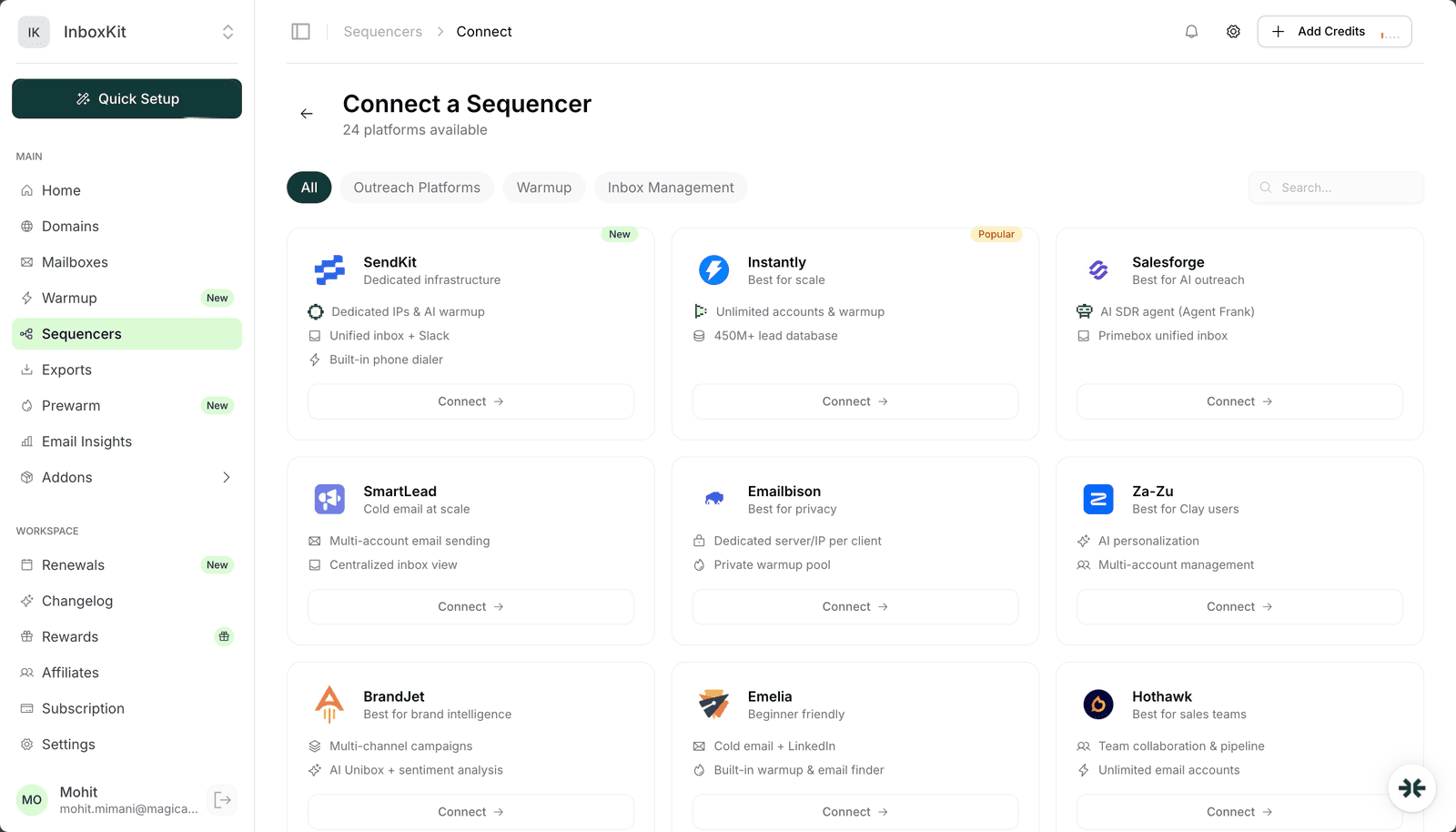
| 1 | InboxKit → Sequencers → Connect New Sequencer | 5 sec |
| 2 | Filter by Warmup category and pick Warmy | 5 sec |
| 3 | Enter Email. Your Warmy.io account email | 5 sec |
| 4 | Enter Password. Your Warmy.io password | 5 sec |
| 5 | Click Connect Account | — |
| 6 | InboxKit validates against Warmy's auth endpoint | 2-3 sec |
| 7 | Selected InboxKit mailboxes push into Warmy | 30-60 sec |
| 8 | Redirect to /sequencers with success toast | — |
Total: about 90 seconds in InboxKit. After the push, log into warmy.io to approve the per-mailbox OAuth connection (Google Workspace or Microsoft 365 consent screen) and pick the target language for each mailbox.
Once InboxKit has pushed the mailboxes, open Warmy and set the language preference for each one. This is the step that separates Warmy from most of the English-only competitors.
| Step (inside Warmy) | Action |
|---|---|
| 1 | Log into warmy.io → Mailboxes |
| 2 | Click on the newly-pushed InboxKit mailbox |
| 3 | Go to Warmup Settings → Language |
| 4 | Pick the primary language your real campaigns will send in |
| 5 | Optionally add 1-2 secondary languages for multi-region campaigns |
| 6 | Save |
Warmy's AI will now sample warmup conversation partners from the subset of its 650K+ domain pool that speaks the selected languages. This takes effect immediately, the next warmup cycle uses the new language filter.
When to pick multiple languages. If you're running one mailbox that targets French-speaking prospects on weekdays and English-speaking prospects on weekends, pick both French and English. If you only send in English, leave it at English-only and you get the broadest pool. Multi-language selection is most useful for agencies running a single sender across European markets. See email infrastructure for Europe-wide campaigns for the regional breakdown.
Warmy.io's Gmail setup guide specifically calls out two settings that block most new connections: IMAP access and app passwords.
| Setting | Google Workspace default | What Warmy needs |
|---|---|---|
| IMAP access | Off for legacy tenants | On for OU hosting the mailbox |
| 2-Step Verification | Optional | On (required for app passwords) |
| App password | Not required for OAuth path | Required if OAuth is blocked |
| Google App ID whitelisted | No | Yes for enterprise tenants |
Warmy's own blog guide states: 'Generate an application password specifically for Warmy to ensure a smooth connection with your Gmail account. Enable IMAP access in your Gmail' (source). This is the SMTP fallback path. If the OAuth flow fails because the admin hasn't whitelisted Warmy's Google App ID, you can generate an app password in the mailbox owner's Google account and paste it into Warmy instead. It's slower but universally compatible.
InboxKit already provisions SPF, DKIM, DMARC, and MX via Cloudflare in under 60 seconds. See email authentication explained to verify the records manually, or email domain setup checklist for the full prerequisite list.
Warmy.io handles warmup, not real sends. Pair it with an outreach sequencer like Instantly, Smartlead, Reply.io, or Salesforge. Use this ramp when you move from warmup-only to real campaigns:
| Mailbox age | Warmy warmup | Real outreach daily cap | Notes |
|---|---|---|---|
| Day 1-14 | Ramp 3→18 | 0 | Warmup only |
| Day 15-30 | 18-20 | 10-15 | First real campaigns |
| Day 31-45 | 20 | 20-30 | Aggressive ramp |
| Day 46-60 | 20 | 30-40 | Approaching steady state |
| Day 60+ | 20 | 40-50 | Steady state |
Google's email practical ceiling is 40-50 per mailbox. For higher volumes, add more InboxKit mailboxes horizontally, see scale email 100 to 10000 for the sizing math and email sending limits Google vs Microsoft for the provider caps.
Do not double up warmup systems. Warmy + InboxKit isolated warmup + Instantly warmup running simultaneously on the same mailbox is a reputation killer. Pick one per mailbox. See domain warmup best practices for the full rule set.
| Error | Cause | Fix | Frequency |
|---|---|---|---|
| 'This app is blocked' on OAuth | Google Workspace admin hasn't whitelisted Warmy's Google App ID | admin.google.com → Security → API Controls → add Warmy as trusted | 35% |
| 'IMAP handshake failed' | IMAP disabled at Google Workspace OU level | admin.google.com → Gmail → End User Access → enable IMAP | 22% |
| 'Invalid credentials' on the InboxKit push | Warmy.io account uses SSO and password field is empty | Set a direct password in Warmy → Account → Password | 15% |
| Warmup counts stay at zero after 48h | Language preference not set, so Warmy can't pick partners | Warmy → Mailbox → Warmup Settings → set language | 18% |
| 'SmtpClientAuthentication disabled' on Microsoft 365 | Per-mailbox SMTP AUTH off | Exchange Admin → Manage email apps → enable Authenticated SMTP | 10% |
Silent failure mode: Warmy's dashboard shows 'Warming up' even when OAuth scopes have been partially revoked by a workspace admin policy change. If warmup counts suddenly flatline and status still says 'Warming up', reauthorize the mailbox from scratch.
Test 1: Mailbox appears in Warmy queue. Log into warmy.io → Mailboxes. Every InboxKit mailbox should appear within 60 seconds with status 'Warming up'. Missing mailboxes mean the push failed silently, check the InboxKit Exports page.
Test 2: 48-hour activity check. Expect 10-20 sent, 8-15 received, 5-10 replied per mailbox. If all zero, OAuth never completed or language is not set.
Test 3: Language-match verification. Open any of the warmup messages Warmy has sent from the mailbox (Warmy → Mailbox → Activity → View message body). The body should be in the language you selected. If you set French and the body is English, language preference didn't save.
After 14 days of consistent warmup, run Mail Tester or GlockApps. You're looking for 9/10+ inbox placement across Gmail, Outlook, Yahoo. See inbox placement testing explained for full methodology.
Warmy runs a 650K+ domain network and draws from language-specific subsets of that pool when you set a mailbox's language preference. The infrastructure is real, but its usefulness depends on whether your real campaigns match the languages you pick. English-only senders don't benefit from the multi-language pool, stick with defaults.
No, pick one per mailbox. Running both simultaneously roughly doubles warmup sent volume, which Google reads as anomalous. Choose Warmy if you need multi-language coverage; choose InboxKit's isolated warmup ($3/mailbox/month) if you want a private pool isolated from other customers.
It's the client ID for Warmy's OAuth application inside Google Cloud Console. Enterprise Google Workspace tenants require admins to explicitly approve third-party apps by their client ID before they can access mailboxes via OAuth. Warmy publishes its client ID in the support docs and the admin whitelists it in admin.google.com.
Just warmup. Pair Warmy with a separate outreach sequencer like Instantly, Smartlead, Reply.io, or Salesforge for real campaigns. The typical stack is InboxKit for mailboxes, Warmy for multi-language warmup, and one outreach sequencer for sends.
Set a direct password inside Warmy → Account → Security → Password. InboxKit's connect flow requires an email + password for the Warmy auth endpoint. If you only have SSO, the validation step will fail because the password field is empty. Creating a direct password takes under a minute and doesn't disable SSO.
Free tools and pages that go with this guide.
 Reviews
 Mohit MimaniGuides
 Saksham JainGuides
 Rahul LakhaneyGuidesRahul LakhaneyEducationalRahul LakhaneyGuidesSaksham Jain
From $2.50/mailbox/mo. No plans or slots. Automated DNS, warmup, and InfraGuard monitoring included.