
LearnGuides
Connect InboxKit Mailboxes to Reply.io in Under 4 Minutes

By Mohit MimaniPublished on: Apr 11, 2026 · Updated: Oct 8, 2026 · 7 min read · Last reviewed: Oct 2026
TL;DR
Reply.io runs email, LinkedIn, SMS, and calls in one multichannel sequence. InboxKit provides the email side. Here is the exact connect flow, plus how the channels interact.
Reply.io connects to InboxKit via standard email + password in the Sequencers Connect screen. Paste your Reply.io login, InboxKit validates, and every selected InboxKit mailbox lands in Reply.io as a new email sender. The connect takes about 90 seconds.
Reply.io is the most channel-diverse tool in the InboxKit catalog. It runs email, LinkedIn messages, SMS, and even phone calls inside a single sequence. For InboxKit users, the important thing to understand is that only the email channel of Reply.io touches your InboxKit mailboxes, LinkedIn, SMS, and calls all use their own infrastructure inside Reply.io and are unrelated to the mailbox connect. This is similar to Emelia's LinkedIn-plus-email design, but Reply.io goes further by adding SMS and calls.
Reply.io's value prop is that a single sequence can mix channels to improve reply rates. A typical multichannel flow looks like this:
| Step | Channel | Day | Reply.io component | InboxKit involved? |
|---|---|---|---|---|
| 1 | Email first touch | Day 1 | Email sequence | Yes: sends via InboxKit mailbox |
| 2 | LinkedIn connection request | Day 3 | LinkedIn module | No: uses your LinkedIn session |
| 3 | Email follow-up | Day 5 | Email sequence | Yes |
| 4 | LinkedIn message | Day 7 | LinkedIn module | No |
| 5 | SMS text | Day 10 | SMS module (requires Twilio) | No |
| 6 | Phone call task | Day 12 | Call task (manual dial) | No |
| 7 | Email breakup | Day 15 | Email sequence | Yes |
The email steps go through your InboxKit mailboxes and count against your daily send quota. The LinkedIn, SMS, and call steps are unrelated to InboxKit. This matters because if you're planning a 6-email sequence, each mailbox's daily quota has to handle the combined send volume of all email steps across the campaign.
See email reply rate benchmarks 2026 for the data on how multichannel sequences compare against email-only for reply rates. Published benchmarks suggest 2-3x lift at the cost of 3-5x the complexity.
Gather these:
| Item | Where | Required |
|---|---|---|
| Reply.io account (any paid plan) | reply.io | Yes |
| Reply.io login email | , | Yes |
| Reply.io password | , | Yes |
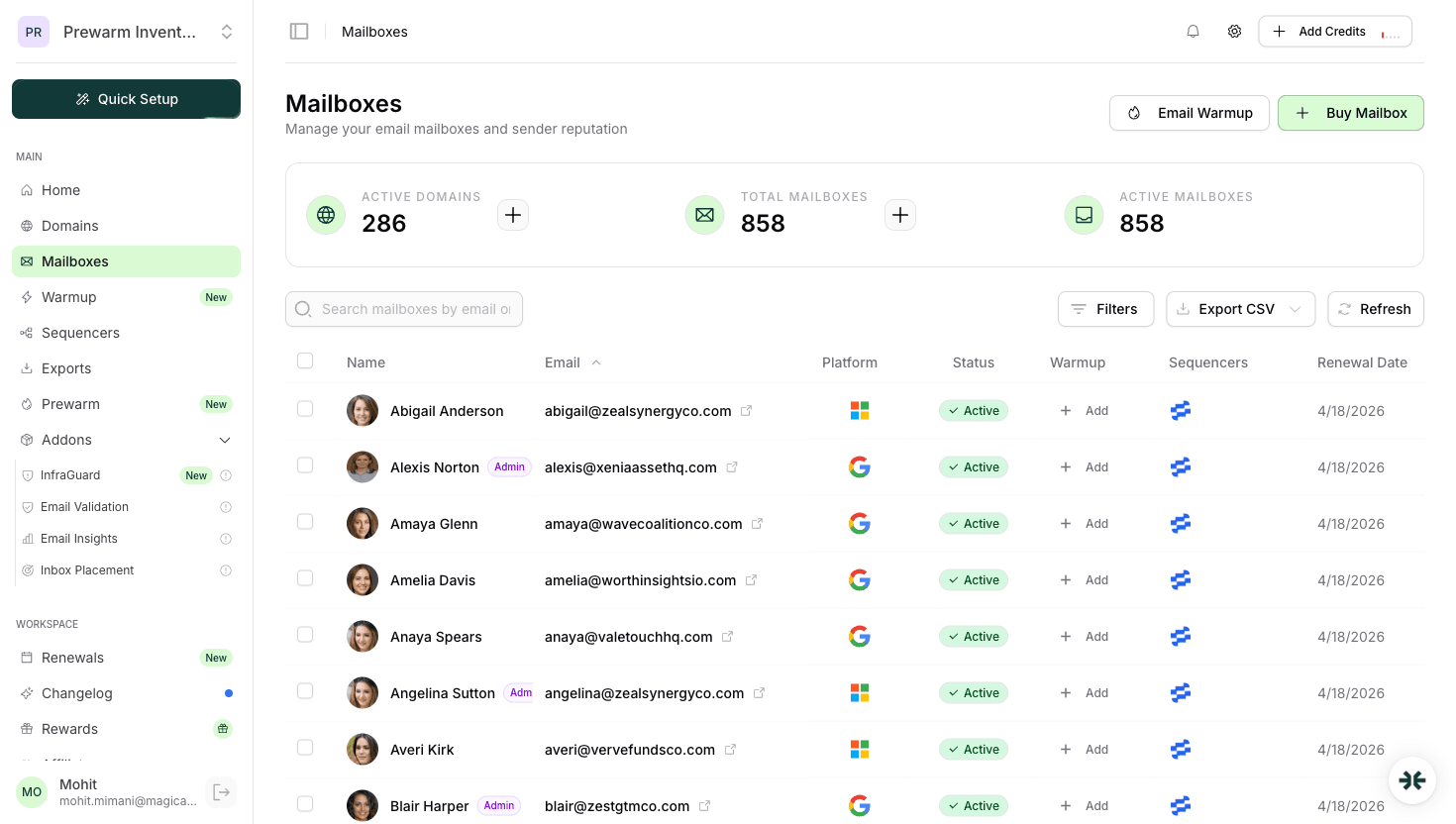
| InboxKit mailboxes provisioned | InboxKit → Mailboxes | Yes |
| IMAP enabled on Google Workspace OU | admin.google.com → Gmail → End User Access | Yes |
| LinkedIn Sales Navigator (for LinkedIn channel) | linkedin.com/sales | Optional |
| Twilio account (for SMS channel) | twilio.com | Optional |
Important scope note on credentials. Reply.io supports both traditional username/password authentication and an API key option inside their UI. The InboxKit connect uses the username/password path because it's universally supported across all Reply.io plans. API-key-only integrations are available inside Reply.io itself for direct API work, but the InboxKit mailbox push uses credentials. This is different from tools like SendKit or BrandJet that use API keys exclusively.
The full click path:
| Step | Action | Time |
|---|---|---|
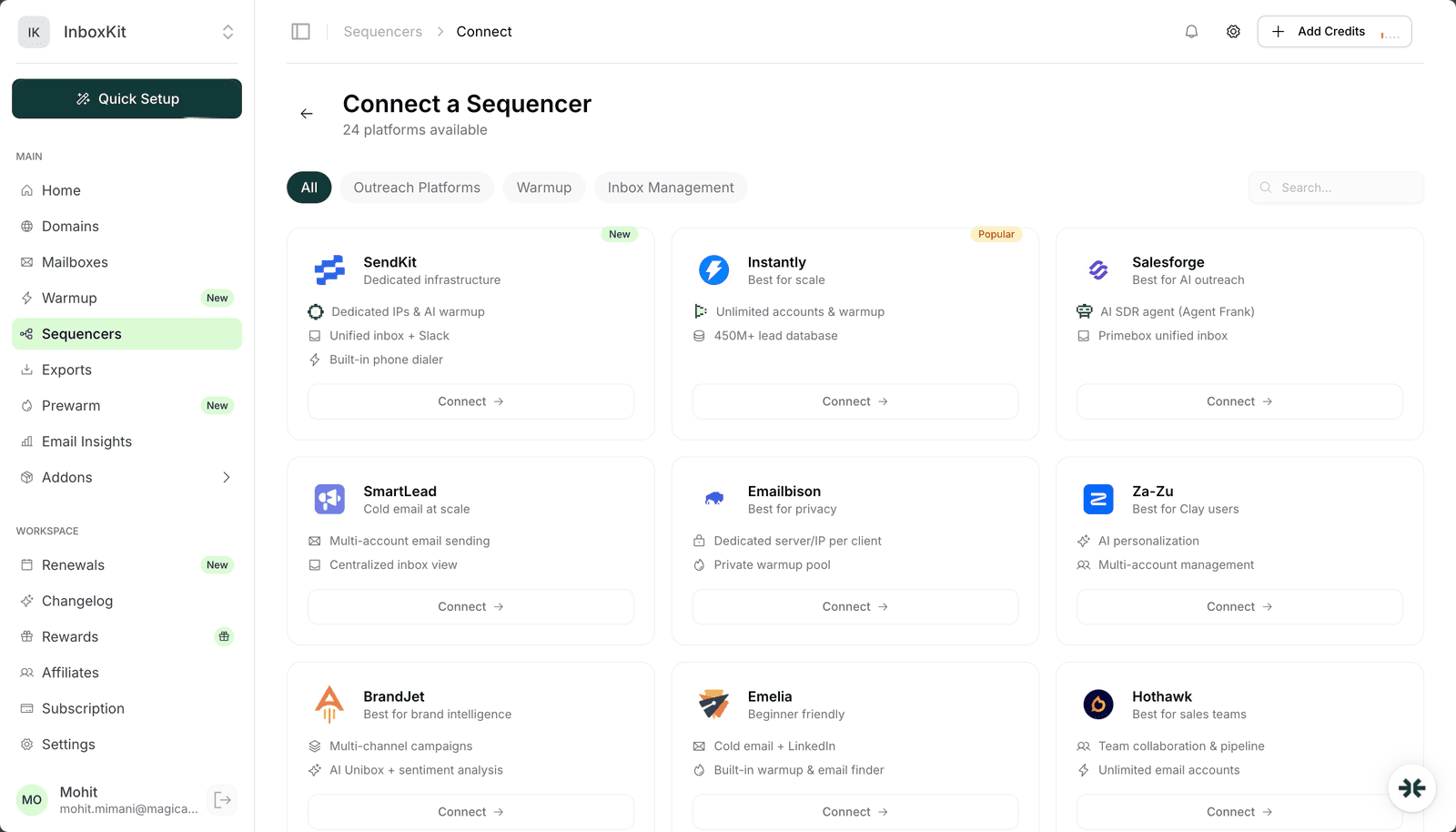
| 1 | InboxKit → Sequencers → Connect New Sequencer | 5 sec |
| 2 | Filter by Outreach and pick Reply.io | 5 sec |
| 3 | Enter Email: your Reply.io login | 5 sec |
| 4 | Enter Password: your Reply.io password | 5 sec |
| 5 | Click Connect Account | , |
| 6 | InboxKit validates credentials via Reply.io's API | 1-3 sec |
| 7 | Selected InboxKit mailboxes pushed into Reply.io as email senders | 20-40 sec |
| 8 | Redirect to /sequencers with success toast | , |
Total: about 90 seconds.
Reply.io uses the standard credential form. No workspace picker, no API key. Validation happens on submit. After the export completes, the mailboxes show up inside Reply.io → Email Accounts, ready to attach to a sequence.
Because multichannel sequences fire multiple emails per prospect over a 2-week window, your daily send budget has to account for the combined email volume. Here is the math:
| Campaign size | Sequence steps (email) | Total email volume | InboxKit mailboxes needed |
|---|---|---|---|
| 100 prospects | 3 email steps | 300 emails over 2 weeks = ~22/day | 1 mailbox |
| 500 prospects | 4 email steps | 2,000 emails over 2 weeks = ~143/day | 4 mailboxes |
| 1,000 prospects | 4 email steps | 4,000 emails over 2 weeks = ~286/day | 8 mailboxes |
| 5,000 prospects | 4 email steps | 20,000 emails over 2 weeks = ~1,430/day | 40 mailboxes |
The math assumes 40 emails/day per mailbox as the practical safe ceiling. Google's published hard cap is higher, but staying under 50/day protects reputation. If you are running 5,000-prospect multichannel campaigns, you need around 100 InboxKit mailboxes (from $2.50/mailbox/mo, so 100 × $2.50 = $250/month on annual billing) to have comfortable headroom.
Warmup interaction. Reply.io does not ship built-in warmup on all plans, so pair your InboxKit mailboxes with one of: InboxKit isolated warmup add-on ($3/mailbox/month), TrulyInbox, MailToaster, or Warmy.io. Pick one: running two on the same mailbox is always a bad idea.
Reply.io's LinkedIn channel is separate from InboxKit. Here's what you should know if you plan to use multichannel:
The bottom line: InboxKit handles the email side. Reply.io's LinkedIn side is a separate tool that happens to live in the same dashboard. If the LinkedIn side breaks, it has nothing to do with your InboxKit mailbox connection.
The typical failure modes for InboxKit → Reply.io connections:
| Error | Cause | Fix |
|---|---|---|
| 'Authentication failed' | Wrong password, or 2FA on Reply.io | Verify login in a clean browser; disable 2FA during connect |
| Success but mailboxes missing in Reply.io | Sender seat cap hit | Upgrade Reply.io plan or delete unused senders, then Retry Export |
| 'IMAP handshake failed' | IMAP disabled at Google Workspace OU | Enable IMAP in admin.google.com → Gmail → End User Access |
| LinkedIn step fails but email works | LinkedIn account restricted or session expired | Re-authenticate LinkedIn inside Reply.io: not an InboxKit issue |
| SMS step fails | Twilio account not linked or credit exhausted | Fix inside Reply.io → Integrations → Twilio |
| Email sends burst then pause | Reply.io per-account throttling kicked in | Spread sends over more mailboxes or lower per-mailbox daily cap |
The per-account throttle is worth understanding. Reply.io throttles sends at the account level to prevent individual mailboxes from burning reputation. If you configure a mailbox for 40/day but Reply.io's throttler decides the mailbox is too new, it caps at 15/day and the difference just doesn't send. Check Reply.io → Settings → Daily Limits if you see your effective volume consistently below configured.
Four smoke tests:
Test 1: mailbox test send. In Reply.io → Email Accounts → (pick InboxKit mailbox) → Send Test. Confirm delivery in <30 seconds with DKIM passing.
Test 2: reply round-trip. Reply to the test. Check Reply.io's Unibox within 2 minutes. If the reply appears, IMAP is working.
Test 3: multichannel pilot. Run a 3-prospect test sequence with email step 1, LinkedIn step 2, email step 3. Confirm all three fire. Email steps verify the InboxKit connection; LinkedIn step verifies your LinkedIn session is active in Reply.io.
Test 4: inbox placement test. Run a seed-list test across Gmail, Outlook, Yahoo, Hotmail. Target 9/10+. Reply.io's per-account throttler is strict, so a clean test here validates that your outgoing emails are passing every filter.
No. LinkedIn messages go through your LinkedIn session, not through email. Only the email steps of a Reply.io sequence use InboxKit mailboxes. Plan daily send caps based on the email-only volume of your campaigns.
Yes. Reply.io's email side works independently of LinkedIn. Many InboxKit users run Reply.io email-only and ignore the LinkedIn/SMS/call channels. If email is your main channel, tools like [Instantly](/learn/inboxkit-instantly-integration) or [Smartlead](/learn/inboxkit-smartlead-integration) are more focused and often cheaper per seat. Reply.io's premium price mostly buys you the multichannel capability.
Reply.io's email account limit depends on your plan: typically 20-200 senders per account. Check Reply.io → Billing → Plan Details for your specific cap. If you need more than your plan allows, split across multiple Reply.io accounts or upgrade the plan.
Reply.io's warmup (on plans that include it) is a shared peer network similar to Instantly's or Smartlead's. Running it alongside InboxKit's isolated warmup add-on doubles warmup volume and confuses reputation signals. Pick one. For most InboxKit users, the $3/mailbox/month InboxKit warmup is simpler because it's the same dashboard, but if you're Reply.io-only, their built-in warmup is fine to use alone.
Technically yes, but we don't recommend it. Two senders on one mailbox race on Google's per-minute limit, fight over IMAP read state, and produce inconsistent reply routing. Dedicate each mailbox to a single sender tool. If you need to split traffic across multiple tools, split by mailbox pool instead: 5 mailboxes for Reply.io, 5 for another tool.
Free tools and pages that go with this guide.
 Reviews
 Mohit MimaniGuides
 Saksham JainGuides
 Rahul LakhaneyGuidesMohit MimaniComparisonsRahul LakhaneyGuidesSaksham Jain
From $2.50/mailbox/mo. No plans or slots. Automated DNS, warmup, and InfraGuard monitoring included.