
LearnGuides
Connect InboxKit Mailboxes to Za-Zu in Under 4 Minutes

By Mohit MimaniPublished on: Apr 11, 2026 · Updated: Oct 8, 2026 · 7 min read · Last reviewed: Oct 2026
TL;DR
Za-Zu is the outreach layer many Clay users pair with real mailboxes. InboxKit handles the mailbox side; Za-Zu handles the AI-personalized sending. Here is the exact connect flow.
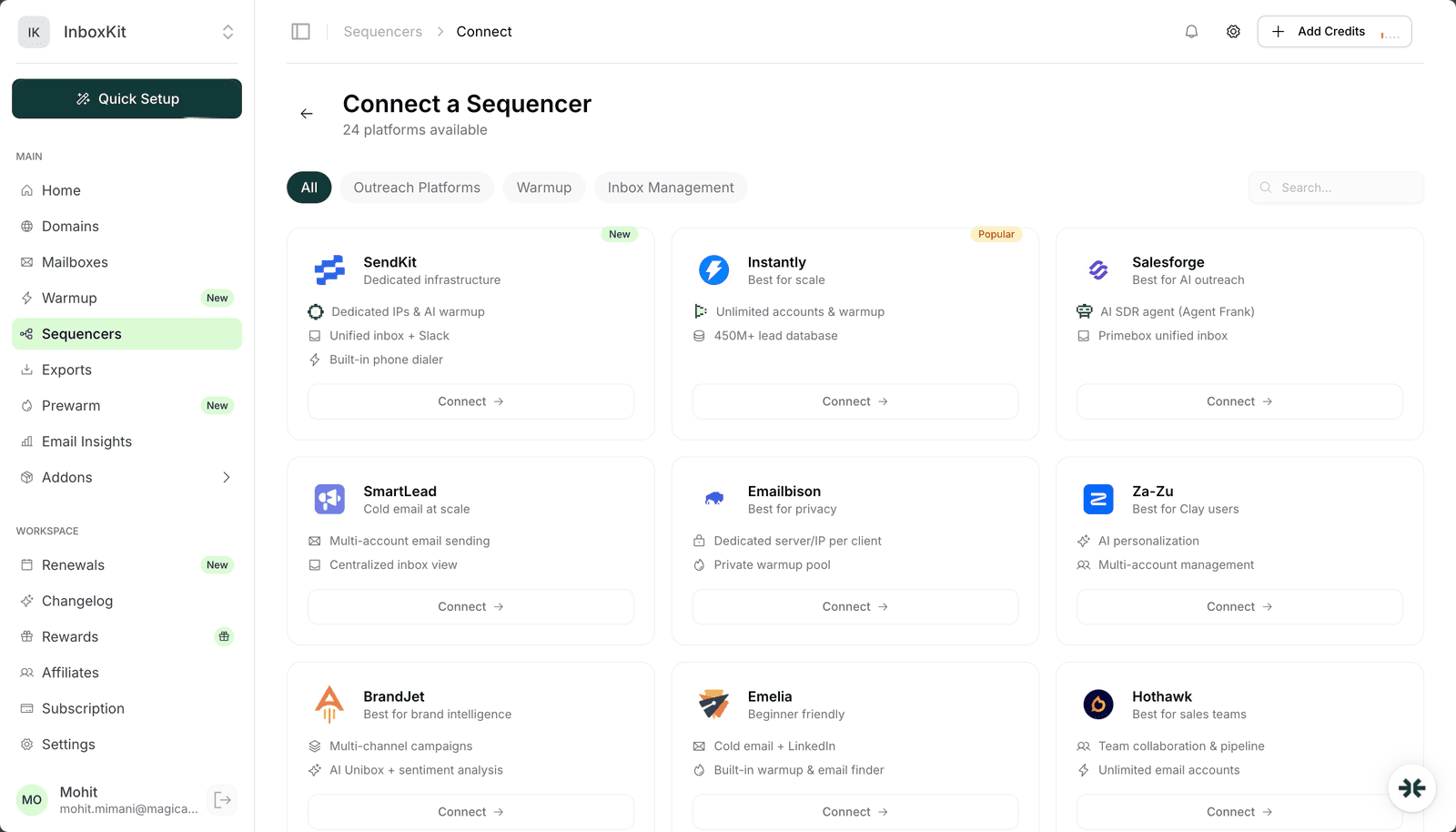
Za-Zu connects via standard credential handoff in the InboxKit Sequencers Connect screen. Paste your Za-Zu login email and password, click Connect Account, and InboxKit pushes every selected mailbox into your Za-Zu account for use in sequences. The actual connect completes in about 90 seconds. There is no API key, no workspace dropdown, and no multi-step validation. Za-Zu uses the simplest flow of any sequencer in the InboxKit catalog.
This is the integration to pick if you are a Clay user doing AI personalization at scale and you want real Google Workspace or Microsoft 365 mailboxes (not shared-IP mailboxes) as the sending layer underneath Za-Zu's sequences.
Za-Zu markets itself as 'the outreach tool Clay users pick.' The reason: Za-Zu accepts data directly from Clay tables, runs AI-personalized first touches, and supports multi-account management across many senders. What Za-Zu does not do is provision mailboxes for you, so you bring your own.
| Layer | What Za-Zu provides | What InboxKit provides |
|---|---|---|
| Prospect data | Clay integration, CSV, manual | — |
| AI first touches | Native AI personalization | — |
| Multi-account rotation | Yes | — |
| Real Google Workspace mailboxes | — | Yes (real, not shared-IP) |
| Real Microsoft 365 mailboxes | — | Yes |
| Azure mailboxes at scale | — | Yes, $30/tenant/mo |
| US-based sender IPs | — | Yes |
| DNS automation (SPF/DKIM/DMARC) | — | Yes, under 60 seconds via Cloudflare |
| Isolated warmup | — | Optional $3/mailbox/month |
For Clay-heavy workflows, the typical stack is Clay → Za-Zu → InboxKit mailboxes. Clay hydrates the prospect rows, Za-Zu writes the AI first touch, InboxKit sends from a real mailbox. Each tool owns one layer of the pipeline and none of them overlap.
Before clicking Connect in InboxKit:
| Item | Where | Required |
|---|---|---|
| Za-Zu account with at least one sender slot available | za-zu.com | Yes |
| Za-Zu login email | — | Yes |
| Za-Zu account password | — | Yes |
| InboxKit mailboxes provisioned and DNS live | InboxKit → Mailboxes | Yes |
| Clay workspace with your prospect data (if using Clay) | clay.com | Optional |
| IMAP enabled on Google Workspace OU | admin.google.com → Gmail → End User Access | Yes (for reply tracking) |
The IMAP-at-OU prerequisite. Za-Zu reads replies via IMAP, same as Instantly and Salesforge. If IMAP is disabled for the OU that contains your InboxKit mailboxes, Za-Zu will show zero replies even though sending works fine. Fix by enabling IMAP in the Google Workspace admin console before you connect. It takes 30 seconds and saves a half-hour of post-connect debugging. For a complete checklist of these Google Workspace admin prerequisites, see the email domain setup checklist.
The clean path from InboxKit dashboard to a connected Za-Zu account:
| Step | Action | Time |
|---|---|---|
| 1 | InboxKit → Sequencers → Connect New Sequencer | 5 sec |
| 2 | Filter by Outreach category and pick Za-Zu | 5 sec |
| 3 | Enter Email, your Za-Zu login | 5 sec |
| 4 | Enter Password, your Za-Zu password | 5 sec |
| 5 | (Optional) Enter an account nickname if you manage multiple Za-Zu tenants | 5 sec |
| 6 | Click Connect Account | — |
| 7 | InboxKit validates credentials and pushes selected mailboxes | 20-40 sec |
| 8 | Redirect to /sequencers with success toast | — |
Total: about 90 seconds.
Za-Zu does not require a separate workspace selection step (unlike Master Inbox) and does not use a custom API-key validation flow (unlike BrandJet or Supersend). It is the most direct credential flow in the catalog.
If you are pairing Za-Zu with Clay, the workflow after the InboxKit connect looks like this:
Step 1: Inside Clay. Build or import your prospect table. Add enrichment columns (company description, recent news, pain points) using Clay's built-in providers.
Step 2: Inside Za-Zu. Connect the Clay table to a Za-Zu sequence. Za-Zu reads each row as a prospect, pulls the enrichment data, and generates the AI first touch.
Step 3: Inside Za-Zu. Assign the sequence to a mailbox pool. This is where your InboxKit mailboxes live now, and they show up as a dropdown after the connect step above. Pick the pool you want for this campaign.
Step 4: Launch. Za-Zu starts sending via the mailboxes' SMTP credentials, paces according to your daily limits, and routes replies into Za-Zu's inbox for you to handle.
The hand-off points are clean. Clay owns the data and enrichment. Za-Zu owns the AI writing and the sending orchestration. InboxKit owns the actual mailbox, the thing Gmail and Outlook see on the other end. Each tool handles exactly one layer.
Set these inside Za-Zu after the import completes:
| Mailbox age | Daily send limit | Za-Zu config | Notes |
|---|---|---|---|
| Day 1-14 | 0 | Pause mailbox in Za-Zu, let InboxKit warm | Warmup only |
| Day 15-30 | 15-20 | Set daily_limit = 15 | Early sends |
| Day 31-60 | 25-40 | Set daily_limit = 30 | Full ramp |
| Day 60+ | 40-50 | Set daily_limit = 40 | Steady state |
Za-Zu does not ship its own warmup product. If you want warmup on these mailboxes, use one of:
Pick one. Do not run two warmup engines on the same mailbox. It roughly doubles warmup-sent volume and confuses reputation signals at Gmail Postmaster. See email warmup tools comparison for a deeper look at each warmup engine.
The failure modes you are likely to hit:
| Error | Cause | Fix |
|---|---|---|
| 'Authentication failed' | Wrong password or 2FA on Za-Zu account | Verify login in a clean browser tab; disable 2FA temporarily if needed |
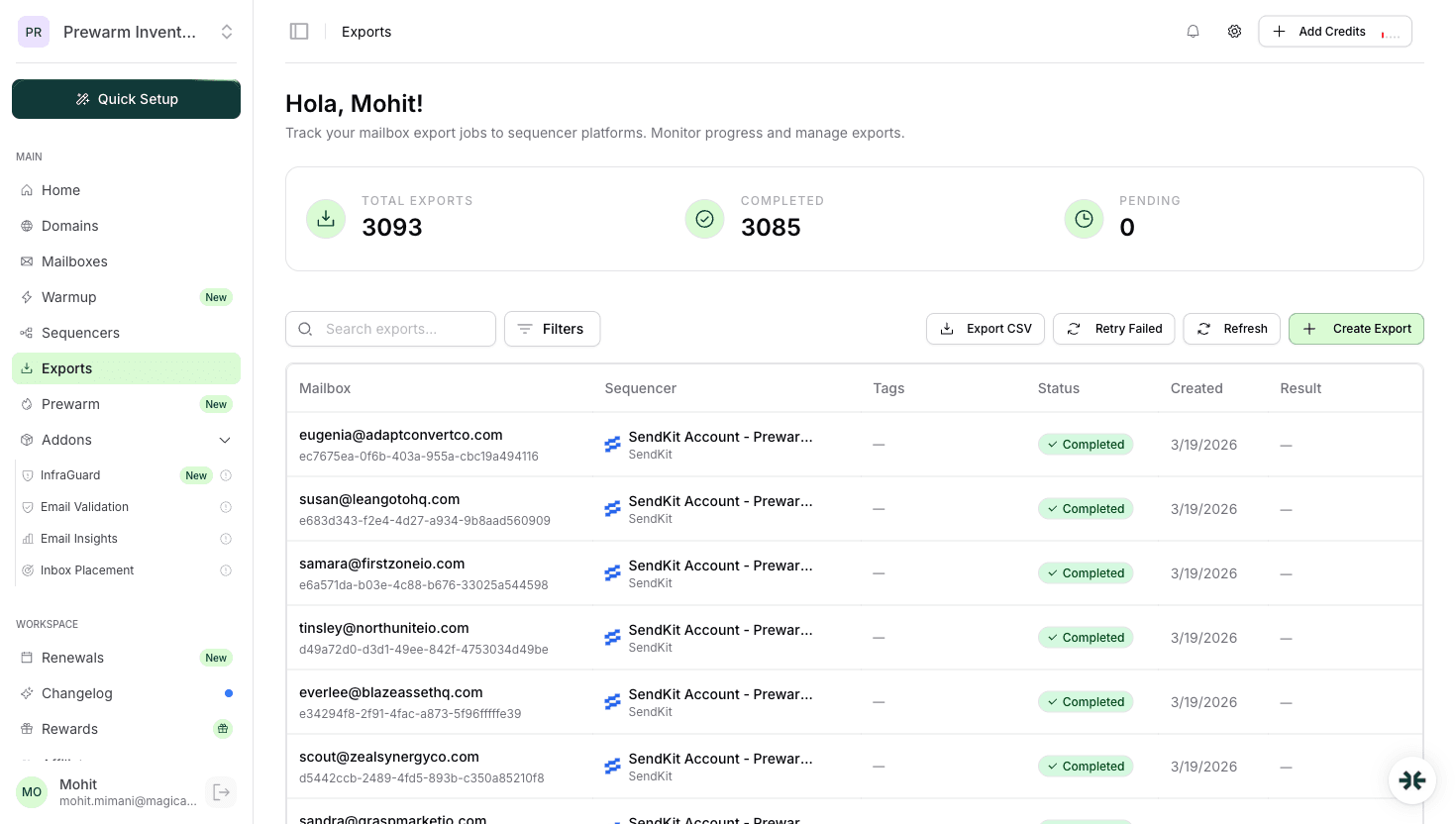
| Green success but mailboxes missing in Za-Zu | Za-Zu sender slot limit hit | Upgrade Za-Zu plan or delete unused senders, then Retry Export |
| 'IMAP handshake failed' on reply fetch | IMAP disabled at Google Workspace OU level | Enable IMAP in admin.google.com → Gmail → End User Access |
| 'Clay table sync timeout' inside Za-Zu | Not an InboxKit issue, Clay webhook latency | Retry inside Za-Zu, not InboxKit |
| Mailbox disconnects after password rotation | Password changed on underlying mailbox, Za-Zu SMTP session stale | Re-connect the mailbox in Za-Zu or re-run export in InboxKit |
On Clay-specific errors: Za-Zu connects to Clay via webhook, and that connection is maintained inside Za-Zu, not inside InboxKit. If your Clay integration breaks, that has nothing to do with the InboxKit mailbox side. It is a Za-Zu ↔ Clay issue. Check Za-Zu → Integrations → Clay → Webhook Status first before touching anything on the InboxKit side.
Smoke test every new Za-Zu connection:
Test 1: send test email from one mailbox. In Za-Zu → Mailboxes → (pick one) → Send Test. Confirm delivery <30 seconds.
Test 2: reply round-trip. Reply to the test. Check Za-Zu's inbox within 2 minutes. If the reply appears, IMAP is working.
Test 3: one-prospect pilot sequence. Before loading 500 prospects, run a 1-prospect test sequence end-to-end. You are verifying that Za-Zu's AI generates a reasonable first touch, sends it from the InboxKit mailbox, and logs the event correctly. If all three work, scale the sequence.
Test 4: inbox placement test. Send a seed-list test (Gmail, Outlook, Yahoo, Hotmail). Target: 9/10+ score. Below 8/10 means something in the DNS or warmup layer needs work. See inbox placement testing explained for the full methodology and common failure modes.
Za-Zu bills per sender slot. Each InboxKit mailbox you push into Za-Zu counts as one sender seat, regardless of how many sequences you run from it. Plan your mailbox count against Za-Zu's seat pricing tiers before you export. InboxKit charges [from $2.50 per mailbox per month](/learn/inboxkit-pricing), so 10 mailboxes is 10 × $2.50 = $25/month on annual billing; make sure your Za-Zu tier supports that many senders.
Technically yes, but we don't recommend it. Two sequencers sending from the same mailbox will race on Google's per-minute rate limit, fight over IMAP read flags, and make reply attribution inconsistent. Dedicate each mailbox to one sequencer. If you need to split traffic, split by mailbox pool: 5 mailboxes for Za-Zu, 5 for whatever else.
Za-Zu pulls from Clay via its own integration, which is set up inside Za-Zu → Integrations → Clay. The InboxKit connection handles only the mailbox side. Connecting InboxKit does not automatically re-import Clay prospects. You set that up once inside Za-Zu and it stays linked.
Za-Zu works without Clay. You can upload prospects via CSV or the Za-Zu UI. But its biggest wedge is the Clay integration, so if you are not a Clay user the comparative advantage shrinks and tools like [Instantly](/learn/inboxkit-instantly-integration) or [Smartlead](/learn/inboxkit-smartlead-integration) may suit you better for general cold outreach.
Za-Zu will start getting SMTP auth failures on the next send attempt and pause the mailbox after 3 consecutive failures. Existing sequences continue but skip that mailbox. Clean up stale mailbox references inside Za-Zu manually once a quarter to keep your sending pool tidy.
Free tools and pages that go with this guide.
 Reviews
 Mohit MimaniGuides
 Saksham JainGuidesSaksham JainGuidesMohit MimaniComparisons
 Rahul LakhaneyGuidesSaksham Jain
From $2.50/mailbox/mo. No plans or slots. Automated DNS, warmup, and InfraGuard monitoring included.